




C5800N
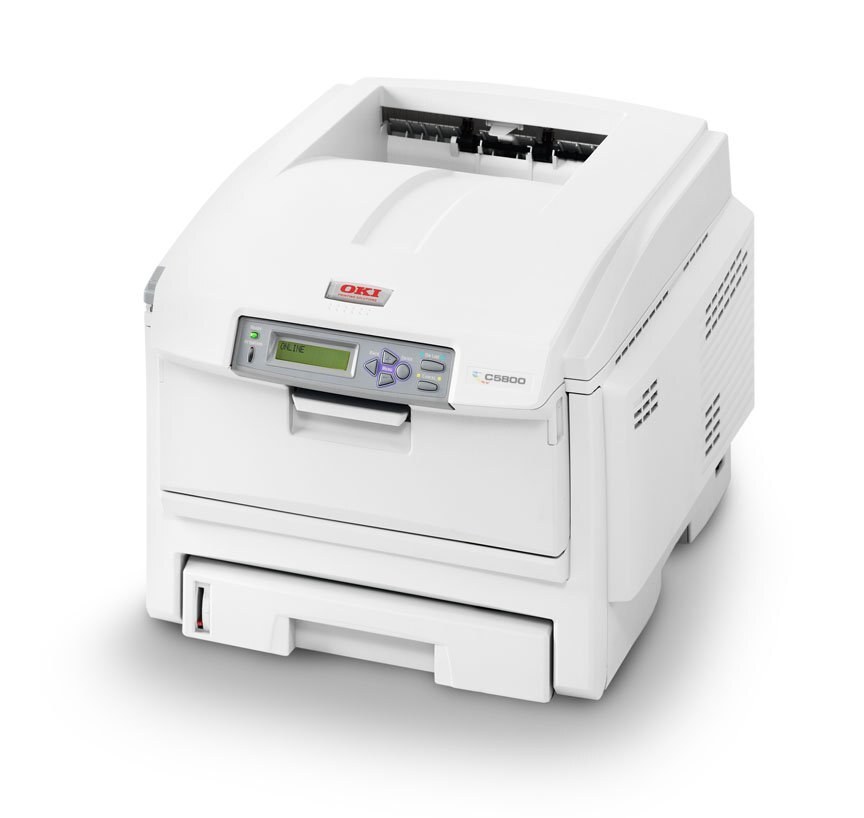
The OKI C5800N is a networked color laser printer built for offices that share one color machine across several desks, and it runs OKI’s Type C8 toner in two capacities. The standard line is black 43381901, cyan 43381902, magenta 43381903 and yellow 43381904; the high-yield line stocked on this page is black 43324404, cyan 43324403, magenta 43324402 and yellow 43324401. Both lines fit the same four slots, so a shared machine can be restocked from either range.
On a shared printer the four cartridges rarely empty together. Text-heavy office work drains black long before the colors, so the C5800N usually asks for a black cartridge while cyan, magenta and yellow still show healthy levels. The N in the name adds networking only — the cartridges are the same ones the rest of the C5800 family uses, which keeps ordering simple when several of these machines sit on the same network.
Toner Cartridges for C5800N
| Cartridge | Color | Page Yield |
|---|---|---|
| 43324404 | Black | See product page |
| 43324403 | Cyan | See product page |
| 43324402 | Magenta | See product page |
| 43324401 | Yellow | See product page |
This page also stocks the high-yield line as matched sets:
- C5800N High Yield 4 Color Set
- C5800N Premium Quality High Yield 4 Color Set
- Type C8 High Yield 4 Color Set
The same high-yield cartridges are also sold on this page under C5500 listings; they are the identical 43324401–43324404 cartridges.
Which cartridge should you buy?
Every cartridge stocked here is the high-yield version, and for a printer serving a whole workgroup that is the sensible default: each swap covers far more pages, so the machine spends less time waiting on supplies. Order single colors as they run down rather than replacing the full set — there is no reason to retire a cyan cartridge with life left in it because the black ran out. Move to a four-color set when two or more colors are showing low together, or when you want a complete spare set on the shelf. The standard-capacity 43381901–43381904 line also fits this printer but is not stocked on this page; whichever line you buy, match the part number on the cartridge you remove.
Chip, toner and everyday use
Each cartridge carries a chip that reports its level to the printer, and the C5800N tracks the four slots separately, so a low warning names the color that needs attention. If a fresh cartridge is not recognized, switch the printer off, slide the cartridge out and reseat it firmly until it clicks. After the printer itself is moved to another desk or office, run the color calibration routine — transport can disturb settled toner and knock registration slightly off. Keep spare cartridges in their bags, flat and away from direct sunlight, until the day they are needed.
Frequently Asked Questions
What toner does the OKI C5800N take?
It takes OKI Type C8 toner: standard black 43381901, cyan 43381902, magenta 43381903 and yellow 43381904, or the high-yield equivalents 43324404, 43324403, 43324402 and 43324401 stocked on this page. The same cartridges serve the C5800, C5800DN and C5800LDN.
Which C5800N cartridge runs out first?
Usually black, because most shared office printing is text. Keep a spare black cartridge near the machine, and set the driver default to grayscale for everyday documents so the three color cartridges are only spent on pages that genuinely need color.
Why do prints look different after the printer was moved?
Moving the machine can disturb the toner settled inside the cartridges and shift color registration. Run the calibration routine after any move, and reseat a cartridge if one color drops out entirely.
Are these genuine OKI cartridges?
No — the cartridges on this page are compatible replacements built to the same Type C8 part numbers, and they are covered by a 1-year warranty with 1-year returns.
More printers that use the same cartridges
The Type C8 family is large, and every model below takes the same standard and high-yield cartridges: C5500, C5500DN, C5500Ldn, C5500MFP, C5500N, C5600, C5650, C5650DN, C5650N, C5700, C5800, C5800DN, C5800LDN, C5900 MFP, C5900, C5900CDTN, C5900DN, C5900DTN, C5900N, C5950, C8, MFP.