




C5900CDTN
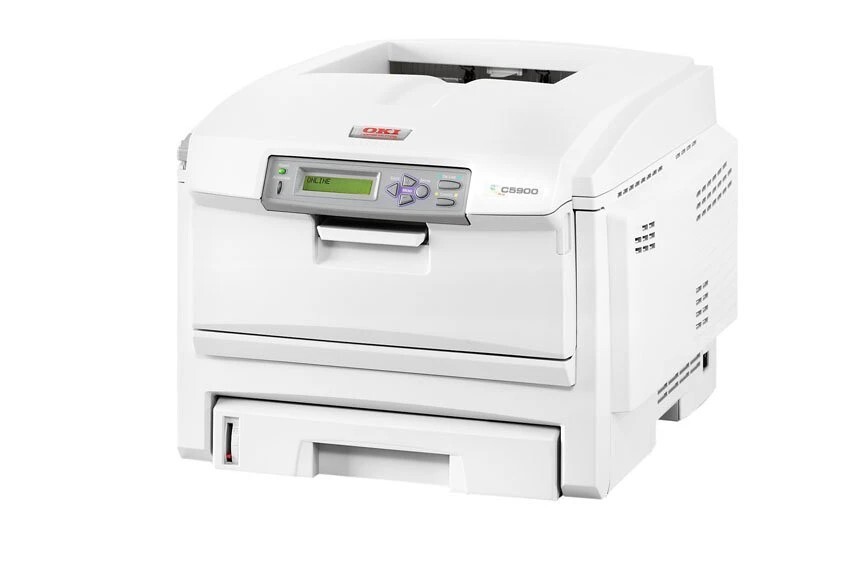
The Okidata C5900CDTN is the C5900 color laser in its most complete factory form — duplexing, extra paper capacity and networking all fitted — aimed at workgroups that want the engine with nothing left to add. What this page stocks for it is the Type C8 family in high-yield form: black 43324404, cyan 43324403, magenta 43324402 and yellow 43324401.
A fully loaded configuration signals a printer that is expected to work without ceremony: big trays mean long runs, duplex means most pages are two-sided, and the network means the whole group prints to it. Its consumables, though, are no more exotic than any other C5900's — the letters describe hardware the machine shipped with, while the cartridge row stayed the family's standard four slots.
Toner Cartridges for C5900CDTN
| Cartridge | Color | Page Yield |
|---|---|---|
| 43324404 | Black | See product page |
| 43324403 | Cyan | See product page |
| 43324402 | Magenta | See product page |
| 43324401 | Yellow | See product page |
All four high-yield singles are also bundled as the Type C8 High Yield 4 Color Set.
Which cartridge should you buy?
The family's standard-yield set — the cartridges numbered 43381901 through 43381904 — also belongs to this engine, but the listings on this page are the high-yield 4332440x line, the sensible default for a machine configured for volume: fewer changes, longer stretches between orders. Replace single colors as they empty, and reach for a full set such as the C5900CDTN High Yield 4 Color Set or the C5900CDTN Premium Quality High Yield 4 Color Set when several colors are finishing together.
Chip, toner and everyday use
High-yield cartridges reward a small habit: because each one lasts a long while, the empty warning tends to arrive mid-run on a machine this busy, so a spare black on the shelf pays for itself the first time it happens. Yields are quoted at roughly 5% coverage, and duplexed color documents eat into the colors faster than the headline figure suggests. New cartridges are chipped and register their level as soon as they are seated; store spares sealed and flat, away from heat and bright light.
Frequently Asked Questions
What do the letters in C5900CDTN stand for?
They spell out the configuration: C for color, D for duplex two-sided printing, T for the extra paper tray and N for networking. None of them changes the toner — every C5900 letter combination takes the same four cartridges.
Which toner does the C5900CDTN use?
The Type C8 family. Stocked here in high-yield form: black 43324404, cyan 43324403, magenta 43324402 and yellow 43324401, each replaced individually as it runs out.
My C5900CDTN jams when duplexing. Is that a toner problem?
No — jams are a paper-handling matter, not a toner one. Duplex jams usually trace to damp, curled or wrong-weight paper; load fresh paper stored flat and confirm the driver's media type matches what is in the tray.
Can I mix standard and high-yield cartridges in the same machine?
The slots accept the family's cartridges one color at a time, so a high-yield black can sit beside standard colors. Just keep each color's code inside this family — that is the part the printer is strict about.
More printers that use the same cartridges
Every model below runs on the same Type C8 cartridges, whatever its letter suffix:
C5500, C5500DN, C5500Ldn, C5500MFP, C5500N, C5600, C5650, C5650DN, C5650N, C5700, C5800, C5800DN, C5800LDN, C5800N, C5900 MFP, C5900, C5900DN, C5900DTN, C5900N, C5950, C8, MFP