




C5800DN
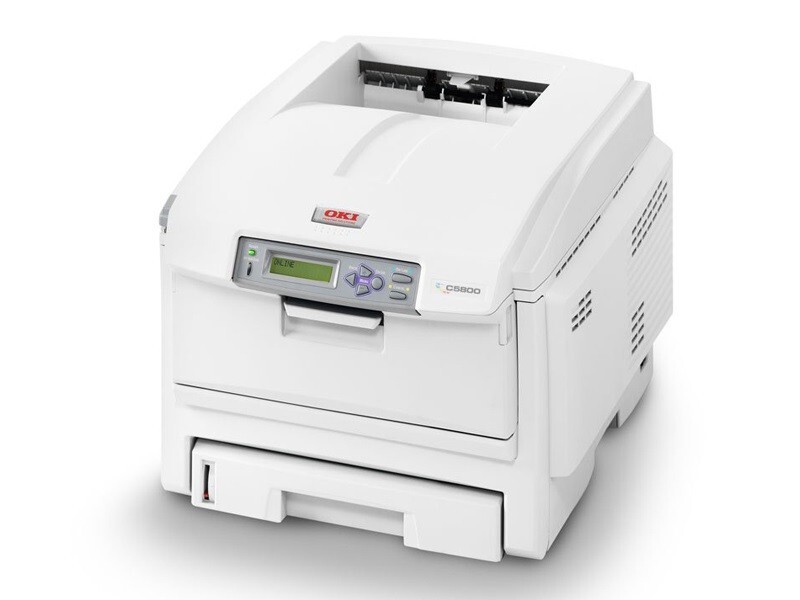
The Okidata C5800DN is a duplexing, network-ready color laser printer from OKI’s mid-range C5800 line, aimed at offices that print a steady mix of business documents. It is supplied with the Type C8 toner family — standard black 43381901, cyan 43381902, magenta 43381903 and yellow 43381904 — and busier installations can step up to the high-yield Type C8 cartridges stocked on this page: black 43324404, cyan 43324403, magenta 43324402 and yellow 43324401.
Automatic duplexing is the defining feature here: two-sided brochures, reports and handouts come off the machine finished, without anyone flipping paper by hand. Verify the cartridges installed in your machine before ordering — the C5800 family has been sold with both capacity lines, and the part number on the cartridge you remove is the one to match.
Toner Cartridges for C5800DN
| Cartridge | Color | Page Yield |
|---|---|---|
| 43324404 | Black | See product page |
| 43324403 | Cyan | See product page |
| 43324402 | Magenta | See product page |
| 43324401 | Yellow | See product page |
The high-yield cartridges are also available as matched sets:
- C5800DN High Yield 4 Color Set
- C5800DN Premium Quality High Yield 4 Color Set
- Type C8 High Yield 4 Color Set
Which cartridge should you buy?
For a C5800DN in daily shared use, the high-yield line is the economical default: longer runs between changes and a lower cost per page than the standard cartridges it was supplied with. Keep buying single colors as they empty — duplexing does not wear the four slots evenly, and black will still lead the way down on document work. Route internal documents through a black-only preset and save color for external material, and enable duplex by default at the same time: the two settings together cut toner and paper costs without changing how the office works.
Chip, toner and everyday use
A cartridge that the printer refuses to recognize is most often a seating problem — open the cover, lift the cartridge out and press it back until it clicks, letting the chip meet its contacts squarely. If prints fade toward one edge before a cartridge reports empty, rock it gently side to side to level the toner inside and print on. Keep the next set of cartridges in a cool, dry cupboard rather than on top of the warm machine, and fit them only when the printer asks for them.
Frequently Asked Questions
What toner does the Oki C5800DN take?
Type C8 cartridges: black 43381901, cyan 43381902, magenta 43381903 and yellow 43381904, or the high-yield 43324404, 43324403, 43324402 and 43324401 stocked here — the same set as the base C5800. Duplex and network features do not change the cartridges.
My C5800DN smudges the second side of duplex color brochures. What causes that?
Smudging on the second side only is usually a fuser issue, because that side passes through the fuser differently. A toner fault would mark both sides equally, so have the fuser checked if only second sides smudge.
How can I cut color costs on the C5800DN for internal documents?
Send internal documents through a black-only print preset and reserve color for client-facing material. Pair that with duplex as the default and the savings show up in both toner and paper.
Are the cartridges on this page genuine OKI products?
They are compatible replacements matched to the Type C8 part numbers, covered by a 1-year warranty and 1-year returns.
More printers that use the same cartridges
All of these models use the same Type C8 standard and high-yield cartridges: C5500, C5500DN, C5500Ldn, C5500MFP, C5500N, C5600, C5650, C5650DN, C5650N, C5700, C5800, C5800LDN, C5800N, C5900 MFP, C5900, C5900CDTN, C5900DN, C5900DTN, C5900N, C5950, C8, MFP.