




C5650N
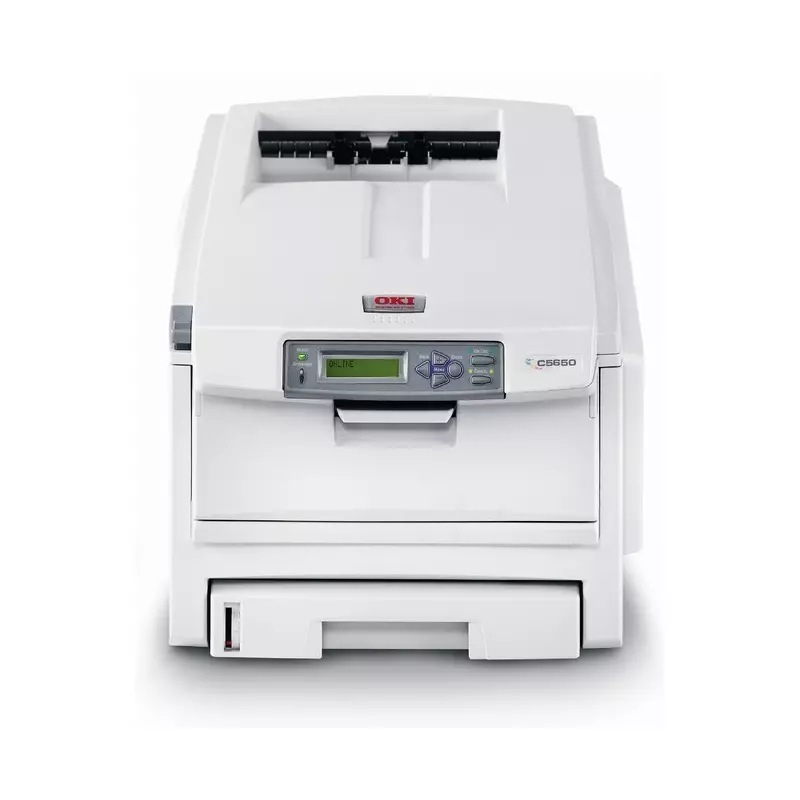
A networked color laser for shared office use, the Okidata C5650N sits in OKI's mid-range color lineup. Its Type C8 consumables — 43381901 yellow, 43381902 magenta, 43381903 cyan and 43381904 black — come in standard 2,000-page or high-yield 5,000-page form to match the office's print load, and the high-yield numbers stocked here one cartridge at a time are 43324404 black, 43324403 cyan, 43324402 magenta and 43324401 yellow.
The C5650N is the version of this printer meant to disappear into the office: on the network, available to everyone, noticed only when it stops. That invisibility is a toner strategy as much as a feature. Standard 2,000-page cartridges on a shared machine mean frequent small emergencies; the 5,000-page high-yield line turns toner into a quarterly errand instead. Offices that moved from a personal-printer mindset to this shared model usually find the consumables, not the hardware, are what needed upgrading.
Toner Cartridges for C5650N
| Cartridge | Color | Page Yield |
|---|---|---|
| 43324404 | Black | 5,000 pages |
| 43324403 | Cyan | 5,000 pages |
| 43324402 | Magenta | 5,000 pages |
| 43324401 | Yellow | 5,000 pages |
| 43324404 | Black | 5,000 pages |
| 43324403 | Cyan | 5,000 pages |
| 43324402 | Magenta | 5,000 pages |
| 43324401 | Yellow | 5,000 pages |
| 43324404 | Black | 5,000 pages |
| 43324402 | Magenta | 5,000 pages |
| 43324401 | Yellow | 5,000 pages |
Sets and multi-packs stocked on this page:
- C5650N High Yield 4 Color Set
- C5650N Premium High Yield 4 Color Set
- Type C8 High Yield 4 Color Set (43324404, 43324403, 43324402, 43324401)
- C5500 Toner Cartridge 4 Color Set (43324404, 43324403, 43324402, 43324401)
- C5500 Toner Cartridge 2 Black (43324404)
- C5500 Toner Cartridge 3 Black (43324404)
- C5500 Toner Cartridge 5 Black (43324404)
- C5500 Toner Cartridge 5 Color Set (43324404, 43324403, 43324402, 43324401)
- C5500 Toner Cartridge 8 Color Set (43324404, 43324403, 43324402, 43324401)
- C5500 Toner Cartridge 6 Color Set (43324403, 43324402, 43324401)
- C5500 Toner Cartridge 3 Color Set (43324403, 43324402, 43324401)
- C5500 Toner Cartridge 5 Color Set, alternate listing (43324404, 43324403, 43324401, 43324402)
Which cartridge should you buy?
Match the tier to the load, as this machine's own two-tier system intends. High-yield 4332440x cartridges at 5,000 pages are the sensible default for a networked C5650N — the cost per page is lower and the group gets a longer runway between orders. Standard 2,000-page 4338190x cartridges still suit a machine whose color work has genuinely slowed. The four-color sets under the table work for planned full refreshes; routine practice is to replace whichever single color the printer reports as empty. Note the table also lists the same cartridges under C5500 and C5600 listings — identical Type C8 units, all fitting this printer.
Chip, toner and everyday use
Because the C5650N serves many users, the chip in each cartridge matters beyond basic recognition: it is how the printer reports levels that everyone on the network relies on, and compatible cartridges with the correct chip keep those reports accurate. Page yields are rated at 5% coverage — a shared office's true coverage varies by department, so judge a cartridge by the calendar as well as the counter. Keep spares sealed and stored flat near the printer, and when a cartridge is changed, leave the empty one by the machine until the replacement proves itself — a simple habit that solves most "new cartridge" mysteries.
Frequently Asked Questions
Which toner cartridges fit the Oki C5650N?
Four individual Type C8 cartridges: yellow 43381901, magenta 43381902, cyan 43381903 and black 43381904 in standard form, or the high-yield 43324404 black, 43324403 cyan, 43324402 magenta and 43324401 yellow. Replace them one at a time as they deplete; there is no combined color cartridge to throw away half-full. (This page's older FAQ once listed the standard numbers against the wrong colors — the mapping above follows the numbering itself.)
What does the N in C5650N mean for office setup?
It means a built-in network interface: the printer joins the office Ethernet and is shared by every computer without a dedicated print-server PC.
Should a shared C5650N use standard or high-yield cartridges?
High-yield, in most cases. At 5,000 pages against the standard 2,000, the high-yield line cuts both cost per page and the frequency of empty-cartridge surprises for the group.
More printers that use the same cartridges
These models draw on the same Type C8 family as the C5650N:
C5500, C5500DN, C5500Ldn, C5500MFP, C5500N, C5600, C5650, C5650DN, C5700, C5800, C5800DN, C5800LDN, C5800N, C5900 MFP, C5900, C5900CDTN, C5900DN, C5900DTN, C5900N, C5950, C8, MFP