




LaserJet Pro MFP M377dw
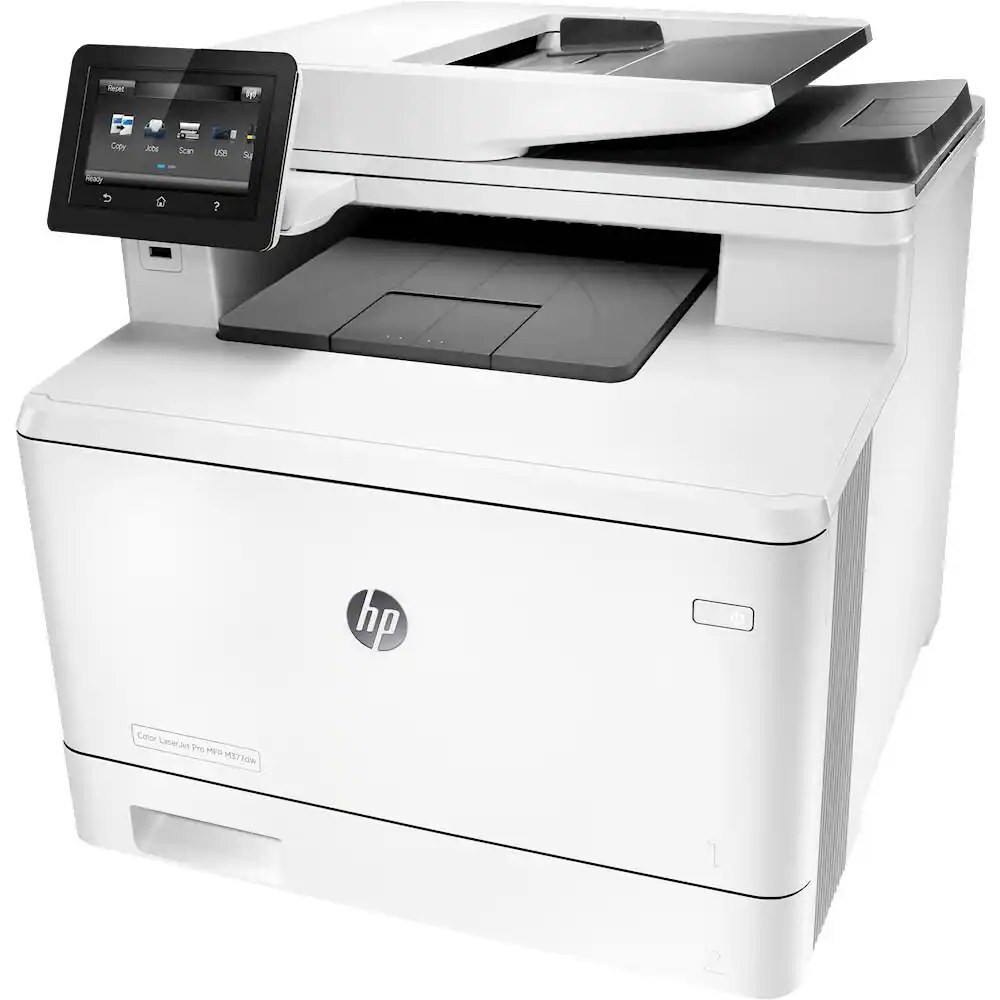
The HP LaserJet Pro MFP M377dw hit the sweet spot for small teams in 2016: color printing plus scanning and copying, with duplex and wireless, in a footprint that fit a side desk.
The cartridge family is HP 410A — black CF410A alongside cyan CF411A, yellow CF412A, and magenta CF413A — in standard and high-yield X capacities.
Toner Cartridges for LaserJet Pro MFP M377dw
This printer works with the following toner cartridges:
- HP CF410A
- HP CF411A
- HP CF412A
- HP CF413A
- HP CF410X
- HP CF411X
- HP CF412X
- HP CF413X
More HP Printers
- Color LaserJet M377DW
- Color LaserJet M477FDW
- Color LaserJet M477FNW
- Color LaserJet Pro M377
- Color LaserJet Pro M452
- Color LaserJet Pro M452DN
- Color LaserJet Pro M452DW
- Color LaserJet Pro M452NW
- Color LaserJet Pro M477
- Color LaserJet Pro M477FDN
- Color LaserJet Pro M477FDW
- Color LaserJet Pro M477FNW
- Color LaserJet Pro MFP M377
- Color LaserJet Pro MFP M377DW
- Color LaserJet Pro MFP M477
- Color LaserJet Pro MFP M477FDN
- Color LaserJet Pro MFP M477FDW
- Color LaserJet Pro MFP M477FNW
- LaserJet M377dw
- LaserJet M477fdw
- LaserJet M477fnw
- LaserJet Pro M452
- LaserJet Pro M452
- LaserJet Pro M452dn
- LaserJet Pro M452dn
- LaserJet Pro M452dw
- LaserJet Pro M452nw
- LaserJet Pro M477
- LaserJet Pro M477fdn
- LaserJet Pro M477fdw
- LaserJet Pro M477fnw
- LaserJet Pro MFP M377
- LaserJet Pro MFP M477
- LaserJet Pro MFP M477fdn
- LaserJet Pro MFP M477fdw
- LaserJet Pro MFP M477fnw
Frequently Asked Questions
How do I check how much toner is left in the LaserJet Pro MFP M377dw?
Open the supplies menu on the LaserJet Pro MFP M377dw's control panel, or type the printer's IP address into a browser for its embedded web page — both show a separate level for the CF410A, CF411A, CF412A, and CF413A cartridges. When one gauge runs low on the LaserJet Pro MFP M377dw, order that color so it is on hand before print quality fades.
How should I store spare toner for the LaserJet Pro MFP M377dw?
Keep spare CF410A cartridges sealed in their original packaging until the LaserJet Pro MFP M377dw needs them — toner breaks down faster in heat and humidity. Store them flat in a cool, dry spot away from direct sunlight. Don't open a new cartridge until you're ready to install it.
Why does my LaserJet Pro MFP M377dw show a non-HP cartridge message?
The LaserJet Pro MFP M377dw shows that message when it detects a cartridge not manufactured by HP. Compatible cartridges usually print normally once you acknowledge the notice. If the printer refuses to print, read the on-screen instructions and contact your cartridge supplier.