




Color LaserJet Pro MFP M377DW
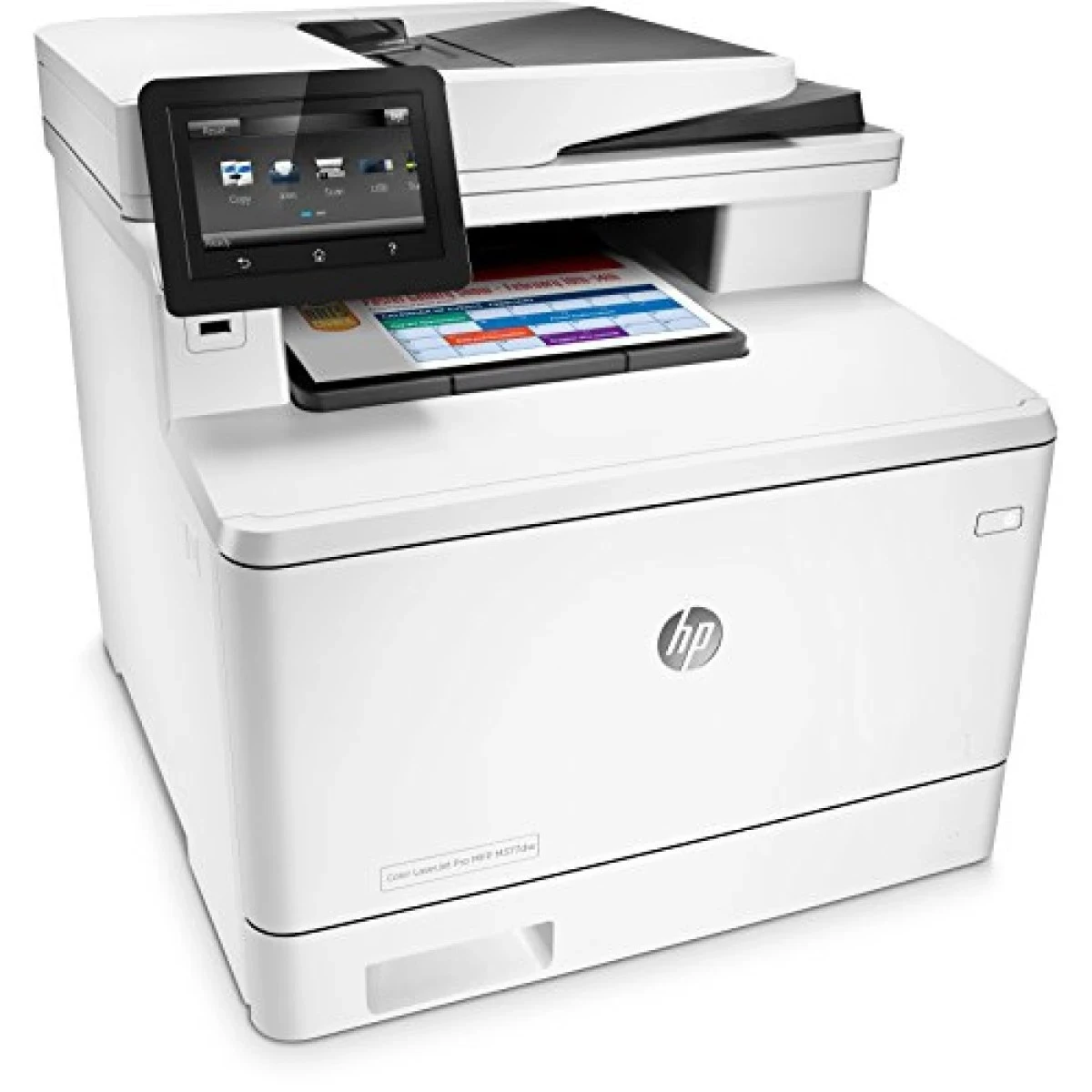
The Color LaserJet Pro MFP M377DW comes from the mid-2010s, when a color multifunction was bought for durability first and features second, and it still handles everyday office document printing exactly the way its owners expect. It runs on the HP CF410A (410A) black cartridge, flanked by CF411A cyan, CF412A yellow and CF413A magenta, and every slot has a longer-life twin: CF410X (410X) in black, CF411X in cyan, CF412X in yellow and CF413X in magenta. Because the same cartridges fit dozens of sibling machines, they are standard stock rather than a special-order hunt.
This is the page for offices that keep one color MFP at the center of the desk cluster and ask it to print, scan and copy without ceremony. The M377DW was not built to chase spec-sheet records; it was built to be the machine nobody thinks about until the day it stops, and the cartridge family behind it shares that plain temperament — four colors, two capacities, nothing exotic to track down.
Toner Cartridges for Color LaserJet Pro MFP M377DW
| Cartridge | Color | Page Yield |
|---|---|---|
| CF410A | Black | See product page |
| CF411A | Cyan | See product page |
| CF412A | Yellow | See product page |
| CF413A | Magenta | See product page |
| CF410X | Black | See product page |
| CF411X | Cyan | See product page |
| CF412X | Yellow | See product page |
| CF413X | Magenta | See product page |
| CF410A Black 2 Pack | Black | See product page |
| CF410A Black 3 Pack | Black | See product page |
| CF410A Black 5 Pack | Black | See product page |
| CF410X Black 2 Pack | Black | See product page |
| CF410X Black 3 Pack | Black | See product page |
| CF410X Black 5 Pack | Black | See product page |
| 410A 4 Color Set | Black + all colors | See product page |
| 410A 3 Color Set (CMY) | Colors only | See product page |
| 410A 5 Color Set (2 Black + CMY) | Black + all colors | See product page |
| 410A 6 Color Set (2 x CMY) | Colors, doubled | See product page |
| 410A 8 Color Set (2 x BCMY) | Black + all colors, doubled | See product page |
| 410X 4 Color Set | Black + all colors | See product page |
| 410X 3 Color Set (CMY) | Colors only | See product page |
| 410X 5 Color Set (2 Black + CMY) | Black + all colors | See product page |
| 410X 6 Color Set (2 x CMY) | Colors, doubled | See product page |
| 410X 8 Color Set (2 x BCMY) | Black + all colors, doubled | See product page |
Which cartridge should you buy?
Start with how much color the office actually prints. The standard 410A singles suit desks where color shows up in the occasional chart or cover page, and each color can be replaced on its own as it runs down. Where color volume is steady, the 410X high-yield singles cut the swap frequency and the cost per page with it. Black-heavy offices should look at the black 2, 3 and 5 packs in either tier before anything else, while a full refresh of all four slots at once is what the 4-color sets are for; the larger 5, 6 and 8-piece sets simply stage the next change in advance. Every compatible cartridge sold here carries a 1-year warranty and 1-year returns.
Chip, toner and everyday use
When a fresh cartridge draws a blank stare from the printer, pull it back out and check the basics before blaming the chip: the sealing strip fully removed, the cartridge rocked gently side to side so the toner inside settles evenly, and a firm seat until it clicks. A power cycle after reseating lets the M377DW read the chip again with fresh eyes. Page yields, where a cartridge states one, are estimates measured at 5% page coverage, so dense color pages will empty a cartridge sooner than the number suggests. Spares keep best sealed in their bags, stored flat and away from heat, until the day they are needed.
Frequently Asked Questions
What toner cartridges does the Color LaserJet Pro MFP M377DW use?
It uses the HP 410A family in standard yield — CF410A black, CF411A cyan, CF412A yellow and CF413A magenta — or the high-yield 410X equivalents, CF410X, CF411X, CF412X and CF413X. Order by those exact codes; cartridges from other HP families will not fit.
Can I mix standard and high-yield cartridges in the same M377DW?
Yes. Each color slot works independently, so a CF410X black can sit alongside standard CF411A, CF412A and CF413A colors without any conflict. Many owners step only the fastest-emptying color up to the X tier and leave the rest standard.
Only one color has run out — do I have to change all four?
No. Buy and replace just the empty color as a single cartridge. Sets make sense when several colors are low together or when you want the next round already on the shelf, not as a requirement of the printer.
The printer does not recognize a new cartridge. What should I check?
Remove the cartridge and confirm every protective seal and tab came off, then reseat it firmly. If the message stays, switch the M377DW off and back on so it re-detects the cartridge. A cartridge that still refuses after that is a warranty case, not a lost cause.
More printers that use the same cartridges
The 410 cartridges are shared across the whole M377 and M477 generation, so the same supplies shelf serves all of these machines: Color LaserJet M377DW, Color LaserJet M477FDW, Color LaserJet M477FNW, Color LaserJet Pro M377, Color LaserJet Pro M452, Color LaserJet Pro M452DN, Color LaserJet Pro M452DW, Color LaserJet Pro M452NW, Color LaserJet Pro M477, Color LaserJet Pro M477FDN, Color LaserJet Pro M477FDW, Color LaserJet Pro M477FNW, Color LaserJet Pro MFP M377, Color LaserJet Pro MFP M477, Color LaserJet Pro MFP M477FDN, Color LaserJet Pro MFP M477FDW, Color LaserJet Pro MFP M477FNW, HP 410A, HP 410X, LaserJet M377dw, LaserJet M477fdw, LaserJet M477fnw, LaserJet Pro M452, LaserJet Pro M452, LaserJet Pro M452dn, LaserJet Pro M452dn, LaserJet Pro M452dw, LaserJet Pro M452nw, LaserJet Pro M477, LaserJet Pro M477fdn, LaserJet Pro M477fdw, LaserJet Pro M477fnw, LaserJet Pro MFP M377, LaserJet Pro MFP M377dw, LaserJet Pro MFP M477, LaserJet Pro MFP M477fdn, LaserJet Pro MFP M477fdw, LaserJet Pro MFP M477fnw.