




LaserJet Pro M477fdn
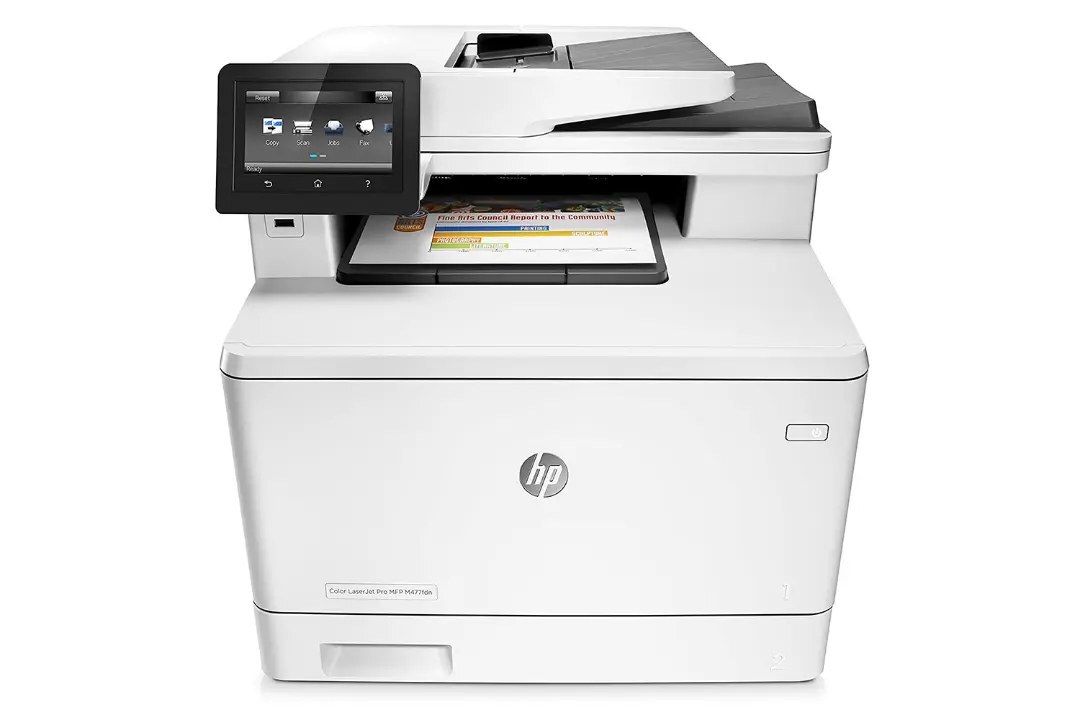
Fax capability plus automatic duplexing and Ethernet gave the HP LaserJet Pro M477fdn everything a small office's document station needed, short of wireless networking.
The M477fdn runs on the HP 410A cartridge family: black CF410A, cyan CF411A, yellow CF412A, magenta CF413A, in standard or high-yield X yields.
Toner Cartridges for LaserJet Pro M477fdn
This printer works with the following toner cartridges:
- HP CF410A
- HP CF411A
- HP CF412A
- HP CF413A
- HP CF410X
- HP CF411X
- HP CF412X
- HP CF413X
More HP Printers
- Color LaserJet M377DW
- Color LaserJet M477FDW
- Color LaserJet M477FNW
- Color LaserJet Pro M377
- Color LaserJet Pro M452
- Color LaserJet Pro M452DN
- Color LaserJet Pro M452DW
- Color LaserJet Pro M452NW
- Color LaserJet Pro M477
- Color LaserJet Pro M477FDN
- Color LaserJet Pro M477FDW
- Color LaserJet Pro M477FNW
- Color LaserJet Pro MFP M377
- Color LaserJet Pro MFP M377DW
- Color LaserJet Pro MFP M477
- Color LaserJet Pro MFP M477FDN
- Color LaserJet Pro MFP M477FDW
- Color LaserJet Pro MFP M477FNW
- LaserJet M377dw
- LaserJet M477fdw
- LaserJet M477fnw
- LaserJet Pro M452
- LaserJet Pro M452
- LaserJet Pro M452dn
- LaserJet Pro M452dn
- LaserJet Pro M452dw
- LaserJet Pro M452nw
- LaserJet Pro M477
- LaserJet Pro M477fdw
- LaserJet Pro M477fnw
- LaserJet Pro MFP M377
- LaserJet Pro MFP M377dw
- LaserJet Pro MFP M477
- LaserJet Pro MFP M477fdn
- LaserJet Pro MFP M477fdw
- LaserJet Pro MFP M477fnw
Frequently Asked Questions
Which cartridge codes fit the LaserJet Pro M477fdn?
The LaserJet Pro M477fdn fits CF410A, CF411A, CF412A, CF413A, CF410X, CF411X, CF412X, CF413X. The code printed on the box is what matters; matching it exactly is how you avoid returns.
How long can I keep an unopened cartridge for the LaserJet Pro M477fdn?
An unopened HP 410A cartridge keeps for a long time if it stays sealed in its bag — toner powder does not spoil quickly. Store it at room temperature away from heat and direct sun, and plan to install it in the LaserJet Pro M477fdn within a couple of years, since very old cartridges can develop print defects.
How do I get draft-quality prints from the LaserJet Pro M477fdn to save toner?
Turn on the draft or toner-save option in the print dialog before sending the job to the LaserJet Pro M477fdn, and choose grayscale for documents that do not need color. Those two settings stretch every CF410A cartridge in the LaserJet Pro M477fdn noticeably further for everyday printing.