




LaserJet Pro M477
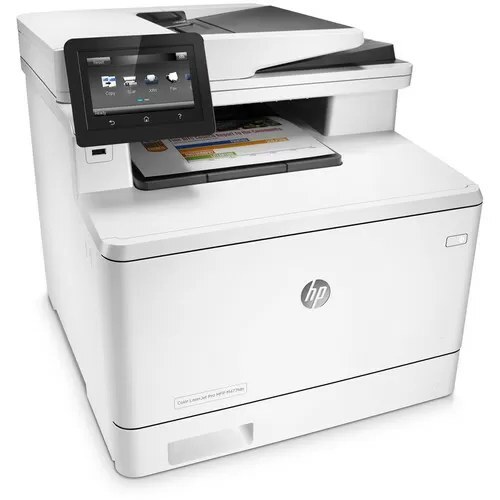
The HP LaserJet Pro M477 was the base color multifunction of the M477 family: print, scan, and copy in one A4 unit for workgroups that didn't need fax hardware.
It uses HP 410A toner — CF410A black alongside cyan CF411A, yellow CF412A, and magenta CF413A — with high-yield X cartridges for busier environments. Those high-yield X cartridges answer to CF410X (black), CF411X (cyan), CF412X (yellow) and CF413X (magenta) — the numbers to quote when a standard set turns over too quickly in the M477.
Toner Cartridges for LaserJet Pro M477
This printer works with the following toner cartridges:
- HP CF410A
- HP CF411A
- HP CF412A
- HP CF413A
- HP CF410X
- HP CF411X
- HP CF412X
- HP CF413X
More HP Printers
- Color LaserJet M377DW
- Color LaserJet M477FDW
- Color LaserJet M477FNW
- Color LaserJet Pro M377
- Color LaserJet Pro M452
- Color LaserJet Pro M452DN
- Color LaserJet Pro M452DW
- Color LaserJet Pro M452NW
- Color LaserJet Pro M477
- Color LaserJet Pro M477FDN
- Color LaserJet Pro M477FDW
- Color LaserJet Pro M477FNW
- Color LaserJet Pro MFP M377
- Color LaserJet Pro MFP M377DW
- Color LaserJet Pro MFP M477
- Color LaserJet Pro MFP M477FDN
- Color LaserJet Pro MFP M477FDW
- Color LaserJet Pro MFP M477FNW
- LaserJet M377dw
- LaserJet M477fdw
- LaserJet M477fnw
- LaserJet Pro M452
- LaserJet Pro M452
- LaserJet Pro M452dn
- LaserJet Pro M452dn
- LaserJet Pro M452dw
- LaserJet Pro M452nw
- LaserJet Pro M477fdn
- LaserJet Pro M477fdw
- LaserJet Pro M477fnw
- LaserJet Pro MFP M377
- LaserJet Pro MFP M377dw
- LaserJet Pro MFP M477
- LaserJet Pro MFP M477fdn
- LaserJet Pro MFP M477fdw
- LaserJet Pro MFP M477fnw
Frequently Asked Questions
How do I know I'm buying the right toner for my LaserJet Pro M477?
Compare the code on the box with the LaserJet Pro M477's list: CF410A, CF411A, CF412A, CF413A, CF410X, CF411X, CF412X, CF413X. HP makes look-alike cartridges for different printer families, so a code match is your guarantee.
Why won't my LaserJet Pro M477 print after a cartridge change?
If the LaserJet Pro M477 won't print after a cartridge change, confirm the new CF410A is fully seated and its sealing tape was removed. Read any message on the printer's display and follow its steps. Removing and reinserting the cartridge with the printer powered on usually clears recognition errors.
What does the toner-low message on my LaserJet Pro M477 mean?
The LaserJet Pro M477 estimates toner from page counts rather than weighing the cartridge, so "low" means it's getting close — not that it's empty. Keep a spare CF410A on hand and swap it when print quality visibly fades. The warning usually clears on its own once the new cartridge is recognized.