




LaserJet Pro M477fdw
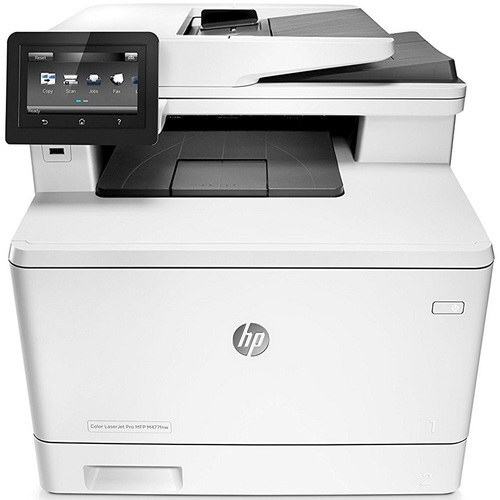
Wireless, duplex, and fax in one box: the HP LaserJet Pro M477fdw was the all-in configuration of HP's 2016 color MFP line for teams that printed, scanned, and faxed daily.
Its toner set is the HP 410A family — CF410A black with CF411A cyan, CF412A yellow, and CF413A magenta — including high-yield options.
Toner Cartridges for LaserJet Pro M477fdw
This printer works with the following toner cartridges:
- HP CF410A
- HP CF411A
- HP CF412A
- HP CF413A
- HP CF410X
- HP CF411X
- HP CF412X
- HP CF413X
More HP Printers
- Color LaserJet M377DW
- Color LaserJet M477FDW
- Color LaserJet M477FNW
- Color LaserJet Pro M377
- Color LaserJet Pro M452
- Color LaserJet Pro M452DN
- Color LaserJet Pro M452DW
- Color LaserJet Pro M452NW
- Color LaserJet Pro M477
- Color LaserJet Pro M477FDN
- Color LaserJet Pro M477FDW
- Color LaserJet Pro M477FNW
- Color LaserJet Pro MFP M377
- Color LaserJet Pro MFP M377DW
- Color LaserJet Pro MFP M477
- Color LaserJet Pro MFP M477FDN
- Color LaserJet Pro MFP M477FDW
- Color LaserJet Pro MFP M477FNW
- LaserJet M377dw
- LaserJet M477fdw
- LaserJet M477fnw
- LaserJet Pro M452
- LaserJet Pro M452
- LaserJet Pro M452dn
- LaserJet Pro M452dn
- LaserJet Pro M452dw
- LaserJet Pro M452nw
- LaserJet Pro M477
- LaserJet Pro M477fdn
- LaserJet Pro M477fnw
- LaserJet Pro MFP M377
- LaserJet Pro MFP M377dw
- LaserJet Pro MFP M477
- LaserJet Pro MFP M477fdn
- LaserJet Pro MFP M477fdw
- LaserJet Pro MFP M477fnw
Frequently Asked Questions
Where do I find the cartridge codes for the LaserJet Pro M477fdw if the old box is gone?
Read the code printed on your old cartridge — the LaserJet Pro M477fdw takes the HP 410A family: CF410A, CF411A, CF412A, and CF413A, plus the high-yield CF410X, CF411X, CF412X, and CF413X. The supplies status page on the LaserJet Pro M477fdw also lists which cartridge is which, so you can order the exact replacement code.
How do I change the toner in the LaserJet Pro M477fdw without making a mess?
Pull the spent cartridge out of the LaserJet Pro M477fdw slowly by its handle and keep it level so no loose toner spills. Slide it straight into a bag for recycling, then unpack the new cartridge, remove its seal, and push it into the LaserJet Pro M477fdw until it clicks — no tools needed.
Why does my LaserJet Pro M477fdw show a non-HP cartridge message?
The LaserJet Pro M477fdw shows that message when it detects a cartridge not manufactured by HP. Compatible cartridges usually print normally once you acknowledge the notice. If the printer refuses to print, read the on-screen instructions and contact your cartridge supplier.