




LaserJet Pro 200 color M251
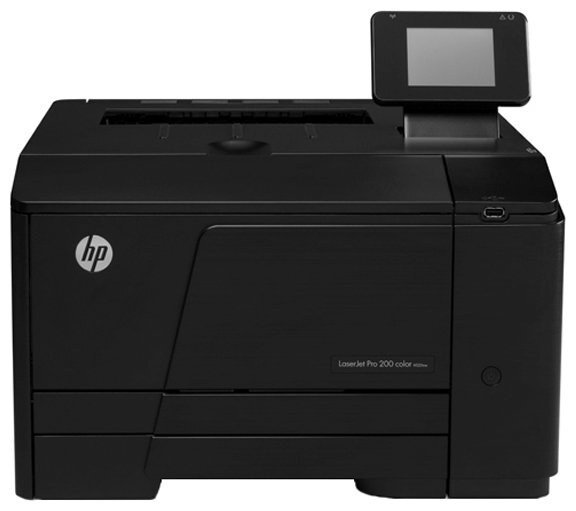
A 2012-era color workgroup printer for small teams, the Pro 200 Color M251 keeps color printing simple. It's the single-desk base model — no network, no fuss, just clean color pages.
The HP 131A/131X cartridge family (CF210A/CF210X black, CF211A/CF212A/CF213A color) is what feeds it. Genuine OEM for factory-spec output, compatible for budget-friendly printing — both stocked here.
Toner Cartridges for LaserJet Pro 200 color M251
This printer works with the following toner cartridges:
- HP CF210A
- HP CF210X
- HP CF211A
- HP CF212A
- HP CF213A
More HP Printers
- Color LaserJet M251
- Color LaserJet M251NW
- Color LaserJet M276
- Color LaserJet M276NW
- Color LaserJet Pro 200 M251
- Color LaserJet Pro 200 M251N
- Color LaserJet Pro 200 M251NW
- Color LaserJet Pro 200 M276
- Color LaserJet Pro 200 M276N
- Color LaserJet Pro 200 M276NW
- LaserJet Pro 200 color M251NW
- LaserJet Pro 200 color M276
- LaserJet Pro 200 color M276NW
- LaserJet Pro 200 color Printer M251
- LaserJet Pro 200 color Printer M251NW
- LaserJet Pro 200 color Printer M276
- LaserJet Pro 200 color Printer M276NW
Frequently Asked Questions
What cartridge codes does the LaserJet Pro 200 color M251 take?
The LaserJet Pro 200 color M251 uses CF210A, CF210X, CF211A, CF212A and CF213A. Match the code on your current cartridge before ordering so you get the right fit.
What type of paper should I use in the LaserJet Pro 200 color M251?
Use plain laser-compatible office paper in the LaserJet Pro 200 color M251 for everyday jobs, and heavier laser-rated stock for presentations. Inkjet-only paper should not go through a laser printer.
How do I fix wrong or washed-out colors on the LaserJet Pro 200 color M251?
Run the color calibration or cleaning routine from the LaserJet Pro 200 color M251's menu and make sure all four cartridges (CF210A, CF210X, CF211A, CF212A and CF213A) are seated. If a single color is missing from prints, replace that cartridge.