




MFC-7240
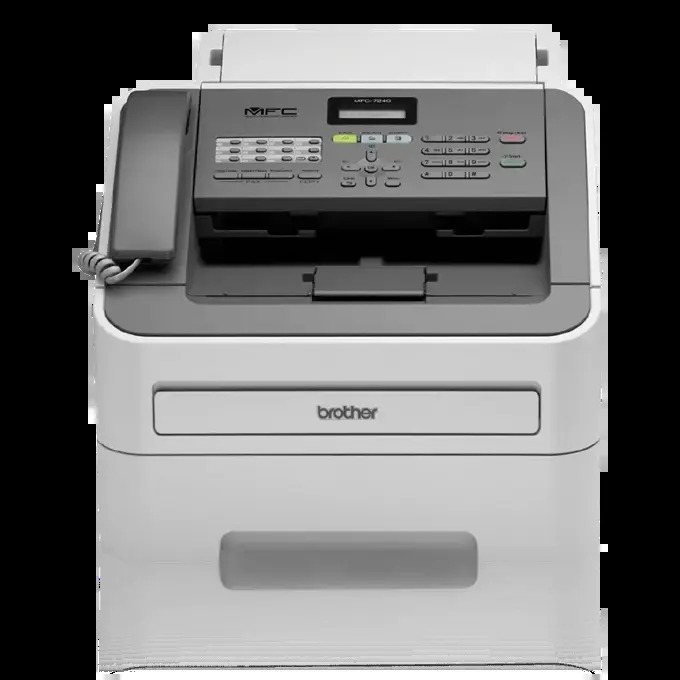
The Brother MFC-7240 is a monochrome laser all-in-one in Brother's MFC multifunction series, so printing, copying, scanning and faxing all draw on one toner system. That system pairs the TN420 (TN-420) standard-yield cartridge, rated at about 1,200 pages, with the TN450 (TN-450) high-yield cartridge at about 2,600 pages, and the toner works inside a separate DR420 (DR-420) drum unit good for roughly 12,000 pages. Both genuine Brother supplies and Clever Supplies compatibles are listed for it below.
An all-in-one quietly spends toner on jobs its owner never thinks of as printing. Every copy run and every received fax comes off the same cartridge as the documents sent from a computer, so a shared MFC-7240 in a small office burns through pages faster than its print queue alone suggests. That is the lens for every choice on this page: judge the cartridge by the machine's total paper traffic — copies and faxes included — not just by what one person prints.
Toner Cartridges for MFC-7240
The DR420 drum units
- DR420 Drum Cartridge — drum unit, about 12,000 pages
- Premium Brother DR420 Drum Cartridge Black High Yield — drum unit, about 12,000 pages
- DR420 Drum Unit 2 Black (DR-420) — drum unit, about 12,000 pages
- DR420 Drum Unit 3 Black (DR-420) — drum unit, about 12,000 pages
- DR420 Drum Unit 5 Black (DR-420) — drum unit, about 12,000 pages
- DR420 Drum Unit 4 Black (DR-420) — drum unit, about 12,000 pages
- DR420 Toner Cartridge Black 2 Pack — drum unit, about 12,000 pages
- DR420 Toner Cartridge Black — drum unit, about 12,000 pages
- DR420 (DR420) Toner Cartridge Black 2 Pack — drum unit, about 12,000 pages
- DR420 (DR420) Toner Cartridge Black — drum unit, about 12,000 pages
- DR420 Black Genuine OEM Drum Unit - 12,000 pages — drum unit, about 12,000 pages
Which cartridge should you buy?
For a lightly used MFC-7240 — occasional copies, a fax now and then — the TN420 is a perfectly sensible default, and its roughly 1,200 pages will not disappear quickly. Once the machine becomes the office's shared paper hub, the TN450 is the better habit: about 2,600 pages per cartridge means the all-in-one is opened up half as often, and each page costs less. The 2-pack and larger sets suit offices that never want to find the shelf empty mid-week. Reserve the toner-and-drum bundles for the moment the drum itself is due; bought earlier, the drum half simply waits in a cupboard. Owners who want the original brand will find genuine Brother singles, packs and bundles in the table as well.
Chip, toner and everyday use
The cartridge chip lets the MFC-7240 track toner and warn before it runs dry, which matters more on an all-in-one than on a spare printer: when this machine stops, copying and fax reception stop with it. Keeping one spare cartridge on the shelf is cheap insurance. Remember that yield figures are measured at about 5% page coverage — a day of copying dense forms uses toner faster than a day of short emails. Store spares in their bags, out of direct sunlight, and give a fading cartridge a gentle side-to-side shake to level the remaining toner before you decide it is finished.
Frequently Asked Questions
Which cartridges fit the Brother MFC-7240?
The TN420 standard-yield and TN450 high-yield black toners, both working with the separate DR420 drum unit. The toners are rated at about 1,200 and 2,600 pages; the drum at about 12,000 pages.
Do copying and faxing use the same toner as printing?
Yes. The MFC-7240 has a single toner cartridge, and every function — print, copy and received fax — images its pages with that same toner and drum. Heavy copy or fax traffic counts toward cartridge life exactly like printing.
Can I switch between the TN420 and TN450 whenever I like?
Yes. Both cartridges fit the same slot and the same DR420 drum, so you can run a TN450 for a busy season and drop back to a TN420 later without changing anything else.
When should the DR420 drum be replaced on an MFC-7240?
Plan on roughly 12,000 pages — about ten TN420 cartridges or four to five TN450s. Replace it sooner if copies and prints alike show repeating marks, streaks or background shading that a fresh toner does not cure.
More printers that use the same cartridges
Plenty of Brother machines drink from this same shelf — the full family of models running the TN420, TN450 and DR420: MFC-7860DW, MFC-7860, MFC-7840W, MFC-7840N, MFC-7840, MFC-7470D, MFC-7460DN, MFC-7460, MFC-7440N, MFC-7440, MFC-7365DN, MFC-7365, MFC-7360N, MFC-7360DN, MFC-7360, MFC-7345N, MFC-7345DN, MFC-7345, MFC-7340, MFC-7320, MFC-7040, Intellifax-2940, Intellifax-2840, Intellifax 2940, Intellifax 2840, HL-2280DW, HL-2280, HL-2275DW, HL-2275, HL-2270DW, HL-2270, HL-2250DN, HL-2250, HL-2242D, HL-2242, HL-2240D, HL-2240, HL-2230D, HL-2230, HL-2220, HL-2170W, HL-2170, HL-2150N, HL-2150, HL-2140, HL-2135W, HL-2132, HL-2130, HL-2125, HL-2120, FAX-2845, FAX 2940, FAX 2845, FAX 2840, DCP-7070DW, DCP-7065DN, DCP-7065, DCP-7060DN, DCP-7060D, DCP-7060, DCP-7057, DCP-7055, DCP-7045N, DCP-7045, DCP-7040, DCP-7030, DCP-2270DW, DCP-2240D, DCP 7040, Brother-TN450, Brother-TN420, Brother-TN360, Brother-TN330.