




LaserJet M1213
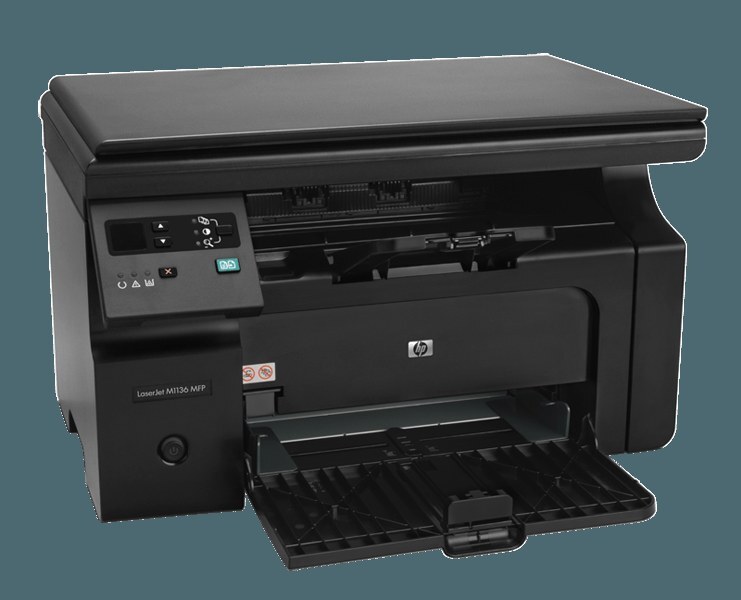
HP's M1210 series got a refresh with the LaserJet M1213: the same compact mono multifunction idea — print, scan, copy for the small-business desk — with an updated early-2010s feature set. The everyday document box, refined a notch. It feeds on a single cartridge: the CE285A, HP's black 85A, or the maximum-yield CE285X (85X). Refreshed or not, the toner stayed one-cartridge simple.
Refresh models are an underrated pleasure to own. The M1213 kept the mechanical honesty of the line it updated — compact chassis, mono laser engine, three office functions — while tidying the details around the edges. For a small business, the important continuity is underneath: a mature cartridge family with deep stock everywhere, no exotic consumables, and a replacement routine a new hire can learn in one demonstration.
Toner Cartridges for LaserJet M1213
The range-topper leads the table this time; the standard cartridge and its packs follow.
| Cartridge | Color | Page Yield |
|---|---|---|
| CE285X — maximum-yield 3 pack | Black | See product page |
| CE285A — single cartridge | Black | See product page |
| CE285A — single, alternate listing | Black | See product page |
| CE285A — single, third alternate listing | Black | See product page |
| CE285A — single, second alternate listing | Black | See product page |
| CE285A — 2 pack | Black | See product page |
| CE285A — 3 pack | Black | See product page |
| CE285A — 4 pack | Black | See product page |
| CE285A — 5 pack | Black | See product page |
| CE285A — 8 pack | Black | See product page |
| CE285A — 10 pack | Black | See product page |
| CE285A — premium-quality 4 pack | Black | See product page |
| CE285A — MICR single for check printing | Black (MICR) | See product page |
Which cartridge should you buy?
Match the cartridge to the role the M1213 plays. As a personal desk machine for one person's documents, the standard single is the honest buy — fresh stock, low commitment, and the low-toner warning gives plenty of notice. As a small office's only machine, the calculus flips: step to the maximum-yield three-pack so the swap interval stretches, or keep a two-pack rhythm so a spare is always in the building. The premium four-pack is the tidy middle for planned quarterly ordering. The MICR single serves check printing only. Compatible cartridges here carry a 1-year warranty and 1-year returns.
Chip, toner and everyday use
The swap routine on this family never changed across the refresh, which is the point: pull the old cartridge by its handle, strip the new one's sealing tape completely, and slide it home. If the panel does not recognize the newcomer, power the machine off and back on — a restart makes it re-read what is installed. Toner life on a compact desk machine stretches further than most owners expect, because yield ratings assume light coverage and short office documents often run lighter still; dense full-page work is what shortens a cartridge's life. Keep the spare in its sealed bag until the day it is needed.
Frequently Asked Questions
What toner cartridge does the LaserJet M1213 use?
The standard cartridge is the CE285A black; the maximum-yield CE285X is the longer-running alternative stocked as a three-pack. One cartridge covers printing and copying for the whole machine.
Did the M1213 refresh change the cartridge?
No — the refresh updated the machine, not the consumable. The M1213 drinks from the same cartridge family as the earlier M1210-series models, which is why stock is deep and listings are plentiful.
Is there a MICR option for the M1213?
Yes, a MICR build of the standard cartridge is listed on this page. It carries magnetic toner for printing checks; everyday letters and documents should stay on the standard builds.
How do I swap the cartridge in the M1213?
Open the top, pull the spent cartridge straight out, remove every seal from the new one, and lower it in until it seats. Print a test page straight after — it is the quickest proof the swap went well.
More printers that use the same cartridges
The roll below starts halfway through the family and wraps around — every model that shares this cartridge appears exactly once: LaserJet P1102W, LaserJet Pro M1130, LaserJet Pro M1132, LaserJet Pro M1132MFP, LaserJet Pro M1134, LaserJet Pro M1134MFP, LaserJet Pro M1136, LaserJet Pro M1136MFP, LaserJet Pro M1137, LaserJet Pro M1137MFP, LaserJet Pro M1138, LaserJet Pro M1138MFP, LaserJet Pro M1139, LaserJet Pro M1139MFP, LaserJet Pro M1210, LaserJet Pro M1210MFP, LaserJet Pro M1212, LaserJet Pro M1212F, LaserJet Pro M1212FMFP, LaserJet Pro M1212NF, LaserJet Pro M1212NFMFP, LaserJet Pro M1213, LaserJet Pro M1213MFP, LaserJet Pro M1213NF, LaserJet Pro M1213NFMFP, LaserJet Pro M1214, LaserJet Pro M1214NFH, LaserJet Pro M1216, LaserJet Pro M1216MFP, LaserJet Pro M1216NFH, LaserJet Pro M1216NFHMFP, LaserJet Pro M1217, LaserJet Pro M1217MFP, LaserJet Pro M1217NFW, LaserJet Pro M1217NFWMFP, LaserJet Pro M1219, LaserJet Pro M1219MFP, LaserJet Pro M1219NFMFP, LaserJet Pro P1100, LaserJet Pro P1102, LaserJet Pro P1102W, Laserjet M1212, HP CE285A, LaserJet M1130, LaserJet M1132, LaserJet M1134, LaserJet M1134MFP, LaserJet M1136, LaserJet M1136MFP, LaserJet M1137, LaserJet M1137MFP, LaserJet M1138, LaserJet M1138MFP, LaserJet M1139, LaserJet M1139MFP, LaserJet M1210, LaserJet M1210MFP, LaserJet M1212, LaserJet M1212F, LaserJet M1212FMFP, LaserJet M1212MFP, LaserJet M1212NF, LaserJet M1212NFMFP, LaserJet M1213MFP, LaserJet M1213NF, LaserJet M1213NFMFP, LaserJet M1214, LaserJet M1214NFH, LaserJet M1216, LaserJet M1216MFP, LaserJet M1216NFH, LaserJet M1216NFHMFP, LaserJet M1217, LaserJet M1217MFP, LaserJet M1217NFW, LaserJet M1217NFW MFP, LaserJet M1217NFWMFP, LaserJet M1219, LaserJet M1219MFP, LaserJet M1219NF, LaserJet M1219NFMFP, LaserJet P1100, LaserJet P1102.