




LaserJet M1214
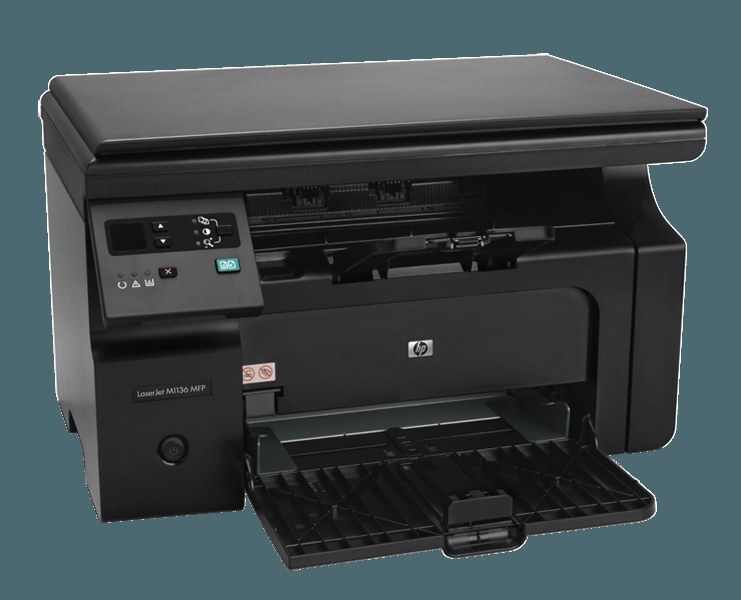
Midway through the M1210 run came the LaserJet M1214 — no reinvention, just the compact multifunction formula done right: print, scan, and copy in a space-saving early-2010s mono chassis. The home-office MFP for people who wanted the basics nailed.
The whole machine runs off a single black 85A cartridge (CE285A), or the maximum-yield CE285X. Basics nailed includes the toner.
Toner Cartridges for LaserJet M1214
This printer works with the following toner cartridges:
- HP CE285A
More HP Printers
- LaserJet M1130
- LaserJet M1132
- LaserJet M1134
- LaserJet M1134MFP
- LaserJet M1136
- LaserJet M1136MFP
- LaserJet M1137
- LaserJet M1137MFP
- LaserJet M1138
- LaserJet M1138MFP
- LaserJet M1139
- LaserJet M1139MFP
- LaserJet M1210
- LaserJet M1210MFP
- LaserJet M1212
- LaserJet M1212F
- LaserJet M1212FMFP
- LaserJet M1212MFP
- LaserJet M1212NF
- LaserJet M1212NFMFP
- LaserJet M1213
- LaserJet M1213MFP
- LaserJet M1213NF
- LaserJet M1213NFMFP
- LaserJet M1214NFH
- LaserJet M1216
- LaserJet M1216MFP
- LaserJet M1216NFH
- LaserJet M1216NFHMFP
- LaserJet M1217
- LaserJet M1217MFP
- LaserJet M1217NFW
- LaserJet M1217NFW MFP
- LaserJet M1217NFWMFP
- LaserJet M1219
- LaserJet M1219MFP
- LaserJet M1219NF
- LaserJet M1219NFMFP
- LaserJet P1100
- LaserJet P1102
- LaserJet P1102W
- LaserJet Pro M1130
- LaserJet Pro M1132
- LaserJet Pro M1132MFP
- LaserJet Pro M1134
- LaserJet Pro M1134MFP
- LaserJet Pro M1136
- LaserJet Pro M1136MFP
- LaserJet Pro M1137
- LaserJet Pro M1137MFP
- LaserJet Pro M1138
- LaserJet Pro M1138MFP
- LaserJet Pro M1139
- LaserJet Pro M1139MFP
- LaserJet Pro M1210
- LaserJet Pro M1210MFP
- LaserJet Pro M1212
- LaserJet Pro M1212F
- LaserJet Pro M1212FMFP
- LaserJet Pro M1212NF
- LaserJet Pro M1212NFMFP
- LaserJet Pro M1213
- LaserJet Pro M1213MFP
- LaserJet Pro M1213NF
- LaserJet Pro M1213NFMFP
- LaserJet Pro M1214
- LaserJet Pro M1214NFH
- LaserJet Pro M1216
- LaserJet Pro M1216MFP
- LaserJet Pro M1216NFH
- LaserJet Pro M1216NFHMFP
- LaserJet Pro M1217
- LaserJet Pro M1217MFP
- LaserJet Pro M1217NFW
- LaserJet Pro M1217NFWMFP
- LaserJet Pro M1219
- LaserJet Pro M1219MFP
- LaserJet Pro M1219NFMFP
- LaserJet Pro P1100
- LaserJet Pro P1102
- LaserJet Pro P1102W
Frequently Asked Questions
What toner cartridge does the LaserJet M1214 use?
The LaserJet M1214 takes the CE285A toner cartridge. Always match the cartridge code to your exact model number before ordering.
Should I shake a new toner cartridge before putting it in the LaserJet M1214?
Give the new CE285A cartridge a gentle side-to-side rock before installing it in the LaserJet M1214 so the toner is evenly distributed. Keep it level and avoid touching the roller.
Why doesn't my LaserJet M1214 recognize the new CE285A cartridge?
Reseat the CE285A cartridge firmly in the LaserJet M1214 and check that every protective seal and pull tab was removed. If the message stays, power the printer off and on so it re-detects the cartridge.