




LaserJet M1210
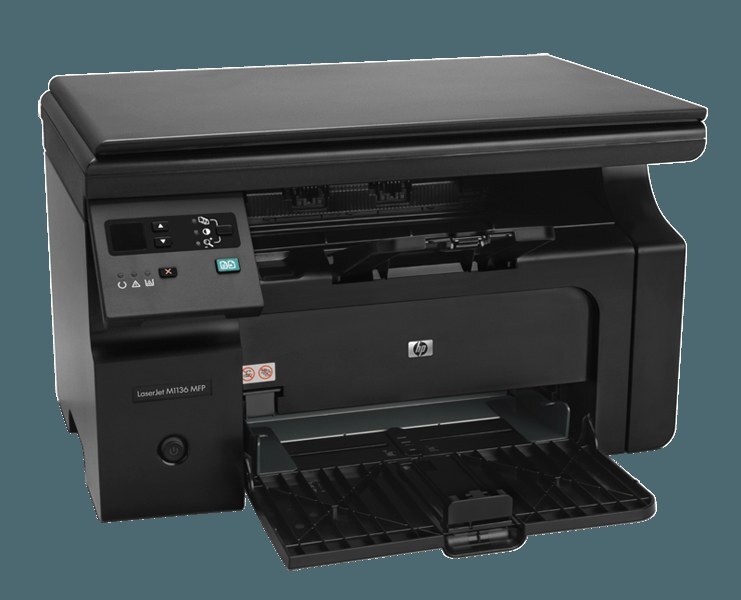
The LaserJet M1210 introduced its series as a fresh design for the home office: a compact mono multifunction covering print, scan and copy in one unit. It runs on the black HP 85A cartridge — full code CE285A — and the same slot accepts a maximum-yield build, the CE285X (85X), stocked here as a three-pack.
As the series opener, the M1210 set the pattern its relatives followed: small footprint, full document functions, and a single shared cartridge across the whole line. That shared supply is a genuine convenience for households and small offices — learn one cartridge code and you can feed any machine in the family, and a spare bought for one model fits its M1130-series cousins too, which makes the occasional hand-me-down printer painless to keep running.
Toner Cartridges for LaserJet M1210
| Cartridge | Color | Page Yield |
|---|---|---|
| CE285A | Black | See product page |
| CE285X 3 Pack | Black | See product page |
| CE285A MICR | Black (MICR) | See product page |
| HP 85A (CE285A) | Black | See product page |
| HP 85A (CE285A) | Black | See product page |
| CE285A 2 Pack | Black | See product page |
| CE285A 3 Pack | Black | See product page |
| CE285A 4 Pack | Black | See product page |
| CE285A Premium 4 Pack | Black | See product page |
| CE285A 5 Pack | Black | See product page |
| CE285A 8 Pack | Black | See product page |
| CE285A 10 Pack | Black | See product page |
Which cartridge should you buy?
New owners are sometimes confused by this cartridge carrying two names, so it is worth settling: 85A is the short family name and CE285A the full part code — the same cartridge either way, and every listing above except the X build is that unit in a different quantity. Choose the quantity by honesty about volume: singles for occasional use, the two and three-packs for a steady home-office rhythm, the larger multipacks for shared or business use. The maximum-yield CE285X is the one genuinely different product on the page, and it justifies itself only where printing is a daily habit.
Chip, toner and everyday use
First installation sets habits worth keeping. Pull the sealing tape out fully in one steady motion before the cartridge goes in — tape left behind is a classic cause of a brand-new cartridge printing nothing. Seat the unit until it clicks; the machine reads its chip at that point and sets its toner gauge accordingly. Afterwards, judge the cartridge by its pages rather than the calendar: a lightly used M1210 can carry the same cartridge for a very long time, and toner does not expire on a schedule while it stays sealed and stored flat.
Frequently Asked Questions
Which cartridge fits the LaserJet M1210?
The black HP 85A, full code CE285A. The maximum-yield CE285X fits the same slot and is stocked as a three-pack.
Are the 85A and the CE285A actually the same cartridge?
Yes — two names for one product. The short name is how the family is usually advertised; the full code is what is printed on the cartridge itself, which is why both appear across the listings above.
Can I buy the maximum-yield cartridge on its own?
On this page the CE285X build is stocked only in a three-pack, so the single-cartridge route into maximum yield does not exist here. Standard-build singles remain the flexible option for light use.
I fitted a new cartridge and pages are blank. What is wrong?
The sealing tape is the first suspect — remove the cartridge and check it came away completely. Reseat the unit firmly until it clicks and try again; a correctly seated fresh cartridge should print immediately.
More printers that use the same cartridges
Its own M1210-series relatives lead the list, followed by every other model on this cartridge: LaserJet M1210MFP, LaserJet M1212, LaserJet M1212F, LaserJet M1212FMFP, LaserJet M1212MFP, LaserJet M1212NF, LaserJet M1212NFMFP, LaserJet M1213, LaserJet M1213MFP, LaserJet M1213NF, LaserJet M1213NFMFP, LaserJet M1214, LaserJet M1214NFH, LaserJet M1216, LaserJet M1216MFP, LaserJet M1216NFH, LaserJet M1216NFHMFP, LaserJet M1217, LaserJet M1217MFP, LaserJet M1217NFW, LaserJet M1217NFW MFP, LaserJet M1217NFWMFP, LaserJet M1219, LaserJet M1219MFP, LaserJet M1219NF, LaserJet M1219NFMFP, LaserJet Pro M1210, LaserJet Pro M1210MFP, LaserJet Pro M1212, LaserJet Pro M1212F, LaserJet Pro M1212FMFP, LaserJet Pro M1212NF, LaserJet Pro M1212NFMFP, LaserJet Pro M1213, LaserJet Pro M1213MFP, LaserJet Pro M1213NF, LaserJet Pro M1213NFMFP, LaserJet Pro M1214, LaserJet Pro M1214NFH, LaserJet Pro M1216, LaserJet Pro M1216MFP, LaserJet Pro M1216NFH, LaserJet Pro M1216NFHMFP, LaserJet Pro M1217, LaserJet Pro M1217MFP, LaserJet Pro M1217NFW, LaserJet Pro M1217NFWMFP, LaserJet Pro M1219, LaserJet Pro M1219MFP, LaserJet Pro M1219NFMFP, Laserjet M1212.
HP CE285A, LaserJet M1130, LaserJet M1132, LaserJet M1134, LaserJet M1134MFP, LaserJet M1136, LaserJet M1136MFP, LaserJet M1137, LaserJet M1137MFP, LaserJet M1138, LaserJet M1138MFP, LaserJet M1139, LaserJet M1139MFP, LaserJet P1100, LaserJet P1102, LaserJet P1102W, LaserJet Pro M1130, LaserJet Pro M1132, LaserJet Pro M1132MFP, LaserJet Pro M1134, LaserJet Pro M1134MFP, LaserJet Pro M1136, LaserJet Pro M1136MFP, LaserJet Pro M1137, LaserJet Pro M1137MFP, LaserJet Pro M1138, LaserJet Pro M1138MFP, LaserJet Pro M1139, LaserJet Pro M1139MFP, LaserJet Pro P1100, LaserJet Pro P1102, LaserJet Pro P1102W.