




LaserJet Pro M1219NFMFP
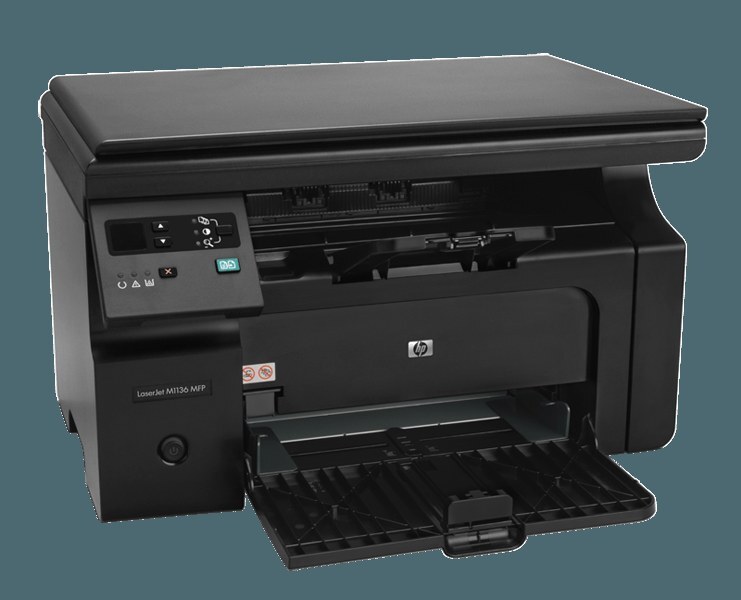
Late to the M1210 party but fully dressed, the LaserJet Pro M1219NFMFP networked the M1219 multifunction and kept fax in the mix: print, scan and copy over Ethernet, plus a phone line for the paperwork that never went digital. Underneath the full feature set sits a single black cartridge — the HP 85A, ordered as the CE285A or the maximum-yield CE285X (85X).
The offices that still run one of these tend to be the ones whose work arrives on paper: signed forms by fax, printed copies for the file, scans for the archive. A networked MFP at the center of that flow is infrastructure, not a gadget — which is why its toner deserves the same planning as its phone line. One cartridge code covers every job it does.
Toner Cartridges for LaserJet Pro M1219NFMFP
- CE285A — MICR black cartridge for checks — Black — See product page
- CE285A — standard black cartridge — Black — See product page
- CE285X — maximum-yield black, 3 pack — Black — See product page
- CE285A — black, 2 pack — Black — See product page
- CE285A — black, 3 pack — Black — See product page
- CE285A — black, 4 pack — Black — See product page
- CE285A — premium quality black, 4 pack — Black — See product page
- CE285A — black, 5 pack — Black — See product page
- CE285A — black, 8 pack — Black — See product page
- CE285A — black, 10 pack — Black — See product page
Which cartridge should you buy?
Fax-heavy and copy-heavy desks print more than they realize, because so much of the output is other people's documents arriving unscheduled. Protect that flow with depth: a three- or five-pack of the standard cartridge, or the maximum-yield CE285X three-pack if you would rather stretch each unit further. The premium four-pack suits offices whose copies leave the building. And keep the MICR cartridge in mind only if the office prints checks — for everything else the standard build is the right toner. Every compatible cartridge on this page is backed by a one-year warranty, with returns open for a full year as well.
Chip, toner and everyday use
A networked machine is often far from the person who maintains it, so make cartridge changes foolproof: remove the seal completely, rock the new unit gently to level its toner, and seat it until the printer reports ready — an unrecognized cartridge is almost always a seating or chip-contact issue, fixed by one firm reseat. Keep the spare in the same room as the printer, sealed and away from radiators and windows, and remember that yield figures are estimates at light coverage; fax pages and dense forms spend toner faster.
Frequently Asked Questions
Does the LaserJet Pro M1219NFMFP take CE285A cartridges?
Yes — it is designed for the CE285A, with the maximum-yield CE285X as the longer-running alternative. Any cartridge carrying one of those two codes will fit.
It printed before but stopped — how do I fix it?
Check for error lights first, confirm the machine is set as the default printer, and clear any stuck jobs from the print queue. If the problem persists, reinstall the driver; on a networked unit, also confirm it still holds its place on the network.
Are third-party cartridges safe to use in it?
Yes, when they come from a reputable maker. A well-built compatible cartridge is engineered to the same dimensions and toner formulation as the original, and the printer treats it like any other cartridge once the chip is read.
More printers that use the same cartridges
Fully dressed or bare-bones, every sibling in this family runs on the same cartridge — here is the complete list, last name first:
Laserjet M1212, LaserJet Pro P1102W, LaserJet Pro P1102, LaserJet Pro P1100, LaserJet Pro M1219MFP, LaserJet Pro M1219, LaserJet Pro M1217NFWMFP, LaserJet Pro M1217NFW, LaserJet Pro M1217MFP, LaserJet Pro M1217, LaserJet Pro M1216NFHMFP, LaserJet Pro M1216NFH, LaserJet Pro M1216MFP, LaserJet Pro M1216, LaserJet Pro M1214NFH, LaserJet Pro M1214, LaserJet Pro M1213NFMFP, LaserJet Pro M1213NF, LaserJet Pro M1213MFP, LaserJet Pro M1213, LaserJet Pro M1212NFMFP, LaserJet Pro M1212NF, LaserJet Pro M1212FMFP, LaserJet Pro M1212F, LaserJet Pro M1212, LaserJet Pro M1210MFP, LaserJet Pro M1210, LaserJet Pro M1139MFP, LaserJet Pro M1139, LaserJet Pro M1138MFP, LaserJet Pro M1138, LaserJet Pro M1137MFP, LaserJet Pro M1137, LaserJet Pro M1136MFP, LaserJet Pro M1136, LaserJet Pro M1134MFP, LaserJet Pro M1134, LaserJet Pro M1132MFP, LaserJet Pro M1132, LaserJet Pro M1130, LaserJet P1102W, LaserJet P1102, LaserJet P1100, LaserJet M1219NFMFP, LaserJet M1219NF, LaserJet M1219MFP, LaserJet M1219, LaserJet M1217NFWMFP, LaserJet M1217NFW MFP, LaserJet M1217NFW, LaserJet M1217MFP, LaserJet M1217, LaserJet M1216NFHMFP, LaserJet M1216NFH, LaserJet M1216MFP, LaserJet M1216, LaserJet M1214NFH, LaserJet M1214, LaserJet M1213NFMFP, LaserJet M1213NF, LaserJet M1213MFP, LaserJet M1213, LaserJet M1212NFMFP, LaserJet M1212NF, LaserJet M1212MFP, LaserJet M1212FMFP, LaserJet M1212F, LaserJet M1212, LaserJet M1210MFP, LaserJet M1210, LaserJet M1139MFP, LaserJet M1139, LaserJet M1138MFP, LaserJet M1138, LaserJet M1137MFP, LaserJet M1137, LaserJet M1136MFP, LaserJet M1136, LaserJet M1134MFP, LaserJet M1134, LaserJet M1132, LaserJet M1130, HP CE285A