




LaserJet Pro M1216NFH
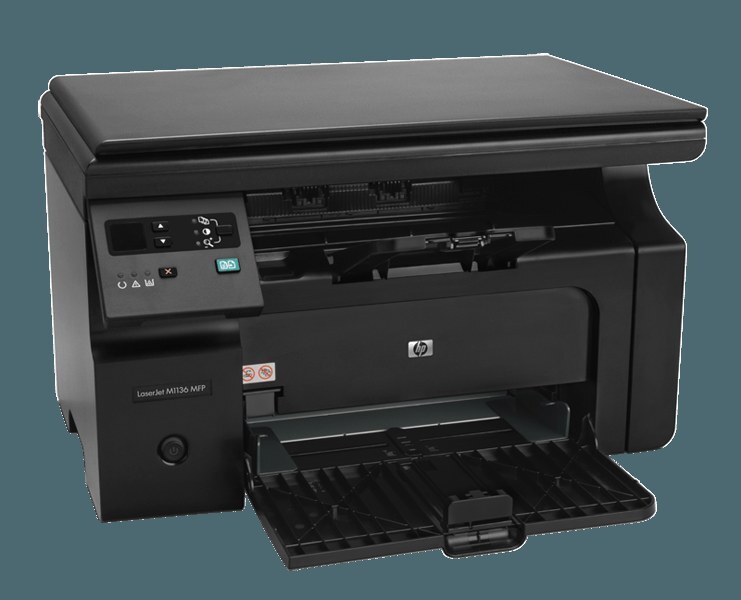
The H sets the LaserJet Pro M1216NFH apart: network and fax plus high-capacity paper handling on the M1216 multifunction platform. For small offices that print in bursts — mailings, reports, invoicing runs — the bigger trays meant fewer refills mid-job.
The LaserJet Pro M1216NFH takes cartridges from the HP 85A series (CE285A) — compatible and genuine OEM both stocked. High-capacity paper, single-cartridge toner.
Toner Cartridges for LaserJet Pro M1216NFH
This printer works with the following toner cartridges:
- HP CE285A
More HP Printers
- LaserJet M1130
- LaserJet M1132
- LaserJet M1134
- LaserJet M1134MFP
- LaserJet M1136
- LaserJet M1136MFP
- LaserJet M1137
- LaserJet M1137MFP
- LaserJet M1138
- LaserJet M1138MFP
- LaserJet M1139
- LaserJet M1139MFP
- LaserJet M1210
- LaserJet M1210MFP
- LaserJet M1212
- LaserJet M1212F
- LaserJet M1212FMFP
- LaserJet M1212MFP
- LaserJet M1212NF
- LaserJet M1212NFMFP
- LaserJet M1213
- LaserJet M1213MFP
- LaserJet M1213NF
- LaserJet M1213NFMFP
- LaserJet M1214
- LaserJet M1214NFH
- LaserJet M1216
- LaserJet M1216MFP
- LaserJet M1216NFH
- LaserJet M1216NFHMFP
- LaserJet M1217
- LaserJet M1217MFP
- LaserJet M1217NFW
- LaserJet M1217NFW MFP
- LaserJet M1217NFWMFP
- LaserJet M1219
- LaserJet M1219MFP
- LaserJet M1219NF
- LaserJet M1219NFMFP
- LaserJet P1100
- LaserJet P1102
- LaserJet P1102W
- LaserJet Pro M1130
- LaserJet Pro M1132
- LaserJet Pro M1132MFP
- LaserJet Pro M1134
- LaserJet Pro M1134MFP
- LaserJet Pro M1136
- LaserJet Pro M1136MFP
- LaserJet Pro M1137
- LaserJet Pro M1137MFP
- LaserJet Pro M1138
- LaserJet Pro M1138MFP
- LaserJet Pro M1139
- LaserJet Pro M1139MFP
- LaserJet Pro M1210
- LaserJet Pro M1210MFP
- LaserJet Pro M1212
- LaserJet Pro M1212F
- LaserJet Pro M1212FMFP
- LaserJet Pro M1212NF
- LaserJet Pro M1212NFMFP
- LaserJet Pro M1213
- LaserJet Pro M1213MFP
- LaserJet Pro M1213NF
- LaserJet Pro M1213NFMFP
- LaserJet Pro M1214
- LaserJet Pro M1214NFH
- LaserJet Pro M1216
- LaserJet Pro M1216MFP
- LaserJet Pro M1216NFHMFP
- LaserJet Pro M1217
- LaserJet Pro M1217MFP
- LaserJet Pro M1217NFW
- LaserJet Pro M1217NFWMFP
- LaserJet Pro M1219
- LaserJet Pro M1219MFP
- LaserJet Pro M1219NFMFP
- LaserJet Pro P1100
- LaserJet Pro P1102
- LaserJet Pro P1102W
Frequently Asked Questions
Does the LaserJet Pro M1216NFH use CE285A or a different cartridge?
The LaserJet Pro M1216NFH runs on CE285A. Keep the code from your empty cartridge handy when you reorder.
Should I shake the cartridge when the LaserJet Pro M1216NFH reports low toner?
Yes — removing the CE285A from the LaserJet Pro M1216NFH and rocking it gently side to side (never shaking violently) redistributes settled toner and often buys more good pages before the LaserJet Pro M1216NFH needs a fresh cartridge.
How do I change the CE285A cartridge in the LaserJet Pro M1216NFH?
To change the CE285A in the LaserJet Pro M1216NFH: open the front door, withdraw the used cartridge, unbox the replacement and pull its seal tape, then insert it into the LaserJet Pro M1216NFH and close the door to finish.