




LaserJet Pro M1130
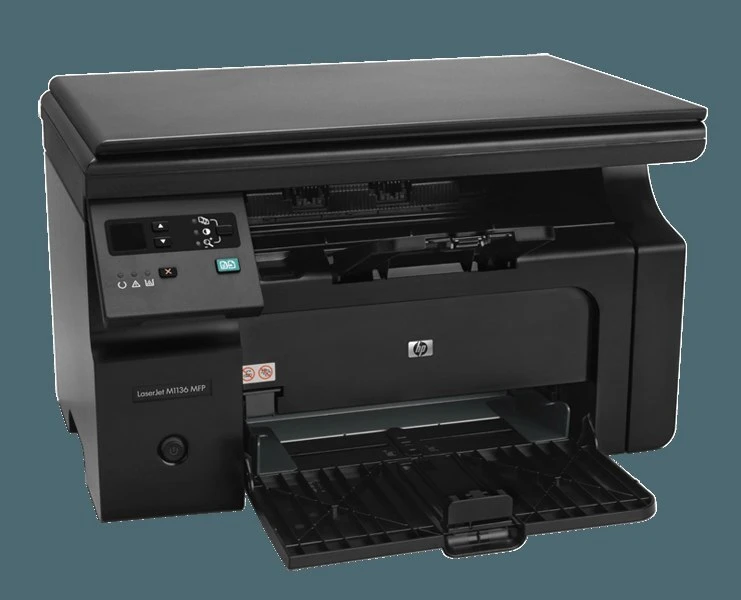
HP shrank the office MFP to a single desk with the LaserJet Pro M1130: black-and-white printing, scanning, and copying in a compact early-2010s Pro chassis. The one-person office gets the full document cycle without the full-size machine.
A lone CE285A — HP's black 85A, also stocked as the maximum-yield CE285X — is the only cartridge it will ever need. Shrunken machine, shrunken supply list.
Toner Cartridges for LaserJet Pro M1130
This printer works with the following toner cartridges:
- HP CE285A
More HP Printers
- LaserJet M1130
- LaserJet M1132
- LaserJet M1134
- LaserJet M1134MFP
- LaserJet M1136
- LaserJet M1136MFP
- LaserJet M1137
- LaserJet M1137MFP
- LaserJet M1138
- LaserJet M1138MFP
- LaserJet M1139
- LaserJet M1139MFP
- LaserJet M1210
- LaserJet M1210MFP
- LaserJet M1212
- LaserJet M1212F
- LaserJet M1212FMFP
- LaserJet M1212MFP
- LaserJet M1212NF
- LaserJet M1212NFMFP
- LaserJet M1213
- LaserJet M1213MFP
- LaserJet M1213NF
- LaserJet M1213NFMFP
- LaserJet M1214
- LaserJet M1214NFH
- LaserJet M1216
- LaserJet M1216MFP
- LaserJet M1216NFH
- LaserJet M1216NFHMFP
- LaserJet M1217
- LaserJet M1217MFP
- LaserJet M1217NFW
- LaserJet M1217NFW MFP
- LaserJet M1217NFWMFP
- LaserJet M1219
- LaserJet M1219MFP
- LaserJet M1219NF
- LaserJet M1219NFMFP
- LaserJet P1100
- LaserJet P1102
- LaserJet P1102W
- LaserJet Pro M1132
- LaserJet Pro M1132MFP
- LaserJet Pro M1134
- LaserJet Pro M1134MFP
- LaserJet Pro M1136
- LaserJet Pro M1136MFP
- LaserJet Pro M1137
- LaserJet Pro M1137MFP
- LaserJet Pro M1138
- LaserJet Pro M1138MFP
- LaserJet Pro M1139
- LaserJet Pro M1139MFP
- LaserJet Pro M1210
- LaserJet Pro M1210MFP
- LaserJet Pro M1212
- LaserJet Pro M1212F
- LaserJet Pro M1212FMFP
- LaserJet Pro M1212NF
- LaserJet Pro M1212NFMFP
- LaserJet Pro M1213
- LaserJet Pro M1213MFP
- LaserJet Pro M1213NF
- LaserJet Pro M1213NFMFP
- LaserJet Pro M1214
- LaserJet Pro M1214NFH
- LaserJet Pro M1216
- LaserJet Pro M1216MFP
- LaserJet Pro M1216NFH
- LaserJet Pro M1216NFHMFP
- LaserJet Pro M1217
- LaserJet Pro M1217MFP
- LaserJet Pro M1217NFW
- LaserJet Pro M1217NFWMFP
- LaserJet Pro M1219
- LaserJet Pro M1219MFP
- LaserJet Pro M1219NFMFP
- LaserJet Pro P1100
- LaserJet Pro P1102
- LaserJet Pro P1102W
Frequently Asked Questions
Does the LaserJet Pro M1130 take CE285A cartridges?
Your LaserJet Pro M1130 is designed for CE285A; any cartridge carrying one of those codes will fit.
My LaserJet Pro M1130 says toner is low — should I replace it now?
Not necessarily right away: the LaserJet Pro M1130's low-toner estimate is conservative, and prints often stay good for some time. Order a replacement CE285A now so the LaserJet Pro M1130 is never caught without one.
Can a jam damage the LaserJet Pro M1130?
An occasional cleared jam will not harm the LaserJet Pro M1130, but forcing stuck paper can damage rollers or sensors — always power the LaserJet Pro M1130 down and pull gently along the paper path.