




LaserJet Pro M1213NFMFP
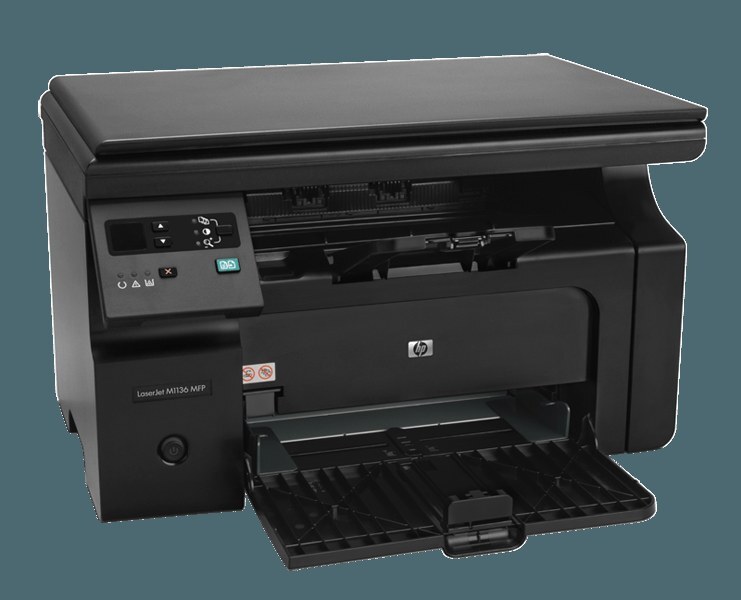
Nothing on the options list was left unticked. The LaserJet Pro M1213NFMFP combines print, scan and copy with fax and Ethernet, which makes it the most complete build of HP's compact early-2010s Pro M1213 line and a natural centerpiece for a small office that wants one machine handling everything. All of that hardware feeds on a single black cartridge: the CE285A, the standard cartridge of HP's 85A range. Desks that burn through toner quickly can step up to the CE285X (HP 85X) maximum-yield 3-pack instead.
A fully loaded machine like this rarely serves one person. Colleagues print to it over the network, someone scans a signed contract in the morning, and the fax line still carries the paperwork that travels by phone. That sharing changes the toner math: when this cartridge runs dry, the whole office feels it, not just one desk. Keeping a multipack on the shelf next to it is less a convenience than a small piece of office insurance.
Toner Cartridges for LaserJet Pro M1213NFMFP
| Cartridge | Color | Page Yield |
|---|---|---|
| CE285A | Black | See product page |
| CE285A 8 Pack | Black | See product page |
| CE285A MICR | Black | See product page |
| CE285A 4 Pack | Black | See product page |
| CE285X Maximum Yield 3 Pack | Black | See product page |
| CE285A 10 Pack | Black | See product page |
| CE285A 2 Pack | Black | See product page |
| CE285A 3 Pack | Black | See product page |
| CE285A 5 Pack | Black | See product page |
| CE285A Premium Quality 4 Pack | Black | See product page |
Which cartridge should you buy?
Start with how the machine is used. A standard single suits a light week, but a shared M1213NFMFP usually earns a multipack: the 2-pack keeps one spare permanently in reserve, and the 4, 5 and 8-pack sizes stretch the interval between orders for offices that print every day. The CE285X maximum-yield 3-pack is the other lever — each of its cartridges is built to run longer than a standard one, so busy teams swap less often. There is also a premium-quality 4-pack for offices that want their crispest output, and a MICR build of the standard cartridge for printing checks. Every compatible cartridge sold here carries a 1-year warranty and 1-year returns, whichever size you settle on.
Chip, toner and everyday use
The M1213NFMFP reads the chip on the cartridge to track toner, so seat a fresh cartridge firmly until it clicks and let the machine finish its first calibration before judging output. When the low-toner warning appears mid-week, slide the cartridge out and rock it gently from side to side — the remaining powder redistributes and usually carries the office through several more days of normal pages. Page counts for any cartridge are estimates based on 5% page coverage, so dense reports drain a cartridge faster than memos do. Store spares sealed, flat and away from direct sunlight so the shared machine never waits on a bad spare.
Frequently Asked Questions
Does the LaserJet Pro M1213NFMFP use the same toner as the rest of the M1213 line?
Yes. Every M1213 configuration, this flagship included, runs on the CE285A cartridge and its CE285X maximum-yield relative. If the code on your empty cartridge reads CE285A, any listing on this page is the right shape and fit.
How do I send a fax from the LaserJet Pro M1213NFMFP?
Load the document in the feeder or lay it on the glass, choose Fax on the control panel, key in the destination number and press Send. The machine dials and transmits on its own; incoming faxes print through the same CE285A cartridge as everything else.
What is the MICR version of this cartridge for?
MICR toner is magnetically readable, which banks require on the routing line of printed checks. If your office prints its own checks through this machine, the MICR listing is the one to load; for ordinary documents it behaves like the standard cartridge.
Which pack size suits a machine the whole office shares?
Shared machines argue for depth: a 5 or 8-pack, or the CE285X maximum-yield 3-pack, keeps a working reserve so a busy Monday never starts with an empty printer. Singles make sense only as an emergency top-up.
More printers that use the same cartridges
This cartridge is shared across a wide family of compact HP mono machines — if any of these models sit in your office too, the same box of toner feeds them all: HP CE285A, LaserJet M1130, LaserJet M1132, LaserJet M1134, LaserJet M1134MFP, LaserJet M1136, LaserJet M1136MFP, LaserJet M1137, LaserJet M1137MFP, LaserJet M1138, LaserJet M1138MFP, LaserJet M1139, LaserJet M1139MFP, LaserJet M1210, LaserJet M1210MFP, LaserJet M1212, LaserJet M1212F, LaserJet M1212FMFP, LaserJet M1212MFP, LaserJet M1212NF, LaserJet M1212NFMFP, LaserJet M1213, LaserJet M1213MFP, LaserJet M1213NF, LaserJet M1213NFMFP, LaserJet M1214, LaserJet M1214NFH, LaserJet M1216, LaserJet M1216MFP, LaserJet M1216NFH, LaserJet M1216NFHMFP, LaserJet M1217, LaserJet M1217MFP, LaserJet M1217NFW, LaserJet M1217NFW MFP, LaserJet M1217NFWMFP, LaserJet M1219, LaserJet M1219MFP, LaserJet M1219NF, LaserJet M1219NFMFP, LaserJet P1100, LaserJet P1102, LaserJet P1102W, LaserJet Pro M1130, LaserJet Pro M1132, LaserJet Pro M1132MFP, LaserJet Pro M1134, LaserJet Pro M1134MFP, LaserJet Pro M1136, LaserJet Pro M1136MFP, LaserJet Pro M1137, LaserJet Pro M1137MFP, LaserJet Pro M1138, LaserJet Pro M1138MFP, LaserJet Pro M1139, LaserJet Pro M1139MFP, LaserJet Pro M1210, LaserJet Pro M1210MFP, LaserJet Pro M1212, LaserJet Pro M1212F, LaserJet Pro M1212FMFP, LaserJet Pro M1212NF, LaserJet Pro M1212NFMFP, LaserJet Pro M1213, LaserJet Pro M1213MFP, LaserJet Pro M1213NF, LaserJet Pro M1214, LaserJet Pro M1214NFH, LaserJet Pro M1216, LaserJet Pro M1216MFP, LaserJet Pro M1216NFH, LaserJet Pro M1216NFHMFP, LaserJet Pro M1217, LaserJet Pro M1217MFP, LaserJet Pro M1217NFW, LaserJet Pro M1217NFWMFP, LaserJet Pro M1219, LaserJet Pro M1219MFP, LaserJet Pro M1219NFMFP, LaserJet Pro P1100, LaserJet Pro P1102, LaserJet Pro P1102W, Laserjet M1212.