




LaserJet Pro M1217NFW
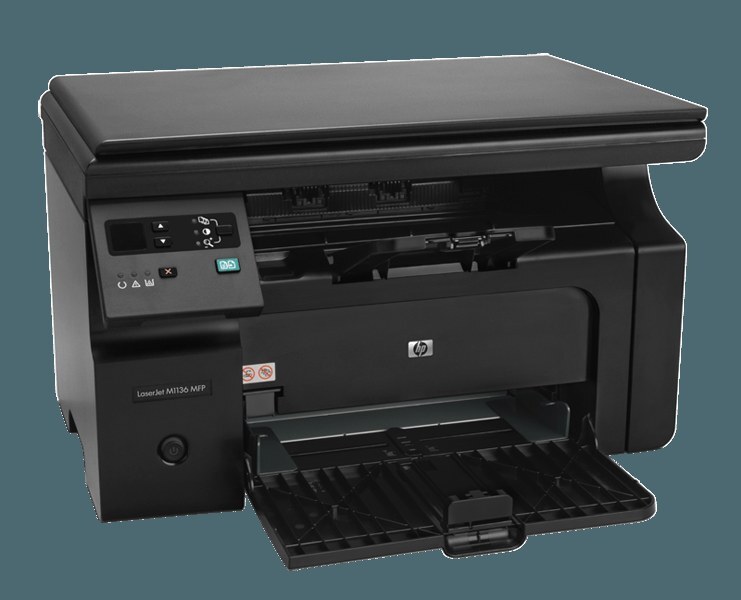
The LaserJet Pro M1217NFW cut the M1217's last cord. Wireless joins Ethernet, network, and fax in this early-2010s mono printer: place it anywhere with an outlet, print over Wi-Fi, and still fax the documents that travel by phone line.
The full function set runs on a single black cartridge — HP 85A (CE285A, CE285X).
Toner Cartridges for LaserJet Pro M1217NFW
This printer works with the following toner cartridges:
- HP CE285A
More HP Printers
- LaserJet M1130
- LaserJet M1132
- LaserJet M1134
- LaserJet M1134MFP
- LaserJet M1136
- LaserJet M1136MFP
- LaserJet M1137
- LaserJet M1137MFP
- LaserJet M1138
- LaserJet M1138MFP
- LaserJet M1139
- LaserJet M1139MFP
- LaserJet M1210
- LaserJet M1210MFP
- LaserJet M1212
- LaserJet M1212F
- LaserJet M1212FMFP
- LaserJet M1212MFP
- LaserJet M1212NF
- LaserJet M1212NFMFP
- LaserJet M1213
- LaserJet M1213MFP
- LaserJet M1213NF
- LaserJet M1213NFMFP
- LaserJet M1214
- LaserJet M1214NFH
- LaserJet M1216
- LaserJet M1216MFP
- LaserJet M1216NFH
- LaserJet M1216NFHMFP
- LaserJet M1217
- LaserJet M1217MFP
- LaserJet M1217NFW
- LaserJet M1217NFW MFP
- LaserJet M1217NFWMFP
- LaserJet M1219
- LaserJet M1219MFP
- LaserJet M1219NF
- LaserJet M1219NFMFP
- LaserJet P1100
- LaserJet P1102
- LaserJet P1102W
- LaserJet Pro M1130
- LaserJet Pro M1132
- LaserJet Pro M1132MFP
- LaserJet Pro M1134
- LaserJet Pro M1134MFP
- LaserJet Pro M1136
- LaserJet Pro M1136MFP
- LaserJet Pro M1137
- LaserJet Pro M1137MFP
- LaserJet Pro M1138
- LaserJet Pro M1138MFP
- LaserJet Pro M1139
- LaserJet Pro M1139MFP
- LaserJet Pro M1210
- LaserJet Pro M1210MFP
- LaserJet Pro M1212
- LaserJet Pro M1212F
- LaserJet Pro M1212FMFP
- LaserJet Pro M1212NF
- LaserJet Pro M1212NFMFP
- LaserJet Pro M1213
- LaserJet Pro M1213MFP
- LaserJet Pro M1213NF
- LaserJet Pro M1213NFMFP
- LaserJet Pro M1214
- LaserJet Pro M1214NFH
- LaserJet Pro M1216
- LaserJet Pro M1216MFP
- LaserJet Pro M1216NFH
- LaserJet Pro M1216NFHMFP
- LaserJet Pro M1217
- LaserJet Pro M1217MFP
- LaserJet Pro M1217NFWMFP
- LaserJet Pro M1219
- LaserJet Pro M1219MFP
- LaserJet Pro M1219NFMFP
- LaserJet Pro P1100
- LaserJet Pro P1102
- LaserJet Pro P1102W
Frequently Asked Questions
What cartridges fit the LaserJet Pro M1217NFW?
For the LaserJet Pro M1217NFW, buy CE285A — those are the exact codes built for this printer.
How do I fix streaks on pages from the LaserJet Pro M1217NFW?
First check the CE285A level in the LaserJet Pro M1217NFW, then print a cleaning page from the LaserJet Pro M1217NFW's tools menu — streaks that survive a fresh cartridge and a cleaning cycle point to a dirty roller inside the LaserJet Pro M1217NFW.
How do I connect the LaserJet Pro M1217NFW to Wi-Fi?
On the LaserJet Pro M1217NFW's control panel, open the wireless or network setup menu and run the wireless setup wizard to join your network; once connected, install the driver or use your phone's built-in print service to reach the LaserJet Pro M1217NFW.