




LaserJet M1137MFP
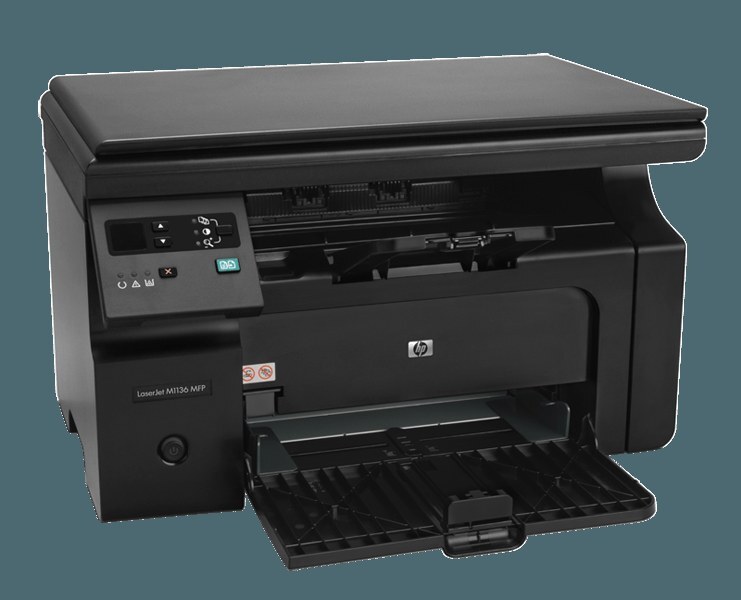
Full multifunction capability defined the HP LaserJet Pro M1137MFP — print, scan, and copy in the upgraded M1137 chassis.
Cartridges come from the HP 85A lineup: black CE285A or the maximum-yield CE285X, genuine or compatible.
Toner Cartridges for LaserJet M1137MFP
This printer works with the following toner cartridges:
- HP CE285A
More HP Printers
- LaserJet M1130
- LaserJet M1132
- LaserJet M1134
- LaserJet M1134MFP
- LaserJet M1136
- LaserJet M1136MFP
- LaserJet M1137
- LaserJet M1138
- LaserJet M1138MFP
- LaserJet M1139
- LaserJet M1139MFP
- LaserJet M1210
- LaserJet M1210MFP
- LaserJet M1212
- LaserJet M1212F
- LaserJet M1212FMFP
- LaserJet M1212MFP
- LaserJet M1212NF
- LaserJet M1212NFMFP
- LaserJet M1213
- LaserJet M1213MFP
- LaserJet M1213NF
- LaserJet M1213NFMFP
- LaserJet M1214
- LaserJet M1214NFH
- LaserJet M1216
- LaserJet M1216MFP
- LaserJet M1216NFH
- LaserJet M1216NFHMFP
- LaserJet M1217
- LaserJet M1217MFP
- LaserJet M1217NFW
- LaserJet M1217NFW MFP
- LaserJet M1217NFWMFP
- LaserJet M1219
- LaserJet M1219MFP
- LaserJet M1219NF
- LaserJet M1219NFMFP
- LaserJet P1100
- LaserJet P1102
- LaserJet P1102W
- LaserJet Pro M1130
- LaserJet Pro M1132
- LaserJet Pro M1132MFP
- LaserJet Pro M1134
- LaserJet Pro M1134MFP
- LaserJet Pro M1136
- LaserJet Pro M1136MFP
- LaserJet Pro M1137
- LaserJet Pro M1137MFP
- LaserJet Pro M1138
- LaserJet Pro M1138MFP
- LaserJet Pro M1139
- LaserJet Pro M1139MFP
- LaserJet Pro M1210
- LaserJet Pro M1210MFP
- LaserJet Pro M1212
- LaserJet Pro M1212F
- LaserJet Pro M1212FMFP
- LaserJet Pro M1212NF
- LaserJet Pro M1212NFMFP
- LaserJet Pro M1213
- LaserJet Pro M1213MFP
- LaserJet Pro M1213NF
- LaserJet Pro M1213NFMFP
- LaserJet Pro M1214
- LaserJet Pro M1214NFH
- LaserJet Pro M1216
- LaserJet Pro M1216MFP
- LaserJet Pro M1216NFH
- LaserJet Pro M1216NFHMFP
- LaserJet Pro M1217
- LaserJet Pro M1217MFP
- LaserJet Pro M1217NFW
- LaserJet Pro M1217NFWMFP
- LaserJet Pro M1219
- LaserJet Pro M1219MFP
- LaserJet Pro M1219NFMFP
- LaserJet Pro P1100
- LaserJet Pro P1102
- LaserJet Pro P1102W
Frequently Asked Questions
What toner cartridge does the LaserJet M1137MFP use?
The LaserJet M1137MFP takes the CE285A toner cartridge. Always match the cartridge code to your exact model number before ordering.
Is the LaserJet M1137MFP a monochrome or color printer?
The LaserJet M1137MFP is a monochrome laser printer, so it prints in black only using the CE285A cartridge. If you need color output, look at HP's color LaserJet models instead.
What should I do if the LaserJet M1137MFP prints blank pages?
Blank pages from the LaserJet M1137MFP usually mean the CE285A cartridge is empty or not seated properly. Remove it, make sure the sealing tape was pulled, reseat it firmly, and print again.