




WorkCentre 6015
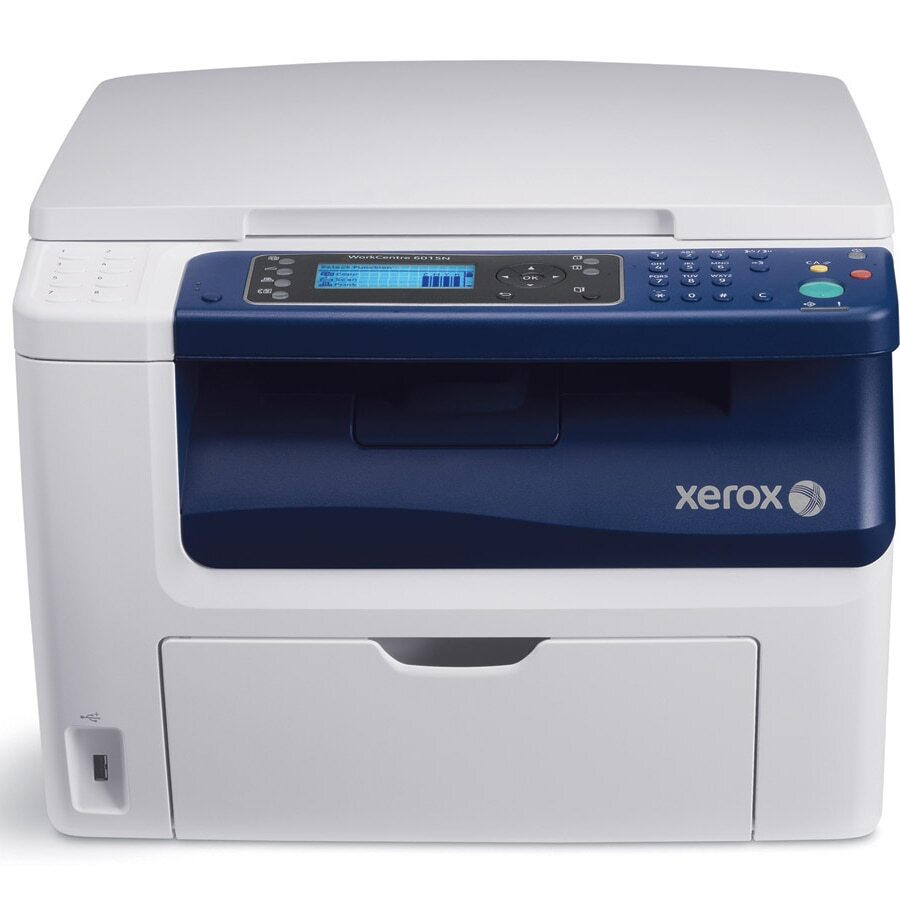
The Xerox WorkCentre 6015 is a compact color multifunction built for small teams: printing, copying, scanning and faxing from a desktop-friendly unit. It runs on four separate cartridges — black 106R01630, cyan 106R01627, magenta 106R01628 and yellow 106R01629 — with the three color cartridges rated at about 1,000 pages each and replaced one at a time as they empty.
Small teams choose a machine like this when counter space is tight but the work still calls for real color — a proposal with charts, a scanned contract, a faxed order form. Because the 6015 keeps its four colors in individual cartridges, a team that prints mostly text spends most of its supply budget on black alone, topping up a single color only when a project actually drains it.
Toner Cartridges for 6015
| Cartridge | Color | Page Yield |
|---|---|---|
| 106R01630 | Black | See product page |
| 106R01627 | Cyan | About 1,000 pages |
| 106R01628 | Magenta | About 1,000 pages |
| 106R01629 | Yellow | About 1,000 pages |
| 4 Color Set (106R01630, 106R01627, 106R01628, 106R01629) | Black + CMY | Per cartridge ratings |
| WorkCentre 6015 listing — Black | Black | See product page |
| WorkCentre 6015 listing — Cyan | Cyan | See product page |
| WorkCentre 6015 listing — Magenta | Magenta | See product page |
| WorkCentre 6015 listing — Yellow | Yellow | See product page |
| WorkCentre 6015 listing — 4 Color Set | Black + CMY | See product page |
| WorkCentre 6015 Laser — 4 Color Set | Black + CMY | See product page |
| WorkCentre 6015 Premium — 4 Color Set | Black + CMY | See product page |
Which cartridge should you buy?
Buy by color, not by habit. The black cartridge does the heavy lifting in most small offices, so keeping a spare black on hand matters more than stocking every color. When one color runs out, replace just that cartridge — the others keep working, and there is no need to swap a full set. A 4 Color Set earns its place when several cartridges are low at once or when you want one box that resets the whole machine. Listings named for the WorkCentre 6015 and the code-named listings on this page are the same four cartridges; pick whichever format suits the slot you are filling.
Chip, toner and everyday use
Each cartridge carries a chip the 6015 reads for level reporting, so the panel warning reflects the actual slot that is running low. Page ratings assume 5% coverage; a page of color charts can use several times that, which is why colors fade faster than their 1,000-page rating suggests on graphics-heavy work. When a color starts to streak, removing it and rocking it gently side to side redistributes the toner for a few more clean pages. Keep spare cartridges sealed, flat and out of sunlight until the day they go in.
Frequently Asked Questions
Which cartridges does the WorkCentre 6015 use?
Four: black 106R01630, cyan 106R01627, magenta 106R01628 and yellow 106R01629. Each fits its own slot and is replaced independently.
Do I have to replace all four cartridges at the same time?
No. The 6015 tracks each color separately, so replace only the cartridge the machine reports as empty. Most owners replace black most often and buy colors one at a time.
How long do the color cartridges last?
Cyan, magenta and yellow are each rated at roughly 1,000 pages at 5% coverage. Documents with large color areas use considerably more toner per page, so real life depends on what your team prints.
Are the WorkCentre 6015-named listings different from the code-named ones?
They are the same cartridges sold under the model name. The code-named listings state the part number directly; both routes lead to the correct supply for the matching color slot.
More printers that use the same cartridges
The same four cartridges also fit these models: Phaser 6000, Phaser 6000B, Phaser 6010, Phaser 6010N, WorkCentre 6015V/B, WorkCentre 6015V/N, WorkCentre 6015V/NI, WorkCentre 6015b, WorkCentre 6015n, WorkCentre 6015ni.