




WorkCentre 6015ni
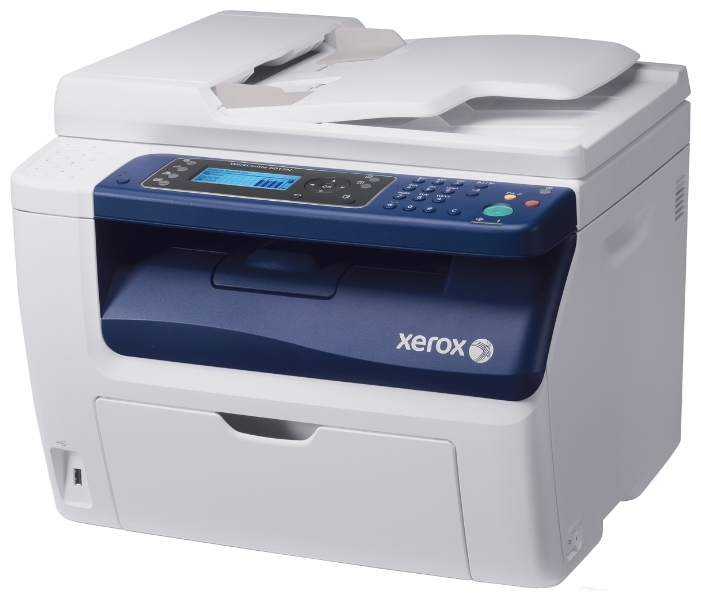
A compact color multifunction for small teams, the WorkCentre 6015ni prints, copies, scans and faxes in full color, with network connectivity built into the 6015 platform. Its toner family is the 106R01630 line: that code covers the black cartridge, while cyan is 106R01627, magenta is 106R01628 and yellow is 106R01629, the colors rated near 1,000 pages each and replaced individually as they run dry.
The 6015ni tends to become a small team's document hub — scanning signed pages back to clients, copying handouts before a meeting, faxing the occasional form, printing the color documents that leave the building. That mix is gentle on any single function but steady overall, and it explains the cartridge pattern owners see: black moving steadily, colors lasting for long stretches between project work.
Toner Cartridges for 6015ni
| Cartridge | Color | Page Yield |
|---|---|---|
| 106R01630 | Black | See product page |
| 106R01627 | Cyan | About 1,000 pages |
| 106R01628 | Magenta | About 1,000 pages |
| 106R01629 | Yellow | About 1,000 pages |
| 4 Color Set (106R01630, 106R01627, 106R01628, 106R01629) | Black + CMY | Per cartridge ratings |
| WorkCentre 6015ni — 4 Color Set | Black + CMY | Per cartridge ratings |
| WorkCentre 6015ni Premium — 4 Color Set | Black + CMY | Per cartridge ratings |
Which cartridge should you buy?
Match your ordering to that rhythm. Black is the cartridge to watch and the one worth keeping as a standing spare. Colors, at roughly 1,000 pages each, can be ordered as needed — when the machine names the empty slot, a single cartridge is the whole order. The 4 Color Set has its moment too: setting up a pre-owned machine, or recovering after a color-heavy project emptied several slots at once. Whether the listing carries the 6015ni name or the cartridge code, the supplies on this page fit the same four slots.
Chip, toner and everyday use
Hub machines sit in shared spaces, so two small habits keep output clean. Wipe the scanner glass now and then — dust there shows up as specks on every copy and scan, no matter how fresh the toner is. And let the cartridge chips do their job: the 6015ni reports each color separately, and yields are quoted at 5% coverage, so a team scanning and printing dense color documents should treat the ratings as a ceiling, not a promise. Store spare cartridges sealed and flat, away from direct light.
Frequently Asked Questions
What toner cartridges fit the WorkCentre 6015ni?
Black 106R01630, cyan 106R01627, magenta 106R01628 and yellow 106R01629 — four separate cartridges, one per slot.
How long do the color cartridges last in a small team?
Each color is rated near 1,000 pages at 5% coverage. Teams printing mostly text with occasional color will find colors lasting a long time; graphics-heavy work shortens that considerably.
My copies look speckled but prints are clean. Is it the toner?
Probably not — specks that appear on copies and scans but not on prints usually come from dust on the scanner glass. Clean the glass first; toner faults show up on everything the machine outputs.
Can I replace just the black cartridge on the 6015ni?
Yes. Every slot is independent, so black can be changed on its own whenever it runs low, without touching the three color cartridges.
More printers that use the same cartridges
The same four cartridges also fit these models: Phaser 6000, Phaser 6000B, Phaser 6010, Phaser 6010N, WorkCentre 6015, WorkCentre 6015V/B, WorkCentre 6015V/N, WorkCentre 6015V/NI, WorkCentre 6015b, WorkCentre 6015n.