




MB471
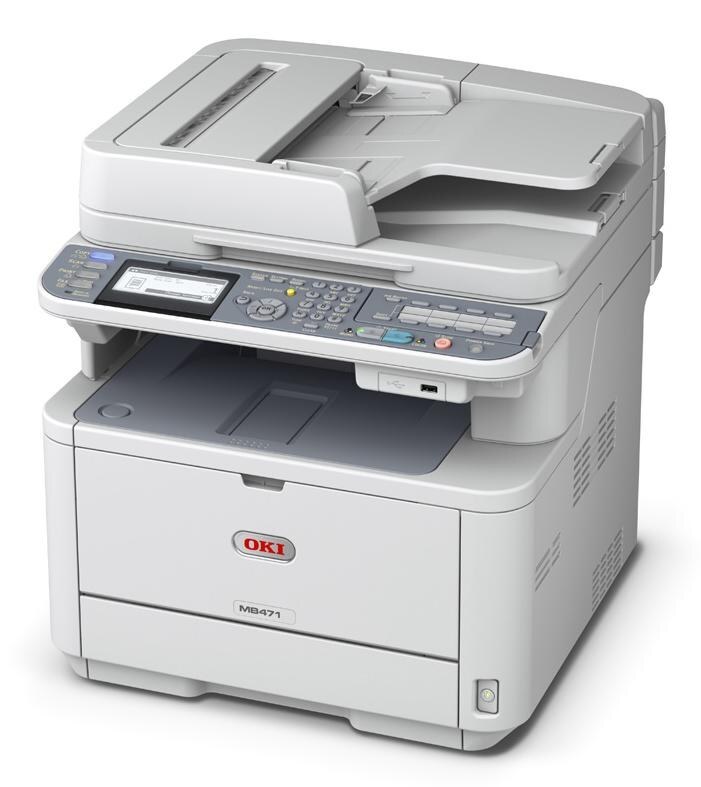
Workgroups that need a black-and-white MFP they can forget about are who the MB471 was built for: printing, copying, scanning and faxing in one unit, fed by a single black cartridge. Fit the standard 44574701 for ordinary volume, or the long-running 44574901 when the machine works hard all week. Behind the toner sits the 44574301 image drum, an independent consumable that is replaced far less often than the cartridges themselves.
The MB471's cartridge options mirror the B431 line, and that kinship is practical: offices running both printers and MFPs from this family stock one shelf of toner and one drum type. Inside the MB471 itself, the design keeps the consumables honest — the toner is a toner, the drum is a drum, and a routine cartridge swap never throws away drum life that is still perfectly good.
Toner Cartridges for MB471
| Cartridge | Color | Page Yield |
|---|---|---|
| 44574701 | Black | See product page |
| 44574901 | High Yield Black | See product page |
| MB471 | Black | See product page |
The 44574301 drum unit is a separate line item — check it when quality fades, not at toner time.
Also on this page for stocking up: the 44574701 three-pack, 44574901 three-pack, 44574901 five-pack and MB471 five-pack.
Which cartridge should you buy?
On a workgroup machine, count interventions rather than cartridges. Every change is a pause in someone's job, so if the MB471 prints all day, the long-running 44574901 is the rational default: it stretches the gap between changes and lowers cost per page along the way. The standard 44574701 still makes sense for a satellite office where the MFP idles most of the week. Multi-packs belong in the same calculation — a shared machine should never wait on a delivery — and the drum stays out of it: it is replaced on its own evidence, when repeating marks say so.
Chip, toner and everyday use
Give a new cartridge a few gentle shakes before it goes in — that loosens toner that has settled in transit and helps the first pages print evenly. The MB471 takes the cartridge from the front: pull the spent one out, slide the fresh one home, and keep the old cartridge upright in a bag until it goes for recycling, so loose toner stays inside it. If a fresh cartridge is not recognized at first, reseat it firmly; the chip makes contact only when the cartridge is fully home.
Frequently Asked Questions
What cartridge fits the MB471?
Your MB471 takes the 44574701 standard cartridge or the 44574901 high-yield cartridge — a single black toner that drops into the front of the printer in seconds.
Are toner and drum separate on the MB471?
Yes. On the MB471 the toner and the 44574301 image drum are independent consumables, so a toner swap does not throw away a working drum. The codes in the table above are toner; the drum is replaced far less often, when print quality shows it is worn.
How do I replace the toner cartridge in the MB471?
It is a clean front-loading swap: remove the spent cartridge, give the new one a few gentle shakes to level the toner, and slide it in until it seats. Keep the old cartridge upright in a bag until recycling.
More printers that use the same cartridges
These printers draw from the same cartridge shelf as the MB471: MB461 MFP, MB461, MB471 MFP, MB471DNW, MB471W MFP, MB471W, MB491+, MB491+LP MFP, MB491+LP, MB491 MFP, MB491 Plus, MB491, B411, B411D, B411dn, B431, B431D, B431DN