




MB491
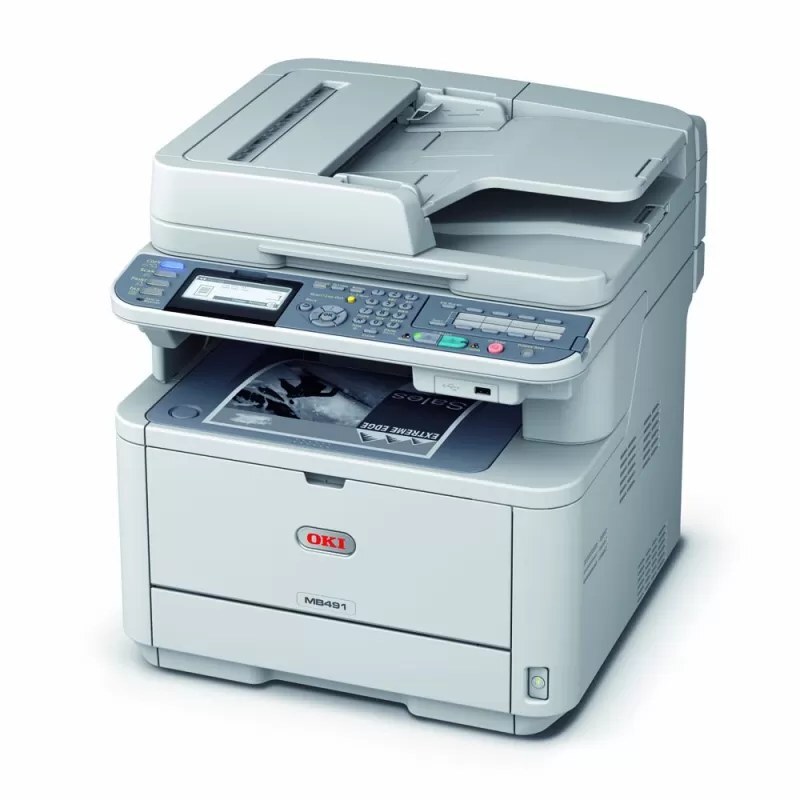
A three-tier toner lineup is what sets the MB491 apart. This monochrome MFP can run the standard 44574701 at about 4,000 pages, step up to the large 44574901 at about 10,000 pages, or take the family's extra-high 44917601 at about 12,000 pages — offices scale the cartridge to their actual volume instead of overbuying, or running dry. All three tiers pair with the same 44574301 image drum, a separate unit changed on its own much longer cycle.
Most offices misjudge their print volume in one direction or the other: they buy the biggest cartridge for a machine that idles, or feed a workhorse with small cartridges and change them forever. The MB491 answers with a ladder. Start where your meter says you are, and if the office outgrows a tier, the next cartridge size is waiting — the machine, the drum and the routine all stay exactly the same.
Toner Cartridges for MB491
| Cartridge | Color | Page Yield |
|---|---|---|
| 44574701 | Black | About 4,000 pages |
| 44574901 | High Yield Black | About 10,000 pages |
| MB491 | Black | See product page |
One drum serves every tier: the 44574301 drum unit, sold separately and changed on its own cycle.
Multi-packs on this page: the 44574701 three-pack, 44574901 three-pack, 44574901 five-pack and MB491 five-pack.
Which cartridge should you buy?
Read the ladder by the numbers. At about 4,000 pages, the standard 44574701 suits an MB491 that prints modestly; at about 10,000 pages, the large 44574901 is two and a half of those cartridges in one, and it is where most busy offices belong. The extra-high 44917601, at about 12,000 pages, belongs to this family as its top tier, though it is not currently listed on this page. Stepping up a tier never touches the drum — the same 44574301 serves all three — so the choice is purely about how often you want to open the front cover.
Chip, toner and everyday use
Yield figures assume roughly 5% page coverage, and real offices stray from it in both directions: logo-heavy invoices and dense forms drain a cartridge faster than plain memos do, which is worth remembering before blaming a cartridge for a short life. Print the status page to read each supply on its own — toner level and drum life are reported separately on the MB491. Store the large high-yield cartridge flat in its box until fitting day; a cartridge that size should not stand on end in a cupboard for months.
Frequently Asked Questions
What cartridge fits the MB491?
Three tiers fit: the standard 44574701, the large 44574901 and the extra-high 44917601 — each a single black toner cartridge that drops into the front of the printer in seconds.
Does the MB491 toner cartridge include the drum?
It does not. On the MB491, toner and the 44574301 image drum are independent consumables, so a toner swap never throws away a working drum. The codes in the table are toner; the drum is replaced far less often.
How do I replace the toner cartridge in the MB491?
Open the front cover, pull the empty cartridge out by its handle and slide the new one in until it seats. The MB491 is designed for clean, tool-free swaps that take seconds.
Is the 44917601 worth choosing over the 44574901?
For a genuinely busy MB491, yes: at about 12,000 pages against about 10,000, the extra-high tier buys the longest gap between changes in this family. For moderate volume the difference rarely matters — match the tier to the meter, not to ambition.
More printers that use the same cartridges
One cartridge shelf serves the whole group below: MB461 MFP, MB461, MB471 MFP, MB471, MB471DNW, MB471W MFP, MB471W, MB491+, MB491+LP MFP, MB491+LP, MB491 MFP, MB491 Plus, B411, B411D, B411dn, B431, B431D, B431DN