




MB461
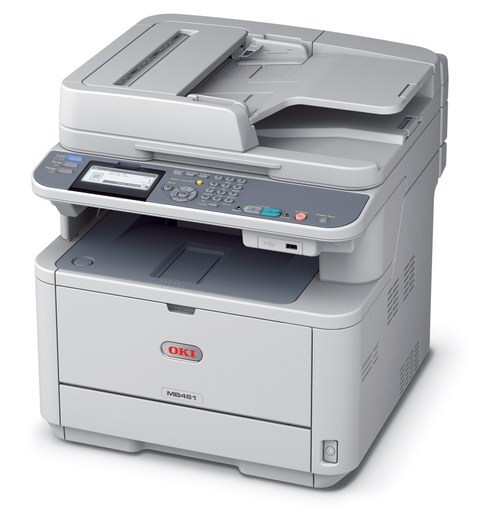
The MB461 is a monochrome multifunction for small offices, putting printing, scanning, copying and fax on one desk. Its black toner comes in two sizes — the standard 44574701 and the high-yield 44574901 — so light and heavy users of the same machine can each pick the cartridge that fits their workload. Behind the toner sits the 44574301 image drum, which forms the image on every page and is renewed only when output quality begins to fade.
A small office rarely prints at one steady rate, and the MB461's two-size shelf is an answer to that. The person scanning contracts all week and the person who prints two invoices a month share one machine; the cartridge choice lets the office feed it according to the season — standard size through the quiet months, high-yield when the workload piles up — instead of treating every replacement as the same purchase.
Toner Cartridges for MB461
| Cartridge | Color | Page Yield |
|---|---|---|
| 44574701 | Black | See product page |
| 44574901 | High Yield Black | See product page |
| MB461 | Black | See product page |
The imaging side is separate: the 44574301 drum unit is sold on its own and outlasts the toner.
For keeping a spare on hand, this page also stocks the 44574701 three-pack, the 44574901 three-pack, the 44574901 five-pack and the MB461 five-pack.
Which cartridge should you buy?
Start from how often you are changing cartridges now. If a standard cartridge lasts the office a comfortable stretch, stay with the 44574701 and keep one spare — that is the low-effort setup. If changes feel constant, the cartridge size is the problem rather than the machine: step up to the high-yield 44574901 and the interruptions drop away, at a lower cost per page. Multi-packs suit offices that never want a toner warning to become an emergency order; a three-pack on the shelf turns a replacement into a two-minute job.
Chip, toner and everyday use
Each cartridge carries a chip the MB461 reads to report its toner level, so after fitting a fresh cartridge, print a status or configuration page and confirm the machine has registered it before the big job starts. Store spares flat, in their bags, in a cool dry spot away from heaters — toner keeps best that way. If pages emerge with horizontal bands, do not blame the toner first: wipe the LED strip with a soft, dry, lint-free cloth, and only suspect the drum if the banding survives a cleaning and a cartridge change.
Frequently Asked Questions
Which toner does the MB461 use?
The MB461 takes the standard 44574701 black cartridge, with the 44574901 as the higher-capacity option in the same family. The image drum is a separate unit — the 44574301 — so toner and drum are replaced independently of each other.
My MB461 prints have horizontal banding. Is it the toner?
Banding usually traces to the drum or a dirty LED array rather than to low toner. Clean the LED strip first with a dry, lint-free cloth. If the bands persist even with a fresh cartridge fitted, the drum is the part to replace.
Does the MB461's duplex copying use double toner?
No. Each copied side uses the same amount of toner it would use as a single-sided copy — duplexing saves paper, not toner. Your toner consumption follows the number of printed sides, however they are arranged.
More printers that use the same cartridges
The MB461's cartridge family also feeds these OKI models: MB461 MFP, MB471 MFP, MB471, MB471DNW, MB471W MFP, MB471W, MB491+, MB491+LP MFP, MB491+LP, MB491 MFP, MB491 Plus, MB491, B411, B411D, B411dn, B431, B431D, B431DN