




MB491+LP MFP
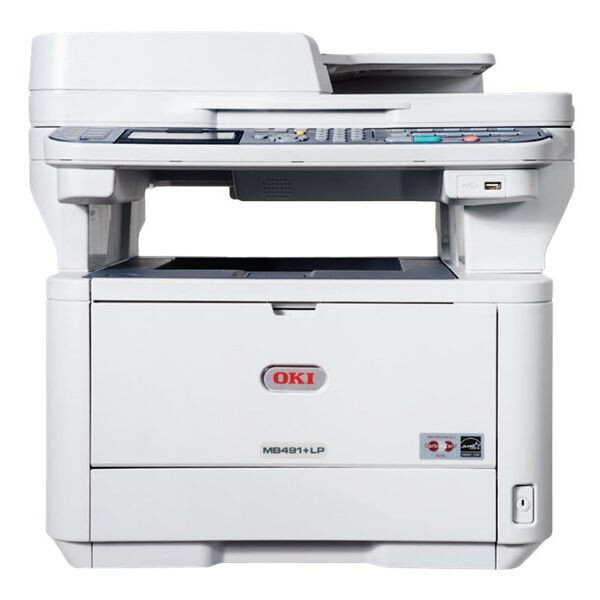
The Okidata MB491+LP MFP is the multifunction member of the long-print MB491+ line: it adds scanning, copying and fax to a high-volume monochrome engine, as the counterpart of the printer-only MB491+LP. Its cartridge lineup is deliberately short — the standard 44574701 or the high-yield 44574901 — two black cartridges and nothing else to decide at reorder time.
LP stands for the long-print configuration, built for extended output runs rather than stop-start desk work. Machines in this role tend to live at reception desks and service counters, where output is public, continuous and unforgiving: a visitor does not care why the printer stopped. Everything about running this MFP well reduces to uptime, and uptime is mostly a supplies habit.
Toner Cartridges for MB491+LP MFP
| Cartridge | Color | Page Yield |
|---|---|---|
| 44574701 | Black | Listed on the product page |
| 44574701 — 3 Pack | Black | Listed on the product page |
| 44574701 — 5 Pack | Black | Listed on the product page |
| 44574901 High Yield | Black | Listed on the product page |
| 44574901 High Yield — 3 Pack | Black | Listed on the product page |
| 44574901 High Yield — 5 Pack | Black | Listed on the product page |
| MB491+LP MFP Toner Cartridge — Black | Black | Listed on the product page |
| MB491+LP MFP Toner Cartridges — Black, 5 Pack | Black | Listed on the product page |
Which cartridge should you buy?
For a long-print machine the high-yield 44574901 is the natural working cartridge: extended runs punish small fills, and every changeover in the middle of a queue costs more than the toner it saves. Keep the standard 44574701 as the emergency spare rather than the main supply — its job is to bridge the gap if the working cartridge ends sooner than expected. Buying the high-yield in three- or five-packs turns reordering into a rare, planned event instead of a reaction, which is exactly the rhythm a front-desk machine needs.
Chip, toner and everyday use
Switch on low-toner alerts and act on the first one, not the third — on a reception printer the alert is the schedule. Keep the spare cartridge in the cabinet beside the machine rather than in a central storeroom; a two-minute swap keeps the queue moving, a walk across the building does not. The separate image drum under the toner works on its own long cycle, so a toner change is a toner-only job. And as with every cartridge here, treat printed page ratings as estimates based on standard coverage — long, dense runs consume toner at their own rate.
Frequently Asked Questions
Which toner does the OKI MB491+LP MFP use?
The 44574701 standard black cartridge or the 44574901 high-yield, with a separate image drum beneath them. If the cartridge you remove carries a different number from either, reorder that exact number — the label on the old unit outranks any list.
What does LP mean on the MB491+LP MFP?
LP marks the long-print configuration of the MB491+ family, set up for extended or banner-style output runs. The MFP version adds scanning, copying and fax to that same long-running engine.
This will be our reception printer. How do I keep it ready?
Keep a spare cartridge in the cabinet beside it and enable low-toner alerts. A reception machine cannot wait for a delivery, so the spare-on-hand rule matters more here than anywhere else in the building.
Is the drum replaced together with the toner?
No. The drum is a separate long-life component on this platform and is renewed on its own schedule, long after individual toner cartridges have come and gone.
More printers that use the same cartridges
Supplies for this machine overlap with a broad run of Okidata mono models: B411, B411D, B411dn, B431, B431D, B431DN, MB461 MFP, MB461, MB471 MFP, MB471, MB471DNW, MB471W MFP, MB471W, MB491+, MB491+LP, MB491 MFP, MB491 Plus, MB491.