




MB471 MFP
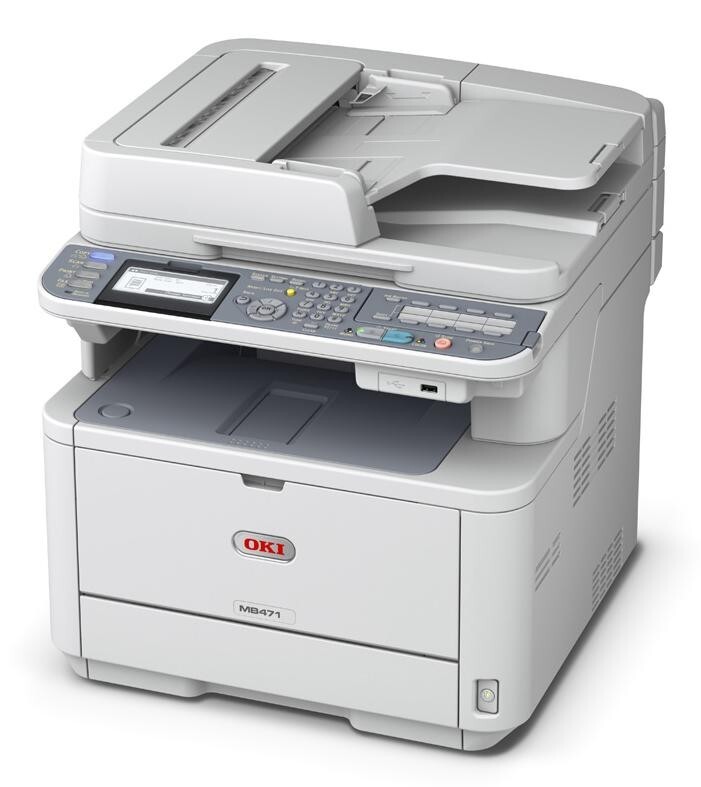
The Okidata MB471 MFP folds printing, scanning, copying and faxing into one monochrome machine aimed at small and midsize offices. Everything it produces comes from a single black cartridge, and there are two fills to choose from: the standard 44574701 or the high-yield 44574901, the same pair used across this OKI family.
An all-in-one changes the toner arithmetic. A standalone printer only burns toner on jobs sent from computers, but this MFP also spends it on every photocopy and every incoming fax page, so consumption follows the office's total paper traffic rather than its print queue. Offices are often surprised by how quickly a walk-up copier empties a cartridge that looked generous on paper — worth remembering when you pick between the two fills below.
Toner Cartridges for MB471 MFP
- 44574701 — the standard black cartridge, the everyday replacement for this MFP.
- 44574701 — Black, 3 Pack — three standard cartridges in one box for offices that keep a rolling spare.
- 44574901 — the high-yield black cartridge, a deeper fill for heavier months.
- 44574901 — Black, 3 Pack — high-yield cartridges in a three-pack.
- 44574901 — Black, 5 Pack — the bulk option, five high-yield cartridges at once.
- MB471 MFP Toner Cartridge — Black — the cartridge listed under this model's own name.
- MB471 MFP Toner Cartridges — Black, 5 Pack — five of the model-named cartridges.
Which cartridge should you buy?
Start from how the machine is actually used. An MB471 MFP that mostly prints can live happily on the standard 44574701, replaced as needed. Once copying and faxing join in, volume climbs quietly, and the high-yield 44574901 earns its keep by stretching the gap between swaps and trimming the cost of each page. Neither choice locks you in — both fit the same slot, so you can switch fills at any change. If the office has ever lost a morning to an empty cartridge and an unstocked shelf, the three- and five-packs exist precisely to end that story.
Chip, toner and everyday use
The cartridge chip reports the level for all four functions at once, since there is only one supply to track. After a swap, give the machine a moment to register the new cartridge before judging the reading; a persistent low warning usually means the cartridge needs lifting out and pressing home until it seats. Yield figures are estimates built on typical page coverage, so a fax-heavy week will always outrun them. Keep one spare in a cool, dark drawer — toner stores well, and an MFP that handles the office fax line should never be the reason a contract sits unprinted.
Frequently Asked Questions
Which toner does the Oki MB471 MFP use?
Black toner in two fills: the standard 44574701 and the high-yield 44574901. One cartridge covers printing, copying and fax output alike — there is no separate supply for any of the four functions.
Do wired and wireless versions of this MFP take different cartridges?
No. Connectivity decides how jobs reach the machine, not what goes inside it. Every variant of this platform loads the identical 44574701 and 44574901 cartridges, so a cartridge bought for one version works in the others.
Copies from my MB471 MFP look darker than the originals. How do I fix that?
Turn the copy density down a step on the control panel. Copies are exposed at a default density that can render heavier than the original document, and if computer prints look correct while copies run dark, the cartridge is not at fault — the exposure setting is.
The low-toner warning appeared mid-afternoon. Can I finish the day's work?
Almost always, yes. The warning arrives with usable toner still in reserve, so finish the job in hand and swap the cartridge when output actually starts to fade. A gentle side-to-side rock of the cartridge redistributes the remaining toner and buys a little more time.
More printers that use the same cartridges
These Okidata models draw on the same cartridge pair, so supplies carry across the family: MB471W, MB491+, MB491+LP MFP, MB491+LP, MB491 MFP, MB491 Plus, MB491, B411, B411D, B411dn, B431, B431D, B431DN, MB461 MFP, MB461, MB471, MB471DNW, MB471W MFP.