




MB491 MFP
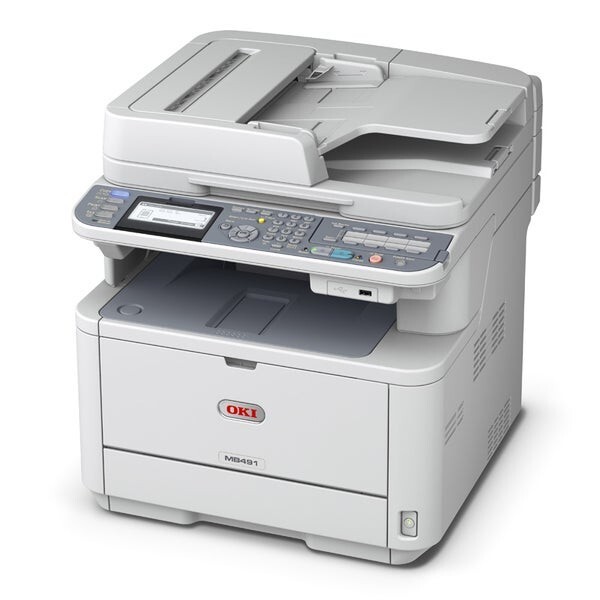
Three cartridge numbers are attached to the Okidata MB491 MFP, and that is where most owners get stuck. This monochrome multifunction printer — printing, scanning, copying and faxing for small and midsize offices — is listed with the 44574701, the 44574901 and the 44917601. The first two are the cartridges stocked on this page; all of them work with the separate 44574301 image drum, which is maintained apart from toner and renewed only after many toner swaps.
The practical rule cuts through the numbering: the cartridge already inside your machine is the specification. Pull the old unit, read the number on its label, and reorder that number. The MB491 MFP was sold into offices that run it as shared infrastructure, and a shared machine punishes guesswork — the wrong box on the shelf helps nobody when the toner light comes on during a deadline.
Toner Cartridges for MB491 MFP
- 44574701 — standard black cartridge, the straightforward like-for-like replacement.
- 44574701 (3 Pack) — standard cartridges three at a time, for a shelf that never empties.
- 44574901 — high-yield black cartridge, the longer-interval option for this MFP.
- 44574901 (3 Pack) — the high-yield fill in a three-pack.
- 44574901 (5 Pack) — five high-yield cartridges, the bulk buy for heavy shared use.
- MB491 MFP Toner Cartridge (Black) — the cartridge sold under this model's own name.
- MB491 MFP Toner Cartridges (Black, 5 Pack) — the model-named cartridge in a five-pack.
Yield figures for these cartridges are listed on each product page. The family's third number, 44917601, is not stocked on this page — if the cartridge you remove carries that number, reorder by that exact number.
Which cartridge should you buy?
Match first, optimize second. If your machine is running a 44574701 today, its direct replacement is another 44574701; if it is running the 44574901, stay with that fill. Where you have a free choice — a fresh machine, or a deliberate switch at the next change — let workload arbitrate: a shared MFP in daily use belongs on the high-yield cartridge, because every avoided swap is an interruption that never happens, while a lightly used machine gains nothing from a deep fill it will take a year to spend. Compatible versions of both numbers carry a 1-year warranty and 1-year returns from this store.
Chip, toner and everyday use
Read the label before you order, not after the box arrives — on a three-number family, that ten-second habit prevents nearly every wrong-cartridge story. When the low warning appears during a long copy run, finish the run: the machine keeps a reserve beyond the warning, and output quality, not the message, is the real signal to swap. Seat the replacement until it clicks so the chip registers the full level, and leave the drum alone during a toner change — it lives on its own schedule and resents unnecessary handling and light exposure.
Frequently Asked Questions
Which toner cartridges does the Oki MB491 MFP accept?
Three numbers are listed for this model: 44574701, 44574901 and 44917601. This page stocks the first two. Check the number printed on your installed cartridge and order the matching one.
My MB491 MFP lists three cartridge numbers. Are they interchangeable?
They are the listed options for this model family, but the safe fit is the capacity and number your machine currently uses. When in doubt, reorder the exact number on the old cartridge rather than experimenting mid-workload.
The MB491 MFP shows toner low during a big copy job. Can I finish it?
Yes. The warning leaves usable toner in reserve, so complete the job and replace the cartridge afterwards. If pages start to thin out before the job ends, rocking the cartridge gently redistributes the remaining toner for a few extra pages.
Does the MB491 MFP use a separate drum?
Yes — the 44574301 image drum is a distinct component shared by every cartridge option on this page. Toner swaps do not touch it; the drum is renewed only after many cartridges have passed through.
More printers that use the same cartridges
The wider family sharing this cartridge set includes the following Okidata models: MB471, MB471DNW, MB471W MFP, MB471W, MB491+, MB491+LP MFP, MB491+LP, MB491 Plus, MB491, B411, B411D, B411dn, B431, B431D, B431DN, MB461 MFP, MB461, MB471 MFP.