CLEVER SUPPLIES · COMPATIBILITY CENTER
HP Toner Firmware & Chip Compatibility Center
The seven HP color laser families on this page — 414, 206, 210, 218, 212, 215 and 410 — are dynamic-security printers: HP can change how they respond to compatible cartridges through a firmware update, sometimes overnight. This center tracks the current guidance for each family, explains the chip our cartridges carry, and decodes the exact message on your screen. Read it before you order, and come back to it if anything changes after an update.
Step 1 · Pick your printer family below
Step 2 · Read the current guidance for that family
Step 3 · Match the message on your screen to the decoder
SELECT YOUR HP TONER FAMILY
HP 414A / 414X · M454, M479, M455, M480 HP 206A / 206X · M255, M282, M283 HP 210A / 210X · 4201, 4301 HP 218A / 218X · 3201, 3301 HP 212A / 212X · M554, M555, M578 HP 215A · M155, M182, M183 HP 410A / 410X · M452, M477, M377
● HP 414 guidance status: Normal — no family-wide block reported on current firmware. If your printer is showing a cartridge message, go to the decoder below before you restart or reseat anything.
Cartridge numbers: W2020A–W2023A (414A standard yield) · W2020X–W2023X (414X high yield)
Rated yields (HP, ISO/IEC 19798): 414A — black ~2,400 pages, each color ~2,100 pages · 414X — black ~7,500 pages, each color ~6,000 pages
Chip: every 414 cartridge we ship carries the latest-generation chip and installs as it arrives — there is no chip to pry off your old cartridge and move over.
The M454 and M479 are the workhorses this family is known for, and they are also the models owners most often write to us about after a firmware prompt appears. Nothing about the 414 printers has changed in how they treat our cartridges on current firmware, and our record on this family is clean: no chip-recognition failures reported to us to date. The one habit worth building is to check your current firmware version before you accept an update, and to photograph any new on-screen message exactly as it appears — the wording tells us which decoder card applies, and it disappears the moment you restart.
Bought as single cartridges, a full-color page from the 414X set works out to roughly 3.2 cents of toner — about 0.67 cents for the black component and 0.83 cents for each of the three colors, added together the way a printed page actually uses them. See all toner for the
M454 series and the
M479 series.

HIGH YIELD · BEST VALUE
Compatible HP 414X Toner Cartridge 4-Color Set
W2020X–W2023X · Black ~7,500 pages · Colors ~6,000 pages each
$151.97 SAVE $48.23 vs singles
View Product →
STANDARD YIELD
Compatible HP 414A Toner Cartridge 4-Color Set
W2020A–W2023A · Black ~2,400 pages · Colors ~2,100 pages each
$250.68
View Product →
● HP 206 guidance status: Normal — no family-wide block reported on current firmware. A new message after an update is a decoder question first, not a reason to order replacements.
Cartridge numbers: W2110A–W2113A (206A standard yield) · W2110X–W2113X (206X high yield)
Rated yields (HP, ISO/IEC 19798): 206A — black ~1,350 pages, each color ~1,250 pages · 206X — black ~3,150 pages, each color ~2,450 pages
Chip: our 206 cartridges arrive with a current-generation chip already fitted, so the swap is a straight remove-and-replace — nothing transfers from the empty cartridge.
These are compact home-office printers, and they update quietly in the background more often than the bigger office models do — which is why 206 owners are sometimes surprised by a cartridge prompt on a Monday morning. Our cartridges continue to be recognized on the firmware these printers are shipping with and updating to, and we have had no chip problems reported on this family. If a prompt does show up, don't reseat the cartridge over and over: note the exact message, check it against the decoder below, and only then decide whether anything needs to change.
In single-cartridge terms, a full-color page from the 206X family runs about 5.9 cents of toner — roughly 1.21 cents of black plus 1.55 cents for each color, summed per color rather than averaged. See all toner for the
M255 series and the
M283 series.
HIGH YIELD · BEST VALUE
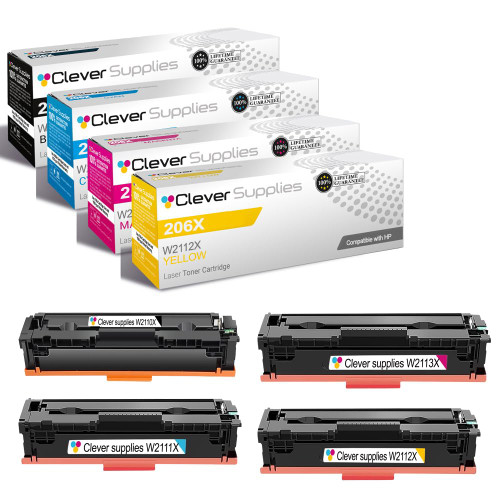
Compatible HP 206X Toner Cartridge 4-Color Set
W2110X–W2113X · Black ~3,150 pages · Colors ~2,450 pages each
$103.99 SAVE $48.25 vs singles
View Product →
STANDARD YIELD
Compatible HP 206A Toner Cartridge 4-Color Set
W2110A–W2113A · Black ~1,350 pages · Colors ~1,250 pages each
$193.52
View Product →
● HP 210 guidance status: Normal — no family-wide block reported on current firmware for the standard (non-HP+) models below. Check the model-name warning in this card before ordering.
Cartridge numbers: W2100A–W2103A (210A standard yield) · W2100X–W2103X (210X high yield)
Rated yields (HP, ISO/IEC 19798): 210A — black ~2,000 pages, each color ~1,800 pages · 210X — black ~7,500 pages, each color ~5,500 pages
Chip: the 210 cartridges we sell are chipped with the latest generation and ready to install out of the box; nothing needs to be removed from your previous cartridge.
One warning matters more on this family than on any other here: models whose names end in “e” — 4201dne, 4201dwe, 4301fdne, 4301fdwe — are HP+ versions, and HP+ printers are set up to accept only genuine HP toner. The standard 4201dn, 4201dw, 4301fdn and 4301fdw are a different story: our cartridges are recognized on their current firmware and we have had no chip issues reported with them. Read the full model name on the printer's label, not just the series number on the box, and if yours ends in “e,” contact us before ordering so we can point you the right way.
Priced as singles, the 210X family puts a full-color page at roughly 5.4 cents of toner — about 1.06 cents of black and 1.44 cents for each color, added color by color. See all toner for the
4201 series and the
4301 series.

HIGH YIELD · BEST VALUE
Compatible HP 210X Toner Cartridge 4-Color Set
W2100X–W2103X · Black ~7,500 pages · Colors ~5,500 pages each
$268.66 SAVE $48.22 vs singles
View Product →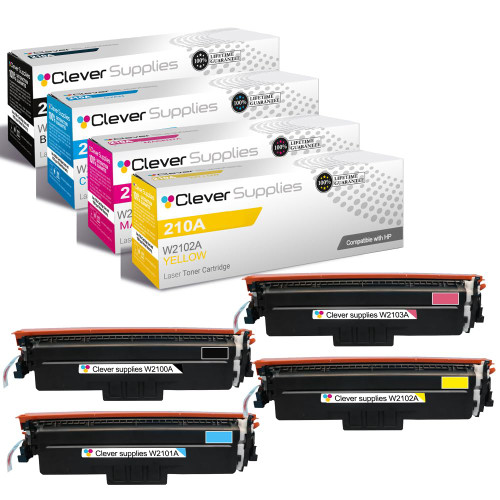
STANDARD YIELD
Compatible HP 210A Toner Cartridge 4-Color Set
W2100A–W2103A · Black ~2,000 pages · Colors ~1,800 pages each
$201.87
View Product →
● HP 218 guidance status: Normal — no family-wide block reported on current firmware. This is HP's newest family here, so the pre-update checklist below matters most for these models.
Cartridge numbers: W2180A–W2183A (218A standard yield) · W2180X–W2183X (218X high yield)
Rated yields (HP, ISO/IEC 19798): 218A — black ~1,300 pages, each color ~1,200 pages · 218X — black ~3,200 pages, each color ~2,500 pages
Chip: cartridges for this family are supplied with the latest-generation chip installed and ready to run — no chip transfer from the old cartridge is part of the swap.
The 3201 and 3301 printers are the newest hardware in this center, and HP states plainly that they carry technology that can prevent cartridges with non-HP chips from working now or in the future. We won't pretend that sentence away. What we can tell you is that our 218 cartridges use current-generation chips, that our record across every family in this center is zero reported chip problems, and that the safest routine on a new platform is boring but effective: keep a note of the firmware version your printer shipped with, and read the checklist below before you let it change.
In single-cartridge terms, a full-color page from the 218X family runs about 11.7 cents of toner — roughly 2.4 cents of black plus 3.1 cents for each color, summed per color rather than averaged. See all toner for the
3201dw and the
3301 series.
HIGH YIELD · BEST VALUE
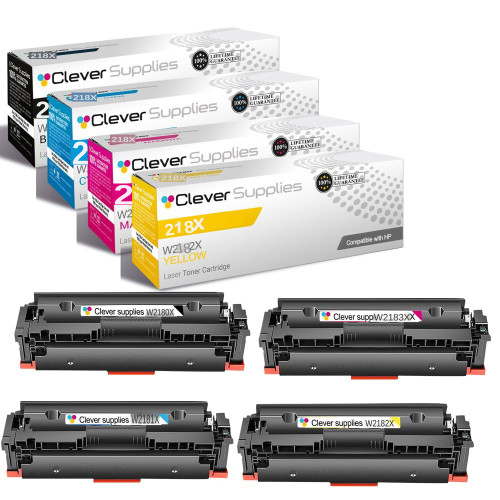
Compatible HP 218X Toner Cartridge 4-Color Set
W2180X–W2183X · Black ~3,200 pages · Colors ~2,500 pages each
$269.68 SAVE $42.00 vs singles
View Product →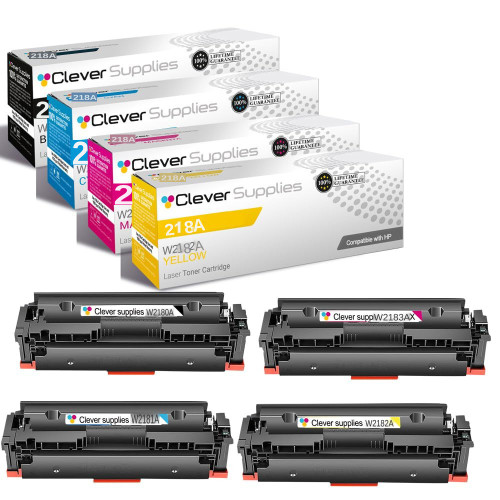
STANDARD YIELD
Compatible HP 218A Toner Cartridge 4-Color Set
W2180A–W2183A · Black ~1,300 pages · Colors ~1,200 pages each
$199.92
View Product →
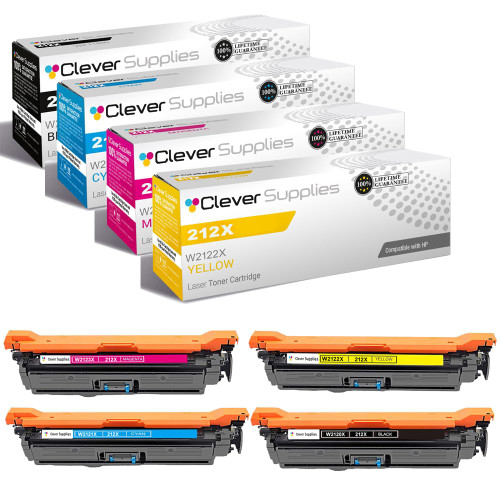
● HP 212 guidance status: Normal — no family-wide block reported on current firmware. On a managed fleet the firmware decision usually sits with IT rather than at the printer, so read this card alongside whoever pushes your updates.
Cartridge numbers: W2120A–W2123A (212A standard yield) · W2120X–W2123X (212X high yield)
Rated yields (HP, ISO/IEC 19798): 212A — black ~5,500 pages, each color ~4,500 pages · 212X — black ~13,000 pages, each color ~10,000 pages
Chip: every 212 cartridge we ship carries the latest-generation chip, fitted and ready to run — install it and print; there is no chip to move from the old cartridge.
These are departmental machines: an M554 or an M578 usually serves a whole team, sits on a managed network, and receives its firmware from whoever runs that network — which means the update decision is often made centrally, not at the printer. That cuts both ways. A fleet kept on current firmware keeps the security fixes HP ships for these models, and our 212 cartridges carry current-generation chips that are recognized on that firmware; we have had no chip problems reported on this family. If you run several of these machines, the routine that pays is to note the firmware version across the fleet before a cartridge order, and to keep one known-good set on the shelf, so a single printer's message never becomes a department's outage.
In single-cartridge terms, a full-color page from the 212X family runs about 3.2 cents of toner — roughly 0.65 cents of black plus 0.85 cents for each color, summed per color rather than averaged. See all toner for the
M554 series and the
M578 series.
HIGH YIELD · BEST VALUE
Compatible HP 212X Toner Cartridge 4-Color Set
W2120X–W2123X · Black ~13,000 pages · Colors ~10,000 pages each
$291.80 SAVE $48.24 vs singles
View Product →
STANDARD YIELD
Compatible HP 212A Toner Cartridge 4-Color Set
W2120A–W2123A · Black ~5,500 pages · Colors ~4,500 pages each
$235.96
View Product →
● HP 215 guidance status: Normal — no family-wide block reported on current firmware. These printers update quietly in the background, so a new message after an update is a decoder question first, not a reason to order replacements.
Cartridge numbers: W2310A–W2313A (215A — this family has a single yield class; HP sells no 215X)
Rated yields (HP, ISO/IEC 19798): 215A — black ~1,050 pages, each color ~850 pages
Chip: our 215A cartridges arrive with a current-generation chip already installed, so the swap is a straight remove-and-replace — nothing transfers from the empty cartridge.
The M155, M182 and M183 are the smallest color lasers HP sells — desk-sized printers for a home office or a two-person shop, with small cartridges to match, so changes come more often than on the bigger families in this center. They also update themselves quietly over Wi-Fi, which is how owners meet a cartridge prompt they never expected. Our 215A cartridges continue to be recognized on the firmware these printers are running, and we have had no chip problems reported on this family. Because the cartridges are small, the habit that pays here is simple: keep the next black on the shelf, and if a prompt does appear, match it to the decoder below before you order anything.
In single-cartridge terms, a full-color page from the 215A family runs about 23 cents of toner — roughly 4.9 cents of black plus 6.1 cents for each color, summed per color rather than averaged. That is the honest trade this family makes: the smallest cartridges in this center, in the smallest color laser footprint HP sells. See all toner for the
M155 series and the
M183 series.

STANDARD YIELD · BEST VALUE
Compatible HP 215A Toner Cartridge 4-Color Set
W2310A–W2313A · Black ~1,050 pages · Colors ~850 pages each
$158.33 SAVE $48.23 vs singles
View Product →
BLACK 2-PACK · STOCK UP
Compatible HP 215A Black Toner Cartridge 2-Pack
2 × W2310A Black · About 1,050 pages each
$87.21
View Product →
● HP 410 guidance status: Normal — with a documented history. HP's dynamic security is documented on these models, and this is the family most often named in firmware-block reports. Our cartridges carry current-generation chips, and we have had no chip problems reported to us on this family to date. If a message appears after an update, start with the decoder below.
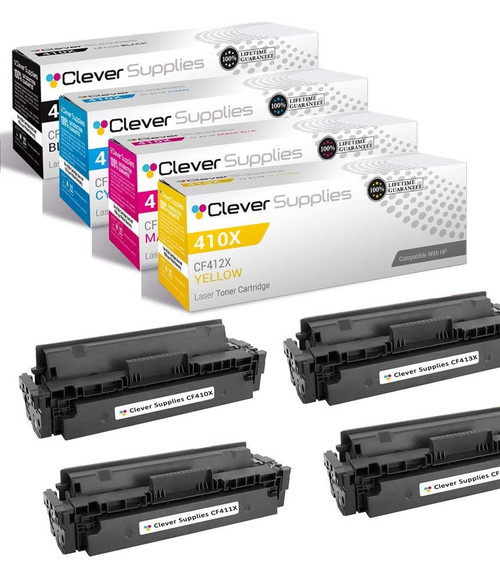
Cartridge numbers: CF410A–CF413A (410A standard yield) · CF410X–CF413X (410X high yield)
Rated yields (HP, ISO/IEC 19798): 410A — black ~2,300 pages, each color ~2,300 pages · 410X — black ~6,500 pages, each color ~5,000 pages
Chip: the 410 cartridges we sell ship with the latest-generation chip already fitted — install-and-print, with no chip transfer from the cartridge coming out.
No family in this center has a longer history with cartridge blocking than this one. The M452, M477 and M377 have been in offices since 2015, HP documents dynamic security on these models, and this is the family whose owners most often met the “indicated cartridges have been blocked” message after a firmware update. So the honest position matters here: our 410 cartridges carry current-generation chips, they are made to install and print without a chip transfer, and to date we have had no chip problems reported to us on this family. We cannot promise what a future HP update will do — nobody can — but the checklist below exists precisely for printers like these: note your firmware version before you let it change, and photograph any new message before you restart.
Priced as singles, the 410X family puts a full-color page at about 2.3 cents of toner — roughly 0.48 cents of black and 0.62 cents for each color, added color by color. See all toner for the
M452 series and the
M477 series.
HIGH YIELD · BEST VALUE
Compatible HP 410X Toner Cartridge 4-Color Set
CF410X–CF413X · Black ~6,500 pages · Colors ~5,000 pages each
$75.03 SAVE $48.23 vs singles
View Product →
STANDARD YIELD
Compatible HP 410A Toner Cartridge 4-Color Set
CF410A–CF413A · Black ~2,300 pages · Colors ~2,300 pages each
$66.09
View Product →
What message do you see?
Match the wording on your printer's screen to the closest card. The first step is always the same: photograph or write down the exact message before you restart, reseat or replace anything.
“Non-HP Cartridge Detected”
The printer has identified a supply that isn't HP's. On these families that message alone usually doesn't stop the press. Can you keep printing? In most cases yes, once you acknowledge the prompt. First step: confirm the cartridge number on the box (W2020, W2110, W2100, W2180, W2120, W2310 or CF410 series) matches your printer family.
“Non-HP Chip Detected”
The printer is challenging the cartridge's chip rather than the toner itself, and it most often appears right after a firmware update. First step: photograph the message and note the date and the firmware version if the screen shows it. Don't pull and reseat the cartridge repeatedly — it doesn't change the chip conversation and it wears the contacts.
“Supply Memory Error”
The printer can't read the cartridge's memory at all. First step: power the printer off, remove the named cartridge once, check that its contact area is clean and dry, and reseat it firmly a single time. If the error names the same color after that, contact us with a photo of the message.
“Toner Level Unavailable”
A missing percentage is not an empty cartridge — it means the printer isn't reporting a level for that color. Judge by the page, not the gauge: if print quality is still clean and even, keep printing and replace the cartridge when output actually fades.
“Protected Cartridge Installed”
That cartridge was locked to a different printer by HP's Cartridge Protection feature, and it won't run in yours. This isn't a chip fault and no setting on your printer can unlock it. First step: check whether the cartridge came from another machine in your office; a cartridge protected elsewhere has to go back to that printer. Cartridges bought from us are never pre-protected.
Before you update your printer's firmware
☐ Write down the current firmware version (on the printer: Settings → Printer Information, or print a Printer Status Report)
☐ Print a Supplies Status page and keep it with the printer
☐ Confirm the cartridges installed today print normally — a short test page is enough
☐ Decide deliberately about automatic updates: turning auto-update off means security fixes wait for you too, so set a reminder to check HP's release notes yourself
☐ After any update, print a test page before a big job — and if a cartridge message appears, photograph it before restarting
Questions, answered straight
Can you guarantee this cartridge will work with every future HP firmware update?
No — and no seller honestly can. HP writes the firmware and can change how its printers treat any cartridge, including ours. What we can do is ship cartridges with the latest-generation chip, tell you the current status for your family on this page, and stand behind the cartridge you bought from us. To date, we have had no chip problems reported with the cartridges we sell.
Do I need to move the chip from my old cartridge into yours?
No. Every cartridge in the seven families above arrives with its own current-generation chip already fitted. The changeover is the normal one: old cartridge out, new cartridge in. Any seller asking you to pry a chip off an empty cartridge and transplant it is selling you a different, older way of doing this.
My cartridge worked yesterday and stopped after an update. What now?
Photograph the exact message before you touch anything, note the firmware version if you can find it, then match the message to the decoder cards above. If the message persists after the card's first step, contact us with that photo — it's the single most useful thing our support team can receive. We're here Monday to Friday, 9 AM to 5 PM CST.
My model name ends in “e” — 4201dwe or 4301fdwe. Does that change anything?
Yes, and we'd rather tell you before you order. The “e” models are HP+ versions, and HP+ printers accept only genuine HP toner cartridges. Compatible cartridges — ours or anyone's — are not the right purchase for an HP+ machine. The standard 4201dw, 4201dn, 4301fdw and 4301fdn (no “e”) are the models this center's 210 guidance covers.
How do I figure out what a color page really costs me?
One color at a time. A printed color page draws on all four cartridges, so the honest math is: black price ÷ black yield, plus cyan price ÷ cyan yield, plus magenta, plus yellow — then add the four results. Never add the four yields together and divide the set price by that total; it understates the cost, because the colors don't pool their pages. Rated yields are HP's ISO/IEC 19798 figures, so real-world coverage will move your number somewhat.
Does using a compatible cartridge void my HP printer warranty?
HP's own policy does not void the printer warranty simply because a non-HP supply is installed; if HP determines a failure was caused by a supply, that specific repair is a different conversation. Independently of HP, the cartridges we sell carry our own warranty — if one of ours fails you, that's our problem to fix, not yours.
Our disclosure: we sell compatible toner and benefit when you buy through this page. Firmware behavior belongs to HP and can change without notice; the printer makers' statements about future cartridge blocking are quoted in that spirit, not as a prediction about your printer. This center reflects the latest status we can verify for each family and is updated when a family's status changes. Prices shown were read from our product pages on November 10, 2026 and can change; the product page is always the final word. Questions we haven't covered: contact us Monday to Friday, 9 AM to 5 PM CST.




