




Color Enterprise M455dn
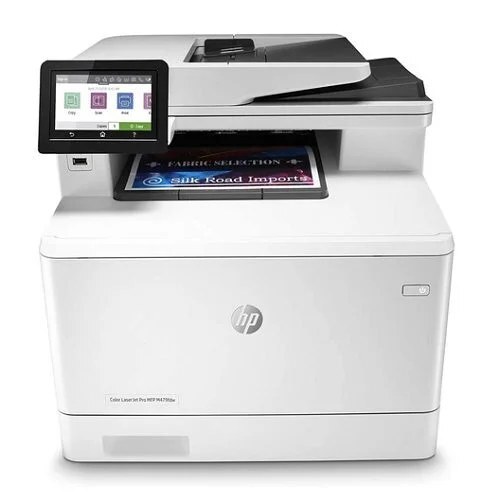
The HP Color Enterprise M455dn is a modern single-function color laser built for offices that want speed with manageability. Its compact Enterprise design fits fleet deployments where IT needs consistent, secure printing.
It runs the HP 414A/414X family — standard W2020A black with W2021A/W2022A/W2023A color, plus high-yield W2020X through W2023X for heavier use. Compatible and genuine OEM cartridges for the M455dn are stocked here.
Toner Cartridges for Color Enterprise M455dn
This printer works with the following toner cartridges:
- HP W2020A
- HP W2020X
- HP W2021A
- HP W2021X
- HP W2022A
- HP W2022X
- HP W2023A
- HP W2023X
More HP Printers
- Color Enterprise MFP M480f
- Color Pro M479fdw
- Color Pro M479fdw, M479fdn, M479
- Color Pro MFP M454dw
- Color Pro MFP M454dw, M454dn, M454
- M454
- M454dn
- M479
- M479fdn
Frequently Asked Questions
Which toner cartridges are compatible with the Color Enterprise M455dn?
Yes — the Color Enterprise M455dn works with compatible HP 414A/414X cartridges (W2020A, W2020X, W2021A, W2021X, W2022A, W2022X, W2023A, W2023X) as well as genuine HP. Just confirm the cartridge code matches, since cartridges for other HP printers will not fit the Color Enterprise M455dn.
What causes light or uneven printing on the Color Enterprise M455dn?
Faded prints from the Color Enterprise M455dn right after a cartridge change often mean packing material was left on or the cartridge isn't fully seated. Reopen the door, remove the seal completely, and click the cartridge firmly back into the Color Enterprise M455dn.
How do I set up the Color Enterprise M455dn on a new computer?
Setting up the Color Enterprise M455dn on a new computer means grabbing the full driver package from HP support and running the installer. Avoid generic drivers if you want full access to the Color Enterprise M455dn's features.