




Color Pro MFP M283cdw
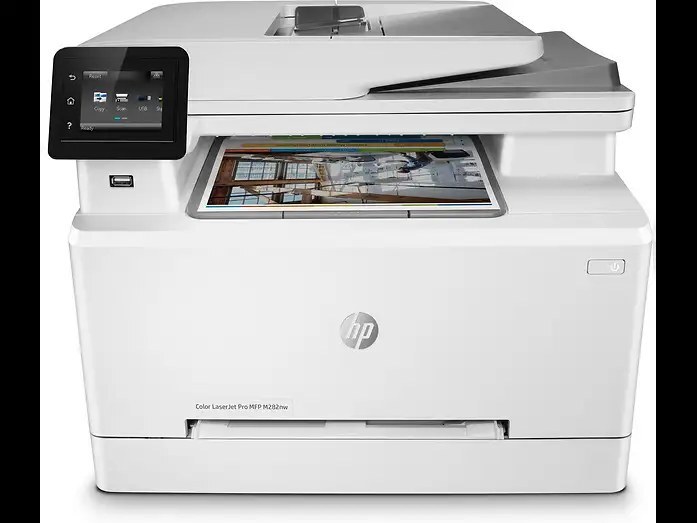
The Color Pro MFP M283cdw belongs to the 2020-era generation of color all-in-ones serving hybrid offices. Its straightforward design keeps toner changes quick and interruptions rare. Powering it is the HP 206A/206X cartridge line (W2110A, W2110X).
Choose from genuine OEM W2110A, W2110X toner or quality compatible alternatives — both engineered to work cleanly in the Color Pro MFP M283cdw. Stocking up ahead of time beats a mid-week toner emergency.
Toner Cartridges for Color Pro MFP M283cdw
This printer works with the following toner cartridges:
- HP W2110A
- HP W2110X
- HP W2111A
- HP W2111X
- HP W2112A
- HP W2112X
- HP W2113A
- HP W2113X
More HP Printers
Frequently Asked Questions
Which toner cartridges work with the Color Pro MFP M283cdw?
The Color Pro MFP M283cdw uses W2110A, W2110X, W2111A, W2111X, W2112A, W2112X, W2113A and W2113X. Match the code on your current cartridge before ordering so you get the right fit.
How do I fix wrong or washed-out colors on the Color Pro MFP M283cdw?
Run the color calibration or cleaning routine from the Color Pro MFP M283cdw's menu and make sure all four cartridges (W2110A, W2110X, W2111A, W2111X, W2112A, W2112X, W2113A and W2113X) are seated. If a single color is missing from prints, replace that cartridge.
Where do I download drivers for the Color Pro MFP M283cdw?
Get the latest drivers for the Color Pro MFP M283cdw from HP's official support site by searching the exact model name. Installing the current driver fixes most connectivity and print-quality issues.