






 See Compatible Printers
 Read more about our ink!
Hewlett Packard
Compatible HP M255dw (W2111A) Toner Cartridge Cyan
- Page Yield:
- Color: 1250
- Availability:
- In Stock
- Shipping:
- Free Shipping

Amazon Price:

- Page Yield:
- Color: 1250
- Availability:
- In Stock
- Shipping:
- Free Shipping
- Compatible Printers
- Specifications
- SKU:
- CS-HP-M255dw-C
- Printer Brand:
- Hewlett Packard
- OEM Number:
- W2111A
- Ink Color:
- Cyan
- Page Yield:
- Color: 1250
- Printer Type:
- Laser Cartridge
- Condition:
- New Compatible
- Description
- Reviews



Elevate your printing experience with the HP 206A, featuring the W2110A Black, W2111A Cyan, W2113A Magenta, and W2112A Yellow toner cartridges. These cartridges deliver sharp text, vibrant colors, and reliable performance, making them ideal for both home offices and professional workspaces. Crafted for reliability, the HP 206A toner cartridge and HP 206A toner cartridge are engineered to provide consistent, high-quality output from start to finish. Whether you're printing detailed graphics or important documents, these cartridges ensure every page looks polished and professional. Compatible with multiple HP printers, including the Color Pro MFP M283cdw, M282nw, M2255nw, and M283fdn, these cartridges are easy to install and designed to work seamlessly with your device. Expect smooth operation and outstanding results with every print job. Optimized for everyday performance, the W2110A Black, W2111A Cyan, W2113A Magenta, and W2112A Yellow cartridges are perfect for users who demand quality without compromise. Enjoy efficient, worry-free printing that keeps up with your workflow.
Cross-reference: HP W2111A, the 206A cyan toner cartridge (1,250 pages), is the same cartridge Canon sells as Canon Cartridge 054 (black 1,500 pages, colors 1,200 pages each) and Cartridge 054H high capacity (black 3,100 pages, colors 2,300 pages each) for the Canon Color imageCLASS MF641Cdw, MF642Cdw and MF644Cdw and the Color imageCLASS LBP622Cdw and LBP623Cdw printers (ISO/IEC standard yields).
Frequently Asked Questions
Which cartridge is cyan for the M255dw?
The W2111A — cyan in the 206A family, the '1' code. Your Color LaserJet Pro M255dw holds four separate cartridges, and this one feeds every blue and green the printer produces. The code is printed on the cartridge coming out; match it and you have the right color.
Presentations from the M255dw look flat lately. Could cyan be low?
Flat, greyish blues are cyan's farewell signature. Charts lose their punch, skies go dull, and greens look muddy because cyan is one of their two parents. The printer's supplies status page shows each channel separately — cyan trailing well behind is the confirmation, and a cyan-only swap is the cure.
How many pages should I expect from it?
A rating of 1,250 pages at 5% coverage. On an M255dw doing mixed office work, cyan usually lasts far longer in calendar terms than black — but one big run of full-color decks can consume a visible slice of it in a day, so judge by the gauge after color-heavy jobs.
Fitting it — anything model-specific to know?
No. The M255dw's cartridge drawer is the standard platform design: out with the old cyan, in with the W2111A, close, and let it calibrate. A color test page afterwards shows the restored blues immediately. The other three cartridges are untouched by the swap.
What does $69.51 buy me in cover?
The cartridge plus a 1-year warranty and 1-year free returns. Off-color output, powder leaks or a cartridge the printer rejects are replaced or refunded. Orders ship from Illinois, Pennsylvania, Georgia and California, and support runs Monday through Friday, 9 AM to 5 PM CST.
Is a spare cyan worth shelf space for this printer?
If the M255dw produces client-facing color, yes: cyan's decline is gradual, and the first spoiled batch usually costs more than the cartridge. Keep the spare sealed until the gauge or the output says go. The shipping and returns page covers delivery and returns.
How can I judge how much cyan life is left after a color-heavy week?
Print the supplies status page at the end of the week rather than relying on feel. One big deck run can take a visible slice out of the W2111A, and the gauge records it precisely, channel by channel. If cyan has dropped close to the level where blues started flattening last time, that is your reorder point — well before the next client deck is due.
What is the best proof page for a new cyan cartridge?
A chart or image whose blues you know exactly — a standard company chart with its usual blue bars is ideal, because your eye already knows what it should look like. Print it once on the old W2111A before the swap if the cartridge still prints at all, then again after; the side-by-side pair shows the restored depth more convincingly than any gauge reading.
Why keep the old cyan cartridge until the proof page passes?
Because it separates cartridge problems from printer problems. If blues are still flat with a new W2111A fitted and the old one available, support can work through the comparison methodically instead of guessing. Once the proof page shows the color fully restored, the old cartridge has done its last job — dispose of it under your local guidance rather than shelving it indefinitely.
How do I double-check I am reordering cyan and not another color?
Read the code off the cartridge you removed or off the supplies status page: cyan is W2111A, the code ending in 1. Its neighbors are close enough to mistype — W2112A is yellow and W2113A is magenta — so the digit check takes five seconds and prevents a wrong-color delivery. The label on the fitted cartridge is the final authority if the paperwork disagrees.
About This M255dw Cyan Cartridge
Cyan is what keeps an HP M255dw's charts and images looking alive. This W2111A — 1,250 rated pages, $69.51 — is the single-channel replacement for the day the blues go flat, fitted alone in minutes while the other cartridges finish out their own lives.
Completing the row are the black W2110A, the yellow W2112A and the magenta W2113A. There is also the high-yield W2111X for heavier-duty use, or the 206A four-color set when every channel falls due together.
More machines use it than the name on the box suggests — Color Pro MFP M283fdw, Color Pro MFP M283cdw, Color Pro MFP M282nw, Color Pro MFP M2255nw, Color Pro MFP M283fdn and Color Pro M255dw are all built around the same slot.
Related Items


Hewlett Packard
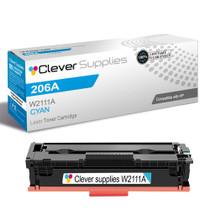
Compatible HP M283fdn (W2111A) Toner Cartridge Cyan


Hewlett Packard
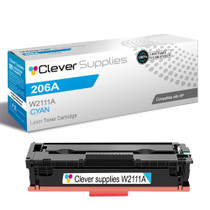
Compatible HP M283cdw (W2111A) Toner Cartridge Cyan

Hewlett Packard
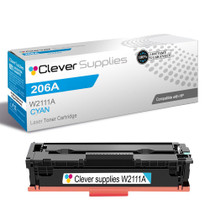
Compatible HP M282nw (W2111A) Toner Cartridge Cyan

Hewlett Packard
Compatible HP 206A (W2111A) Toner Cartridge Cyan