






 See Compatible Printers
 Read more about our ink!
Hewlett Packard
Compatible HP M255nw (W2110A) Toner Cartridge 2 Black
- Page Yield:
- Black: 1350
- Availability:
- In Stock
- Shipping:
- Free Shipping

Amazon Price:

- Page Yield:
- Black: 1350
- Availability:
- In Stock
- Shipping:
- Free Shipping
- Compatible Printers
- Specifications
- SKU:
- CS-HP-M255nw-2BK
- Printer Brand:
- Hewlett Packard
- OEM Number:
- W2110A
- Ink Color:
- Black
- Page Yield:
- Black: 1350
- Printer Type:
- Laser Cartridge
- Condition:
- New Compatible
- Description
- Reviews



Elevate your printing experience with the HP 206A, featuring the W2110A Black, W2111A Cyan, W2113A Magenta, and W2112A Yellow toner cartridges. These cartridges deliver sharp text, vibrant colors, and reliable performance, making them ideal for both home offices and professional workspaces. Crafted for reliability, the HP 206A toner cartridge and HP 206A toner cartridge are engineered to provide consistent, high-quality output from start to finish. Whether you're printing detailed graphics or important documents, these cartridges ensure every page looks polished and professional. Compatible with multiple HP printers, including the Color Pro MFP M283cdw, M282nw, M2255nw, and M283fdn, these cartridges are easy to install and designed to work seamlessly with your device. Expect smooth operation and outstanding results with every print job. Optimized for everyday performance, the W2110A Black, W2111A Cyan, W2113A Magenta, and W2112A Yellow cartridges are perfect for users who demand quality without compromise. Enjoy efficient, worry-free printing that keeps up with your workflow.
Cross-reference: HP W2110A, the 206A black toner cartridge (1,350 pages), is the same cartridge Canon sells as Canon Cartridge 054 (black 1,500 pages, colors 1,200 pages each) and Cartridge 054H high capacity (black 3,100 pages, colors 2,300 pages each) for the Canon Color imageCLASS MF641Cdw, MF642Cdw and MF644Cdw and the Color imageCLASS LBP622Cdw and LBP623Cdw printers (ISO/IEC standard yields).
Frequently Asked Questions
What does this pack give my M2255nw?
Two black W2110A cartridges, each rated at 1,350 pages — one to fit now and one to keep. The HP Color LaserJet Pro M2255nw takes the 206A family, and black is by far its hardest-working channel, so this pack covers the printer's black supply for a long stretch in a single order at $120.52.
Why does a compact printer like this need black in pairs?
Because the M2255nw usually sits with one person or a small team who only think about toner when it stops them. A fitted cartridge plus a shelf spare means the next empty-black moment is solved in the room, mid-job if necessary, rather than becoming an urgent purchase.
Can I fit one now and keep the other for next year?
Yes. The spare stays sealed in its bag and toner does not degrade in storage — dry powder, no drying out, no clogging. Flat, cool and out of sunlight is all it asks. Fit it whenever the first cartridge finishes, whether that is in three months or thirteen.
Both my printers are M2255nw-class machines. Can they share this pack?
They can. Any printer using the W2110A — the M2255nw, the Color LaserJet Pro M255dw, the M283 MFP series — can take either cartridge from the pair. Split them one per machine, or run both through a single printer in sequence; the units are identical.
What if one of the two cartridges is faulty?
Each is individually covered by a 1-year warranty and 1-year free returns; a faulty unit is replaced on its own without returning its good twin. Orders ship from Illinois, Pennsylvania, Georgia and California, and support is available Monday through Friday, 9 AM to 5 PM CST.
How do I know when it is really time to swap?
When light prints stop responding to a gentle rock of the cartridge, the toner is genuinely done. That is the moment the spare earns its shelf space. The shipping and returns page explains delivery lead times for the next pair.
What does this pair work out to per cartridge and per page?
The arithmetic is simple: $120.52 buys two W2110A cartridges, so each unit costs $60.26, and the pair's combined rating is 2,700 pages — roughly four and a half cents of toner per rated page. That figure assumes standard coverage; dense, dark pages spend the same toner over fewer sheets, while light correspondence stretches it further.
When should the next pair be ordered?
The day the shelf spare goes into the printer. That swap is the natural reorder trigger: your fitted W2110A is now the only one you own, and ordering its successor while it is still full means the replacement arrives long before it is needed. Waiting until the second cartridge also runs low turns a routine order back into an urgent one.
Does it matter which of the two cartridges I fit first?
No — the two W2110A units are identical, so either can go in first. What is worth doing is writing the fitting date on the spare's carton. When the first cartridge eventually finishes, that date tells you your printer's real black cycle in calendar terms, which makes judging the next order far easier than guessing from the rated page count.
What should I do with the empty cartridge at swap time?
Keep it until the first test page from the new W2110A prints clean and dark — that page is your proof the replacement is sound. After that, dispose of the spent unit according to your local guidance, and store it nowhere near the sealed spare in the meantime. An empty and a full cartridge look alike at a glance in a dim cupboard.
About This M2255nw Black 2 Pack
For an M2255nw that prints every day, this W2110A pair at $120.52 removes black toner from your list of worries: one cartridge working, one waiting, each rated at 1,350 pages. It is the simplest stocking pattern there is for a compact color laser — no color cartridges bought early, no mid-job stoppages, just a spare in the drawer.
Related Items

Hewlett Packard
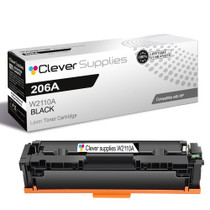
Compatible HP M255nw (W2110A) Toner Cartridge Black


Hewlett Packard
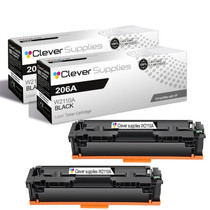
Compatible HP M282nw (W2110A) Toner Cartridge 2 Black


Hewlett Packard
Compatible HP M283fdw (W2110A) Toner Cartridge 2 Black

Hewlett Packard
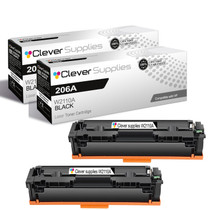
Compatible HP M255dw (W2110A) Toner Cartridge 2 Black