




Color LASERJET M183FW
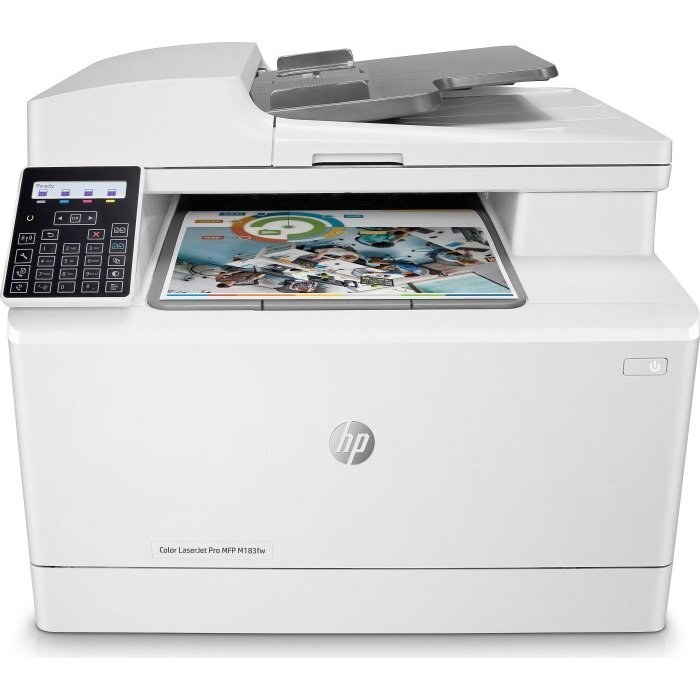
The Color LaserJet M183FW arrived as a 2022-era color workgroup printer built for small offices, and offices kept it around because it prints what it is asked to, day after day. Its cartridges come from a single HP family. On this page the black slot is stocked three ways - the HP 215A (W2310A) black single, a 2-pack and the full set - while the three colors are stocked as part of the 215A four-color set, which carries W2311A cyan, W2312A yellow and W2313A magenta alongside a black of their own. Every listing here is a compatible cartridge built to the 215A codes.
A machine this steady deserves an equally steady supply shelf. The M183FW's daily work is mostly documents, so black turns over at its own pace while the colors last - and when a color finally does run dry, the set that replaces it refreshes the black slot in the same order. Small offices running this printer rarely need more of a system than that: singles for the black slot, a set when the colors come due, and one spare within reach.
Toner Cartridges for Color LaserJet M183fw
| Cartridge | Color | Page Yield |
|---|---|---|
| 215A black (W2310A) | Black | See product page |
| 215A black twin pack | Black | See product page |
| 215A complete color set | Black / Cyan / Magenta / Yellow | See product page |
- Buyers shopping the M183FW label will find: 215A Black - Pack of 2, 215A Full Color Set, 215A Black cartridge
- Buyers shopping the M155NW label will find: 215A Black - Pack of 2, 215A Full Color Set, 215A Black cartridge
- Buyers shopping the M182N label will find: 215A Black - Pack of 2, 215A Full Color Set, 215A Black cartridge
- Buyers shopping the M182NW label will find: 215A Black - Pack of 2, 215A Full Color Set, 215A Black cartridge
Which cartridge should you buy?
Match the purchase to the slot that is actually empty. For black, the single cartridge covers a straightforward swap, and the 215A black 2-pack is the smarter standing order for an office that prints documents daily - the second cartridge waits in the cabinet instead of in a cart. For any color, the route on this page is the four-color set: it replaces cyan, magenta and yellow together with a fresh black, which suits a machine whose colors have aged side by side since they were installed as a row. There is no separate high-yield tier among these listings.
Chip, toner and everyday use
The printer tracks each cartridge separately through its chip, so levels stay honest slot by slot and one empty color never disguises itself as a general failure. When pages come out blank, the causes are usually humble: a seal left on the new cartridge, a cartridge that has truly run dry, or a setting gone astray - reseat the cartridge and confirm the seal was pulled before anything more drastic. Keep the spare black sealed and upright in a cool, dry spot; yields are rated at about 5% coverage, so dense color pages count heavier than plain text. Every compatible cartridge on this page is covered by a 1-year warranty and 1-year returns.
Frequently Asked Questions
Which toner cartridges work with the Color LaserJet M183FW?
The M183FW uses W2310A, W2311A, W2312A and W2313A. Match the code on your current cartridge before ordering so you get the right fit for the right slot.
Do I need to replace all four cartridges at the same time?
No - the printer tracks each cartridge separately, so replace only the one that is empty and let the others stay until their own levels run low. The four-color set is an option for a full-row refresh, not a rule.
Why is my M183FW printing blank pages?
Blank pages usually mean a cartridge seal was left on, a cartridge is empty, or a setting is off. Reseat the cartridge, confirm the seal was pulled, and check that paper is loaded properly.
Where are the single color cartridges on this page?
This page stocks the colors inside the four-color set rather than as individual cyan, magenta and yellow singles; black is the cartridge sold on its own here, as a single and as a 2-pack. If a single color is what has run out, the set replaces it together with the rest of the row.
More printers that use the same cartridges
Other printers in the family run the identical set: Color LASERJET M183NW, COLOR LASERJET M155NW, Color LASERJET M182N, Color LASERJET M182NW.