




LaserJet M725Z MFP
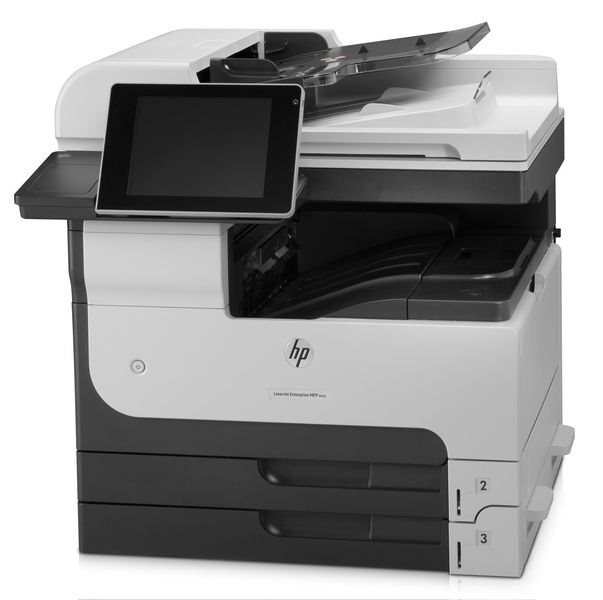
HP's LaserJet M725z MFP bundled premium options into the 2012 A3 multifunction — the configuration for departments where presentation and capacity both mattered. It handled the full range of tabloid office documents.
It uses HP 14A (CF214A) cartridges; the high-yield HP 14X (CF214X) keeps it running longer. Compatible and genuine OEM toner available.
Toner Cartridges for LaserJet M725Z MFP
This printer works with the following toner cartridges:
- HP CF214A
- HP CF214X
More HP Printers
- LaserJet 700 M712DN
- LaserJet 700 M712N
- LaserJet 700 M712XH
- LaserJet 700 MFP M725
- LaserJet 700 MFP M725DN
- LaserJet 700 PRINTER M712
- LaserJet 700 PRINTER M712DN
- LaserJet 700 PRINTER M712N
- LaserJet 700 PRINTER M712XH
- LaserJet 700 PRINTER M715
- LaserJet Enterprise 700 M712
- LaserJet Enterprise 700 M712DN
- LaserJet Enterprise 700 M712N
- LaserJet Enterprise 700 M712xh
- LaserJet Enterprise 700 M725DN MFP
- LaserJet Enterprise 700 MFP M725
- LaserJet Enterprise 700 MFP M725DN
- LaserJet Enterprise 700 Printer M712
- LaserJet Enterprise 700 PRINTER M712DN
- LaserJet Enterprise 700 PRINTER M712N
- LaserJet Enterprise 700 Printer M712XH
- LaserJet Enterprise 700 PRINTER M715
- LaserJet Enterprise MFP M725DN
- LaserJet Enterprise MFP M725F
- LaserJet Enterprise MFP M725Z
- LaserJet Enterprise MFP M725Z PLUS
- LaserJet M712
- LaserJet M712DN
- LaserJet M712N
- LaserJet M712XH
- LaserJet M715
- LaserJet M715 LaserJet, M725 MFP
- LaserJet M725 MFP
- LaserJet M725DN MFP
- LaserJet M725X MFP
- LaserJet M725Z+ MFP
- LaserJet MFP M725F
- LaserJet MFP M725Z
- LaserJet MFP M725Z PLUS
Frequently Asked Questions
Can the HP LaserJet M725Z MFP scan and copy as well as print?
It can. Beyond printing, the HP LaserJet M725Z MFP handles walk-up copying and scanning to your computer. Load the document, choose copy or scan on the HP LaserJet M725Z MFP, and it manages the rest.
What is the difference between the CF214A and CF214X cartridges for the HP LaserJet M725Z MFP?
For the HP LaserJet M725Z MFP, CF214A and CF214X are the same cartridge family in two capacities: standard (HP 14A) and high-yield (HP 14X). Either one installs the same way; the choice is purely about how much you print.
How do I replace the toner in the HP LaserJet M725Z MFP?
Power on the HP LaserJet M725Z MFP, open the cartridge door, and remove the spent CF214A. Unwrap the replacement HP 14A cartridge, rock it gently side to side to distribute the toner, insert it into the HP LaserJet M725Z MFP, and close the door.