




LaserJet Enterprise MFP M725Z PLUS
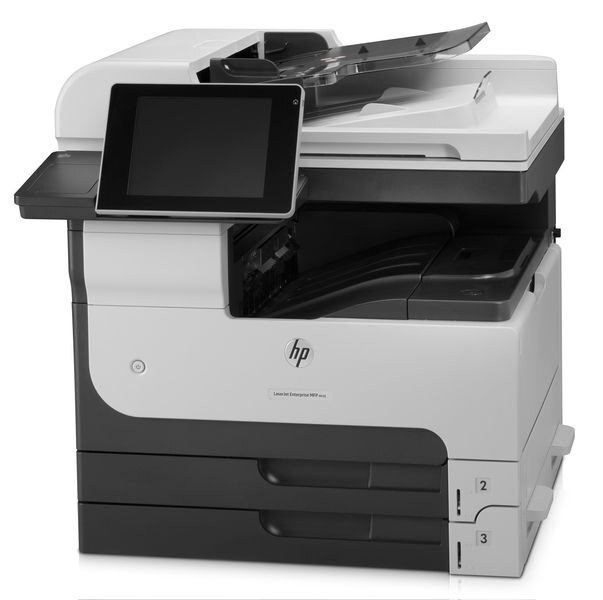
The M725z Plus pushed HP's 2012 A3 multifunction to its maximum configuration — every option the Enterprise 700 platform offered. For departments where the MFP was mission-critical infrastructure, this was the specification.
Cartridges: HP 14A (CF214A) standard or HP 14X (CF214X) high-yield. We stock compatible and genuine OEM toner for the M725z Plus.
Toner Cartridges for LaserJet Enterprise MFP M725Z PLUS
This printer works with the following toner cartridges:
- HP CF214A
- HP CF214X
More HP Printers
- LaserJet 700 M712DN
- LaserJet 700 M712N
- LaserJet 700 M712XH
- LaserJet 700 MFP M725
- LaserJet 700 MFP M725DN
- LaserJet 700 PRINTER M712
- LaserJet 700 PRINTER M712DN
- LaserJet 700 PRINTER M712N
- LaserJet 700 PRINTER M712XH
- LaserJet 700 PRINTER M715
- LaserJet Enterprise 700 M712
- LaserJet Enterprise 700 M712DN
- LaserJet Enterprise 700 M712N
- LaserJet Enterprise 700 M712xh
- LaserJet Enterprise 700 M725DN MFP
- LaserJet Enterprise 700 MFP M725
- LaserJet Enterprise 700 MFP M725DN
- LaserJet Enterprise 700 Printer M712
- LaserJet Enterprise 700 PRINTER M712DN
- LaserJet Enterprise 700 PRINTER M712N
- LaserJet Enterprise 700 Printer M712XH
- LaserJet Enterprise 700 PRINTER M715
- LaserJet Enterprise MFP M725DN
- LaserJet Enterprise MFP M725F
- LaserJet Enterprise MFP M725Z
- LaserJet M712
- LaserJet M712DN
- LaserJet M712N
- LaserJet M712XH
- LaserJet M715
- LaserJet M715 LaserJet, M725 MFP
- LaserJet M725 MFP
- LaserJet M725DN MFP
- LaserJet M725X MFP
- LaserJet M725Z MFP
- LaserJet M725Z+ MFP
- LaserJet MFP M725F
- LaserJet MFP M725Z
- LaserJet MFP M725Z PLUS
Frequently Asked Questions
Can the HP LaserJet Enterprise MFP M725Z PLUS scan and copy as well as print?
Yes — the HP LaserJet Enterprise MFP M725Z PLUS is a multifunction machine, so it prints, scans, and copies from the one unit. Place originals on the glass or in the feeder, and use the copy or scan buttons on the HP LaserJet Enterprise MFP M725Z PLUS's panel.
How do I print a test page on the HP LaserJet Enterprise MFP M725Z PLUS after changing the toner?
After seating the new CF214A in the HP LaserJet Enterprise MFP M725Z PLUS, print any document — or use the printer's demo or configuration page from its control-panel menu. A clean, even page confirms the HP 14A cartridge is installed correctly in the HP LaserJet Enterprise MFP M725Z PLUS.
Can I use a compatible HP 14A cartridge in the HP LaserJet Enterprise MFP M725Z PLUS?
You can. A compatible HP 14A cartridge matches the OEM CF214A specification for the HP LaserJet Enterprise MFP M725Z PLUS, so the printer treats it like the original. Many HP LaserJet Enterprise MFP M725Z PLUS owners use compatibles for everyday documents and keep OEM for final drafts.