




LaserJet Enterprise MFP M725Z
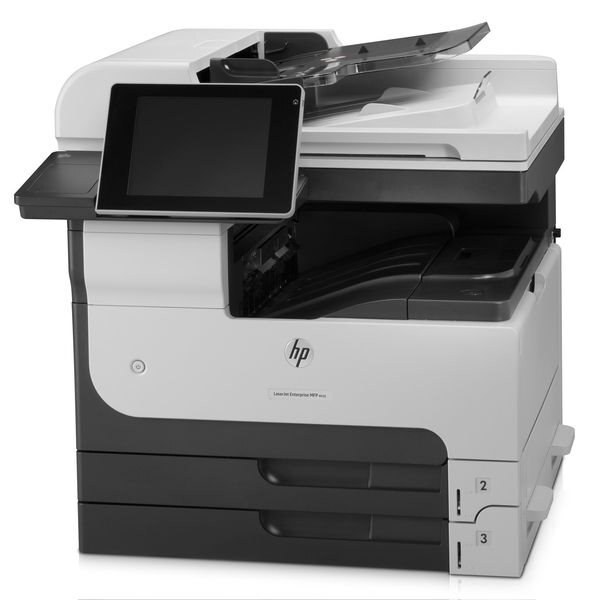
HP's LaserJet Enterprise MFP M725z bundled the 2012 A3 multifunction with premium finishing and capacity options — the top-shelf configuration for executive floors and demanding departments. Tabloid output met white-glove presentation.
It feeds on HP 14A (CF214A) cartridges, with the HP 14X (CF214X) high-yield for uninterrupted service. Compatible and genuine OEM toner in stock.
Toner Cartridges for LaserJet Enterprise MFP M725Z
This printer works with the following toner cartridges:
- HP CF214A
- HP CF214X
More HP Printers
- LaserJet 700 M712DN
- LaserJet 700 M712N
- LaserJet 700 M712XH
- LaserJet 700 MFP M725
- LaserJet 700 MFP M725DN
- LaserJet 700 PRINTER M712
- LaserJet 700 PRINTER M712DN
- LaserJet 700 PRINTER M712N
- LaserJet 700 PRINTER M712XH
- LaserJet 700 PRINTER M715
- LaserJet Enterprise 700 M712
- LaserJet Enterprise 700 M712DN
- LaserJet Enterprise 700 M712N
- LaserJet Enterprise 700 M712xh
- LaserJet Enterprise 700 M725DN MFP
- LaserJet Enterprise 700 MFP M725
- LaserJet Enterprise 700 MFP M725DN
- LaserJet Enterprise 700 Printer M712
- LaserJet Enterprise 700 PRINTER M712DN
- LaserJet Enterprise 700 PRINTER M712N
- LaserJet Enterprise 700 Printer M712XH
- LaserJet Enterprise 700 PRINTER M715
- LaserJet Enterprise MFP M725DN
- LaserJet Enterprise MFP M725F
- LaserJet Enterprise MFP M725Z PLUS
- LaserJet M712
- LaserJet M712DN
- LaserJet M712N
- LaserJet M712XH
- LaserJet M715
- LaserJet M715 LaserJet, M725 MFP
- LaserJet M725 MFP
- LaserJet M725DN MFP
- LaserJet M725X MFP
- LaserJet M725Z MFP
- LaserJet M725Z+ MFP
- LaserJet MFP M725F
- LaserJet MFP M725Z
- LaserJet MFP M725Z PLUS
Frequently Asked Questions
What is the difference between the CF214A and CF214X cartridges for the HP LaserJet Enterprise MFP M725Z?
Both the CF214A (HP 14A) and the CF214X (HP 14X) fit the HP LaserJet Enterprise MFP M725Z; the X is simply the high-yield version that lasts longer per cartridge. The cartridges are physically interchangeable, so pick whichever matches your print volume.
Will the HP LaserJet Enterprise MFP M725Z work with a newer computer?
Usually yes — the HP LaserJet Enterprise MFP M725Z speaks standard printer languages, so modern systems can often drive it with a built-in or universal HP driver. Check HP's support page for the HP LaserJet Enterprise MFP M725Z first; if no model-specific driver exists, the universal driver is the next try.
How do I replace the toner in the HP LaserJet Enterprise MFP M725Z?
Replacing the CF214A in the HP LaserJet Enterprise MFP M725Z takes about a minute: open the front door, lift out the empty cartridge, take the new HP 14A out of its bag, pull the sealing tape, and push it firmly into place. The HP LaserJet Enterprise MFP M725Z will recognize the new cartridge automatically.