




LaserJet Enterprise MFP M725F
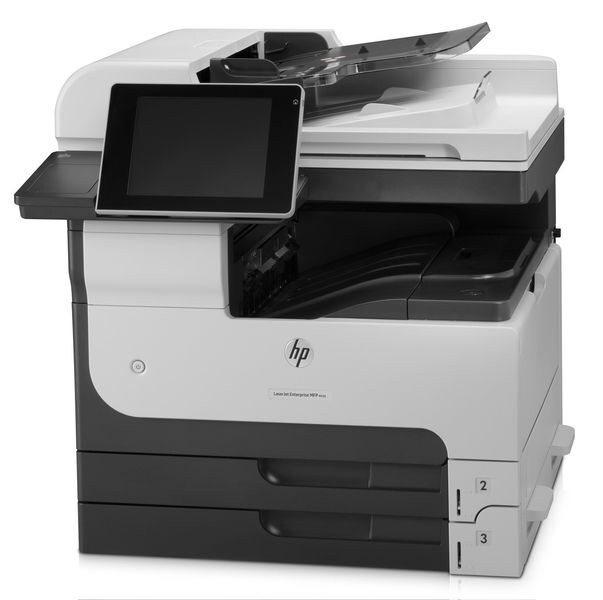
The LaserJet Enterprise MFP M725f was HP's fax-equipped configuration of the 2012 A3 multifunction — for departments where tabloid documents still traveled by fax. Printing, copying, scanning, and fax lived under one roof.
Toner is the HP 14A (CF214A); the high-yield HP 14X (CF214X) keeps up with four-function workloads. Compatible and genuine OEM cartridges available.
Toner Cartridges for LaserJet Enterprise MFP M725F
This printer works with the following toner cartridges:
- HP CF214A
- HP CF214X
More HP Printers
- LaserJet 700 M712DN
- LaserJet 700 M712N
- LaserJet 700 M712XH
- LaserJet 700 MFP M725
- LaserJet 700 MFP M725DN
- LaserJet 700 PRINTER M712
- LaserJet 700 PRINTER M712DN
- LaserJet 700 PRINTER M712N
- LaserJet 700 PRINTER M712XH
- LaserJet 700 PRINTER M715
- LaserJet Enterprise 700 M712
- LaserJet Enterprise 700 M712DN
- LaserJet Enterprise 700 M712N
- LaserJet Enterprise 700 M712xh
- LaserJet Enterprise 700 M725DN MFP
- LaserJet Enterprise 700 MFP M725
- LaserJet Enterprise 700 MFP M725DN
- LaserJet Enterprise 700 Printer M712
- LaserJet Enterprise 700 PRINTER M712DN
- LaserJet Enterprise 700 PRINTER M712N
- LaserJet Enterprise 700 Printer M712XH
- LaserJet Enterprise 700 PRINTER M715
- LaserJet Enterprise MFP M725DN
- LaserJet Enterprise MFP M725Z
- LaserJet Enterprise MFP M725Z PLUS
- LaserJet M712
- LaserJet M712DN
- LaserJet M712N
- LaserJet M712XH
- LaserJet M715
- LaserJet M715 LaserJet, M725 MFP
- LaserJet M725 MFP
- LaserJet M725DN MFP
- LaserJet M725X MFP
- LaserJet M725Z MFP
- LaserJet M725Z+ MFP
- LaserJet MFP M725F
- LaserJet MFP M725Z
- LaserJet MFP M725Z PLUS
Frequently Asked Questions
Can the HP LaserJet Enterprise MFP M725F scan and copy as well as print?
It can. Beyond printing, the HP LaserJet Enterprise MFP M725F handles walk-up copying and scanning to your computer. Load the document, choose copy or scan on the HP LaserJet Enterprise MFP M725F, and it manages the rest.
How do I clear a paper jam in the HP LaserJet Enterprise MFP M725F?
Power off the HP LaserJet Enterprise MFP M725F, open the front and rear covers, and gently pull the jammed sheet in the direction of the paper path — never against it. Remove any torn scraps, close everything, and the HP LaserJet Enterprise MFP M725F should resume on its own.
How do I print a test page on the HP LaserJet Enterprise MFP M725F after changing the toner?
Once the new CF214A clicks into the HP LaserJet Enterprise MFP M725F, send a normal print job or print the configuration page from the printer menu. If the HP LaserJet Enterprise MFP M725F's output looks sharp and even, the HP 14A cartridge is seated properly.