




LaserJet MFP M725Z
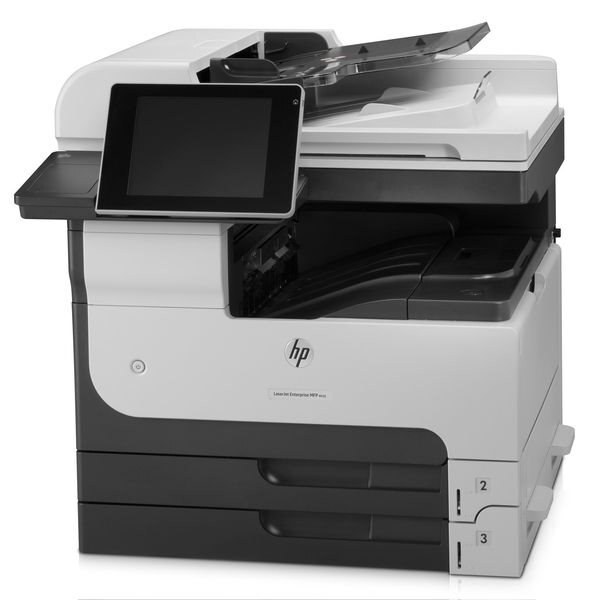
HP's LaserJet MFP M725z listing covers the premium-configured 2012 A3 multifunction — the Enterprise 700 machine for departments that wanted tabloid capability with every convenience option included.
It runs on HP 14A (CF214A) toner; the high-yield HP 14X (CF214X) is the economical choice. Compatible and genuine OEM cartridges available.
Toner Cartridges for LaserJet MFP M725Z
This printer works with the following toner cartridges:
- HP CF214A
- HP CF214X
More HP Printers
- LaserJet 700 M712DN
- LaserJet 700 M712N
- LaserJet 700 M712XH
- LaserJet 700 MFP M725
- LaserJet 700 MFP M725DN
- LaserJet 700 PRINTER M712
- LaserJet 700 PRINTER M712DN
- LaserJet 700 PRINTER M712N
- LaserJet 700 PRINTER M712XH
- LaserJet 700 PRINTER M715
- LaserJet Enterprise 700 M712
- LaserJet Enterprise 700 M712DN
- LaserJet Enterprise 700 M712N
- LaserJet Enterprise 700 M712xh
- LaserJet Enterprise 700 M725DN MFP
- LaserJet Enterprise 700 MFP M725
- LaserJet Enterprise 700 MFP M725DN
- LaserJet Enterprise 700 Printer M712
- LaserJet Enterprise 700 PRINTER M712DN
- LaserJet Enterprise 700 PRINTER M712N
- LaserJet Enterprise 700 Printer M712XH
- LaserJet Enterprise 700 PRINTER M715
- LaserJet Enterprise MFP M725DN
- LaserJet Enterprise MFP M725F
- LaserJet Enterprise MFP M725Z
- LaserJet Enterprise MFP M725Z PLUS
- LaserJet M712
- LaserJet M712DN
- LaserJet M712N
- LaserJet M712XH
- LaserJet M715
- LaserJet M715 LaserJet, M725 MFP
- LaserJet M725 MFP
- LaserJet M725DN MFP
- LaserJet M725X MFP
- LaserJet M725Z MFP
- LaserJet M725Z+ MFP
- LaserJet MFP M725F
- LaserJet MFP M725Z PLUS
Frequently Asked Questions
Should I buy the CF214A or the CF214X for the HP LaserJet MFP M725Z?
For the HP LaserJet MFP M725Z, CF214A and CF214X are the same cartridge family in two capacities: standard (HP 14A) and high-yield (HP 14X). Either one installs the same way; the choice is purely about how much you print.
How do I clear a paper jam in the HP LaserJet MFP M725Z?
Power off the HP LaserJet MFP M725Z, open the front and rear covers, and gently pull the jammed sheet in the direction of the paper path — never against it. Remove any torn scraps, close everything, and the HP LaserJet MFP M725Z should resume on its own.
How do I print a test page on the HP LaserJet MFP M725Z after changing the toner?
Once the new CF214A clicks into the HP LaserJet MFP M725Z, send a normal print job or print the configuration page from the printer menu. If the HP LaserJet MFP M725Z's output looks sharp and even, the HP 14A cartridge is seated properly.