




LaserJet 700 MFP M725DN
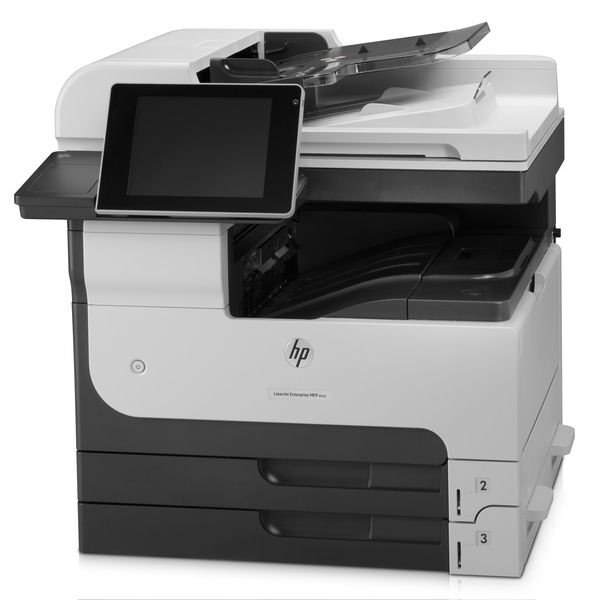
With duplexing and networking standard, the LaserJet 700 MFP M725DN was the configuration most A3 workgroups actually deployed — an Enterprise 700 multifunction that handled double-sided tabloid output for the whole department. It uses the CF214A black cartridge, and this page stocks the compatible cartridge in a four-pack.
Default duplex is this machine's quiet superpower: every report, drawing set and ledger leaves double-sided unless someone says otherwise, which halves the paper bill of a busy floor without anyone thinking about it. Add a network queue the whole department shares, and the M725DN becomes infrastructure — noticed only when it stops, which is why its toner stock deserves the same planning as its paper.
Toner Cartridges for LaserJet 700 MFP M725DN
| Cartridge | Color | Page Yield |
|---|---|---|
| HP 14A (CF214A) Toner Cartridge — 4 Black | Black | See product page |
Which cartridge should you buy?
The stocked format is the CF214A four-pack: four standard cartridges, bought the way facilities departments buy everything — ahead, in depth, on a schedule. The family's high-yield CF214X suits sites that would rather stretch each cartridge; it is not stocked on this page. A useful rule for this model: reorder when the second-to-last cartridge goes in, and the machine will never be the reason a deadline slips.
Chip, toner and everyday use
Duplex work punishes a tired cartridge twice — a pale page hides on the back of a sheet until the job is done. When the chip's gauge runs low, rock the cartridge to redistribute what remains and swap proactively before a long two-sided run. Seat replacements until they click so level reporting stays honest, and print a configuration page to verify. Spares keep best sealed, flat and at room temperature, ideally in the same cabinet as the paper they will print on.
Frequently Asked Questions
What is the difference between the CF214A and CF214X for the M725DN?
The CF214A is the standard cartridge and the CF214X the high-yield member of the same family; both were made for this machine. Regular, heavy printing makes the high-yield attractive, but this page stocks the standard code in a four-pack — four cartridges deep is its own kind of high capacity.
Can I keep printing after the toner light comes on?
Yes — the M725DN keeps printing after the toner-low notice, often for a good while. Rock the cartridge gently to coax the remaining toner level, and replace it when output genuinely fades rather than when the light first appears.
Does the M725DN print in color?
No — it prints black and white only, from its single black cartridge. That is also why its running costs stay low next to color lasers: there is exactly one supply to buy.
Does automatic duplexing change how much toner the machine uses?
Duplexing saves paper, not toner — the same pages get printed, just on both sides of the sheet. Toner consumption follows your page count, so the four-pack's depth should be planned against printed pages, not sheets.
More printers that use the same cartridges
The deployed-everywhere configuration shares its cartridge with the full Enterprise 700 A3 family:
- HP CF214A
- LaserJet 700 M712DN
- LaserJet 700 M712N
- LaserJet 700 M712XH
- LaserJet 700 MFP M725
- LaserJet 700 PRINTER M712
- LaserJet 700 PRINTER M712DN
- LaserJet 700 PRINTER M712N
- LaserJet 700 PRINTER M712XH
- LaserJet 700 PRINTER M715
- LaserJet Enterprise 700 M712
- LaserJet Enterprise 700 M712DN
- LaserJet Enterprise 700 M712N
- LaserJet Enterprise 700 M712xh
- LaserJet Enterprise 700 M725DN MFP
- LaserJet Enterprise 700 MFP M725
- LaserJet Enterprise 700 MFP M725DN
- LaserJet Enterprise 700 Printer M712
- LaserJet Enterprise 700 PRINTER M712DN
- LaserJet Enterprise 700 PRINTER M712N
- LaserJet Enterprise 700 Printer M712XH
- LaserJet Enterprise 700 PRINTER M715
- LaserJet Enterprise MFP M725DN
- LaserJet Enterprise MFP M725F
- LaserJet Enterprise MFP M725Z
- LaserJet Enterprise MFP M725Z PLUS
- LaserJet M712
- LaserJet M712DN
- LaserJet M712N
- LaserJet M712XH
- LaserJet M715
- LaserJet M715 LaserJet, M725 MFP
- LaserJet M725 MFP
- LaserJet M725DN MFP
- LaserJet M725X MFP
- LaserJet M725Z MFP
- LaserJet M725Z+ MFP
- LaserJet MFP M725DN
- LaserJet MFP M725F
- LaserJet MFP M725Z
- LaserJet MFP M725Z PLUS