




LaserJet MFP M725F
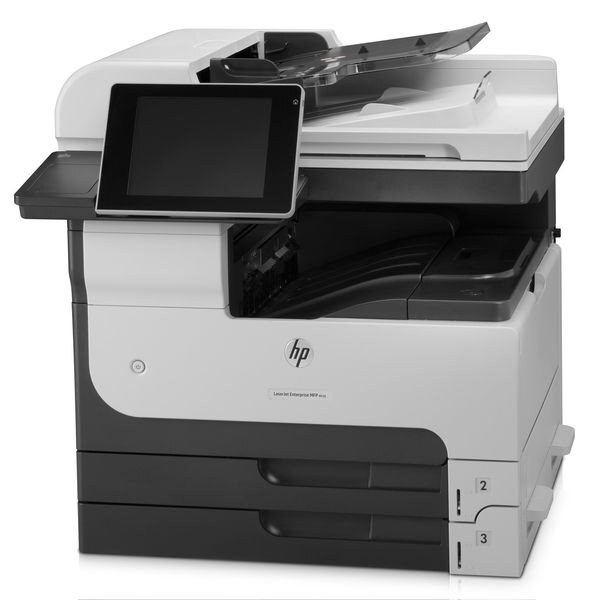
The LaserJet MFP M725f is the fax-ready member of HP's 2012 Enterprise 700 A3 family — print, scan, copy, plus fax for departments where tabloid documents still needed to travel by phone line.
The cartridge family is HP 14A/14X: CF214A standard, CF214X high-yield. Compatible and genuine OEM cartridges both fit.
Toner Cartridges for LaserJet MFP M725F
This printer works with the following toner cartridges:
- HP CF214A
- HP CF214X
More HP Printers
- LaserJet 700 M712DN
- LaserJet 700 M712N
- LaserJet 700 M712XH
- LaserJet 700 MFP M725
- LaserJet 700 MFP M725DN
- LaserJet 700 PRINTER M712
- LaserJet 700 PRINTER M712DN
- LaserJet 700 PRINTER M712N
- LaserJet 700 PRINTER M712XH
- LaserJet 700 PRINTER M715
- LaserJet Enterprise 700 M712
- LaserJet Enterprise 700 M712DN
- LaserJet Enterprise 700 M712N
- LaserJet Enterprise 700 M712xh
- LaserJet Enterprise 700 M725DN MFP
- LaserJet Enterprise 700 MFP M725
- LaserJet Enterprise 700 MFP M725DN
- LaserJet Enterprise 700 Printer M712
- LaserJet Enterprise 700 PRINTER M712DN
- LaserJet Enterprise 700 PRINTER M712N
- LaserJet Enterprise 700 Printer M712XH
- LaserJet Enterprise 700 PRINTER M715
- LaserJet Enterprise MFP M725DN
- LaserJet Enterprise MFP M725F
- LaserJet Enterprise MFP M725Z
- LaserJet Enterprise MFP M725Z PLUS
- LaserJet M712
- LaserJet M712DN
- LaserJet M712N
- LaserJet M712XH
- LaserJet M715
- LaserJet M715 LaserJet, M725 MFP
- LaserJet M725 MFP
- LaserJet M725DN MFP
- LaserJet M725X MFP
- LaserJet M725Z MFP
- LaserJet M725Z+ MFP
- LaserJet MFP M725Z
- LaserJet MFP M725Z PLUS
Frequently Asked Questions
What is the difference between the CF214A and CF214X cartridges for the HP LaserJet MFP M725F?
The CF214A is the standard-yield HP 14A cartridge and the CF214X is the high-yield HP 14X — both made for the HP LaserJet MFP M725F. If you print regularly, the CF214X usually means fewer cartridge swaps over time.
How do I fix light vertical bands on prints from my HP LaserJet MFP M725F?
Light vertical bands on the HP LaserJet MFP M725F typically trace back to the CF214A cartridge — toner distribution or a worn roller inside the cartridge. Remove the HP 14A cartridge, rock it gently, and reinstall it in the HP LaserJet MFP M725F; if the bands persist with a fresh CF214A, the cartridge was the fix.
Will the HP LaserJet MFP M725F work with a newer computer?
In most cases the HP LaserJet MFP M725F will print from a newer computer using HP's universal print driver or the OS's bundled LaserJet support. Connectivity is the main thing to check on the HP LaserJet MFP M725F — USB or network both work fine with modern ports and adapters.