




LaserJet Enterprise MFP M725DN
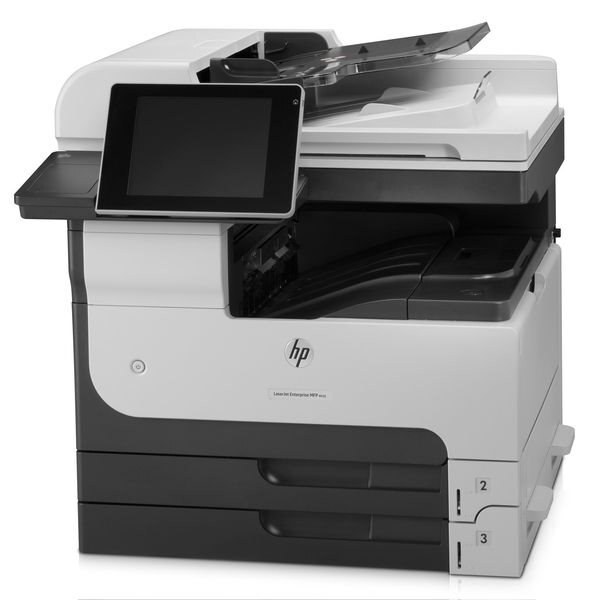
Fleet managers liked the LaserJet Enterprise MFP M725dn for one reason: a single A3 multifunction that the whole department could share. HP's 2012 M725dn combined print, copy, and scan with duplexing and networking in one manageable box.
It takes HP 14A (CF214A) toner, with the HP 14X (CF214X) high-yield for shared-duty cycles. Compatible and genuine OEM cartridges in stock.
Toner Cartridges for LaserJet Enterprise MFP M725DN
This printer works with the following toner cartridges:
- HP CF214A
- HP CF214X
More HP Printers
- LaserJet 700 M712DN
- LaserJet 700 M712N
- LaserJet 700 M712XH
- LaserJet 700 MFP M725
- LaserJet 700 MFP M725DN
- LaserJet 700 PRINTER M712
- LaserJet 700 PRINTER M712DN
- LaserJet 700 PRINTER M712N
- LaserJet 700 PRINTER M712XH
- LaserJet 700 PRINTER M715
- LaserJet Enterprise 700 M712
- LaserJet Enterprise 700 M712DN
- LaserJet Enterprise 700 M712N
- LaserJet Enterprise 700 M712xh
- LaserJet Enterprise 700 M725DN MFP
- LaserJet Enterprise 700 MFP M725
- LaserJet Enterprise 700 MFP M725DN
- LaserJet Enterprise 700 Printer M712
- LaserJet Enterprise 700 PRINTER M712DN
- LaserJet Enterprise 700 PRINTER M712N
- LaserJet Enterprise 700 Printer M712XH
- LaserJet Enterprise 700 PRINTER M715
- LaserJet Enterprise MFP M725F
- LaserJet Enterprise MFP M725Z
- LaserJet Enterprise MFP M725Z PLUS
- LaserJet M712
- LaserJet M712DN
- LaserJet M712N
- LaserJet M712XH
- LaserJet M715
- LaserJet M715 LaserJet, M725 MFP
- LaserJet M725 MFP
- LaserJet M725DN MFP
- LaserJet M725X MFP
- LaserJet M725Z MFP
- LaserJet M725Z+ MFP
- LaserJet MFP M725F
- LaserJet MFP M725Z
- LaserJet MFP M725Z PLUS
Frequently Asked Questions
Does the HP LaserJet Enterprise MFP M725DN print on both sides of the paper automatically?
Yes, automatic two-sided printing is built into the HP LaserJet Enterprise MFP M725DN. Enable it per job in the print settings, or set it as the default for the HP LaserJet Enterprise MFP M725DN if most of your documents are double-sided.
How do I print a test page on the HP LaserJet Enterprise MFP M725DN after changing the toner?
After seating the new CF214A in the HP LaserJet Enterprise MFP M725DN, print any document — or use the printer's demo or configuration page from its control-panel menu. A clean, even page confirms the HP 14A cartridge is installed correctly in the HP LaserJet Enterprise MFP M725DN.
Will the CF214X fit my HP LaserJet Enterprise MFP M725DN if it shipped with a CF214A?
Absolutely. HP designed the HP LaserJet Enterprise MFP M725DN to take either the CF214A or the CF214X; swapping yields mid-stream is completely normal. Just seat the new cartridge until it clicks and print a test page.