




LaserJet M725DN MFP
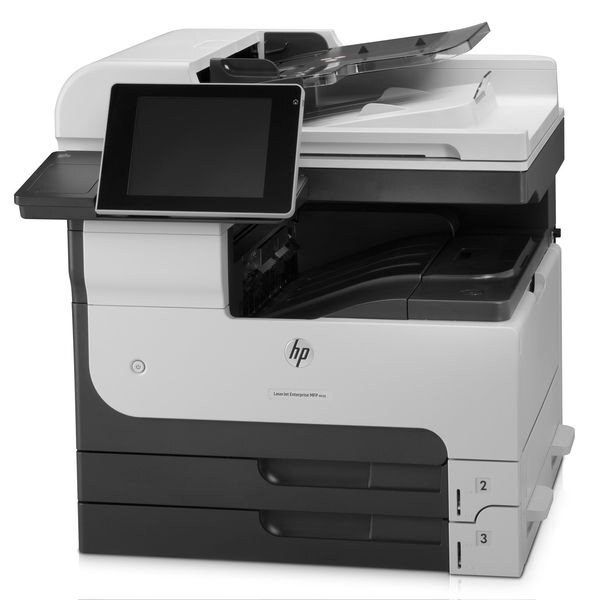
HP's LaserJet M725dn MFP added automatic duplexing and networking to the 2012 A3 multifunction platform — the shared-department configuration. Two-sided tabloid printing, copying, and scanning for the whole floor.
It feeds on HP 14A (CF214A) toner; the high-yield HP 14X (CF214X) matches shared-use appetites. Compatible and genuine OEM cartridges available.
Toner Cartridges for LaserJet M725DN MFP
This printer works with the following toner cartridges:
- HP CF214A
- HP CF214X
More HP Printers
- LaserJet 700 M712DN
- LaserJet 700 M712N
- LaserJet 700 M712XH
- LaserJet 700 MFP M725
- LaserJet 700 MFP M725DN
- LaserJet 700 PRINTER M712
- LaserJet 700 PRINTER M712DN
- LaserJet 700 PRINTER M712N
- LaserJet 700 PRINTER M712XH
- LaserJet 700 PRINTER M715
- LaserJet Enterprise 700 M712
- LaserJet Enterprise 700 M712DN
- LaserJet Enterprise 700 M712N
- LaserJet Enterprise 700 M712xh
- LaserJet Enterprise 700 M725DN MFP
- LaserJet Enterprise 700 MFP M725
- LaserJet Enterprise 700 MFP M725DN
- LaserJet Enterprise 700 Printer M712
- LaserJet Enterprise 700 PRINTER M712DN
- LaserJet Enterprise 700 PRINTER M712N
- LaserJet Enterprise 700 Printer M712XH
- LaserJet Enterprise 700 PRINTER M715
- LaserJet Enterprise MFP M725DN
- LaserJet Enterprise MFP M725F
- LaserJet Enterprise MFP M725Z
- LaserJet Enterprise MFP M725Z PLUS
- LaserJet M712
- LaserJet M712DN
- LaserJet M712N
- LaserJet M712XH
- LaserJet M715
- LaserJet M715 LaserJet, M725 MFP
- LaserJet M725 MFP
- LaserJet M725X MFP
- LaserJet M725Z MFP
- LaserJet M725Z+ MFP
- LaserJet MFP M725F
- LaserJet MFP M725Z
- LaserJet MFP M725Z PLUS
Frequently Asked Questions
Can the HP LaserJet M725DN MFP scan and copy as well as print?
Yes, the HP LaserJet M725DN MFP covers all three: print, copy, and scan. Copies run directly from the panel, while scanning on the HP LaserJet M725DN MFP typically goes through the HP software on your computer.
What should I do with the empty CF214A from my HP LaserJet M725DN MFP?
Do not throw the empty CF214A in the trash — HP runs a free cartridge-recycling program, and many office stores accept used toner. Drop the spent HP 14A cartridge from your HP LaserJet M725DN MFP at a collection point instead.
How do I turn on double-sided printing on the HP LaserJet M725DN MFP?
From any application's Print window, select the HP LaserJet M725DN MFP, click Preferences, and turn on duplex printing. The HP LaserJet M725DN MFP will then feed each sheet back through automatically for the second side.