




LaserJet Enterprise 700 MFP M725
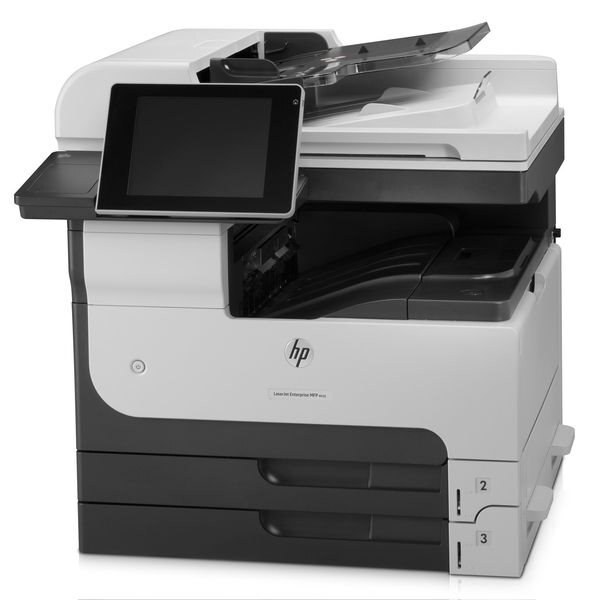
HP's LaserJet Enterprise 700 MFP M725, from 2012, was the multifunction flagship of the Enterprise 700 line — A3 printing, copying and scanning for departments that produced tabloid documents daily, with law offices and engineering firms as typical homes. Every one of those functions except scanning draws on the same cartridge family: the HP 14A (CF214A) as standard, the high-yield HP 14X (CF214X) for working machines, and the extended CF214XX beyond that. The compatible shelf below runs from singles to 3-packs and MICR builds.
An MFP concentrates a department's paper life into one device, which quietly changes the toner equation: copies consume cartridge life exactly as prints do, so the machine's true page count is always higher than its print log shows. Flagship duty on originals — contracts, drawings, exhibits — also means nobody tolerates a faded page. Supply planning for this model should start from the total, not from the print queue.
Toner Cartridges for LaserJet Enterprise 700 MFP M725
| Cartridge | Color | Page Yield |
|---|---|---|
| CF214A — single cartridge | Black | See product page |
| CF214A — 3 Pack | Black | See product page |
| CF214A Premium — 3 Pack | Black | See product page |
| CF214A MICR — MICR build for check printing | Black | See product page |
| CF214X — High Yield, single cartridge | Black | See product page |
| CF214X — High Yield, 3 Pack | Black | See product page |
| CF214X MICR — High Yield, MICR build | Black | See product page |
| CF214XX — High Yield (extended) | Black | See product page |
| CF214XX — High Yield, 3 Pack | Black | See product page |
Which cartridge should you buy?
Buy for the copying load as much as the printing load. A department MFP that mostly prints can live on the standard CF214A, but one that copies tabloid documents all day earns the CF214X quickly — the high-yield interval matches the way an MFP actually consumes. The CF214XX serves the busiest floors, where a mid-week cartridge change means a queue of people at a dead machine. Keep the spare policy simple: one cartridge in the machine, one sealed beside it. The MICR versions are for check printing only and play no part in the yield decision.
Chip, toner and everyday use
The cartridge's chip reports its level on the MFP's panel, and copying draws the same gauge down as printing — check it before a long copy run, not after the first pale page. A new cartridge goes in with its seal pulled and a gentle rock to settle the toner; a fading cartridge often recovers for a while with the same rock. Spares keep best sealed, upright and indoors near the machine. Remember that the family's page yields are rated at five percent coverage: an A3 copy of a dense drawing covers several times that, so real intervals on an MFP run shorter than the numbers imply.
Frequently Asked Questions
Does copying on the MFP M725 use toner the same way printing does?
Yes — a copy is a printed page, and it draws on the CF214A exactly as a print job does. Scanning, by contrast, uses no toner at all. Departments estimating cartridge life from print counts alone should add their copying volume, or the cartridge will always seem to finish early.
Which cartridge should a law office or engineering firm choose?
The high-yield CF214X is the working default for this machine in those settings, and the CF214XX suits floors with heavy daily tabloid output. Both fit the same slot as the standard cartridge; the decision is about how often you want the department's central machine opened for a swap.
Can the MFP M725 use the same spare as our other Enterprise 700 machines?
Yes. The whole family at the bottom of this page shares the CF214A line, so one spare shelf covers the MFP and the single-function printers in the same fleet. That commonality is worth keeping when you standardize tiers — one yield level across the fleet simplifies everything.
What do I do when output from the MFP starts to fade?
Take the cartridge out and rock it slowly side to side to redistribute the toner, then reinstall it; even coverage usually returns for a useful stretch. If fading persists across the whole page width, the cartridge is spent — on a shared MFP, replace it promptly rather than letting a queue of users print pale originals.
More printers that use the same cartridges
This cartridge family covers the whole Enterprise 700 shelf and its relatives. The models are:
HP CF214A, LaserJet 700 M712DN, LaserJet 700 M712N, LaserJet 700 M712XH, LaserJet 700 MFP M725, LaserJet 700 MFP M725DN, LaserJet 700 PRINTER M712, LaserJet 700 PRINTER M712DN, LaserJet 700 PRINTER M712N, LaserJet 700 PRINTER M712XH, LaserJet 700 PRINTER M715, LaserJet Enterprise 700 M712, LaserJet Enterprise 700 M712DN, LaserJet Enterprise 700 M712N, LaserJet Enterprise 700 M712xh, LaserJet Enterprise 700 M725DN MFP, LaserJet Enterprise 700 MFP M725DN, LaserJet Enterprise 700 PRINTER M712DN, LaserJet Enterprise 700 PRINTER M712N, LaserJet Enterprise 700 PRINTER M715, LaserJet Enterprise 700 Printer M712.
LaserJet Enterprise 700 Printer M712XH, LaserJet Enterprise MFP M725DN, LaserJet Enterprise MFP M725F, LaserJet Enterprise MFP M725Z, LaserJet Enterprise MFP M725Z PLUS, LaserJet M712, LaserJet M712DN, LaserJet M712N, LaserJet M712XH, LaserJet M715, LaserJet M715 LaserJet, M725 MFP, LaserJet M725 MFP, LaserJet M725DN MFP, LaserJet M725X MFP, LaserJet M725Z MFP, LaserJet M725Z+ MFP, LaserJet MFP M725DN, LaserJet MFP M725F, LaserJet MFP M725Z, LaserJet MFP M725Z PLUS.