




LaserJet Enterprise 700 M725DN MFP
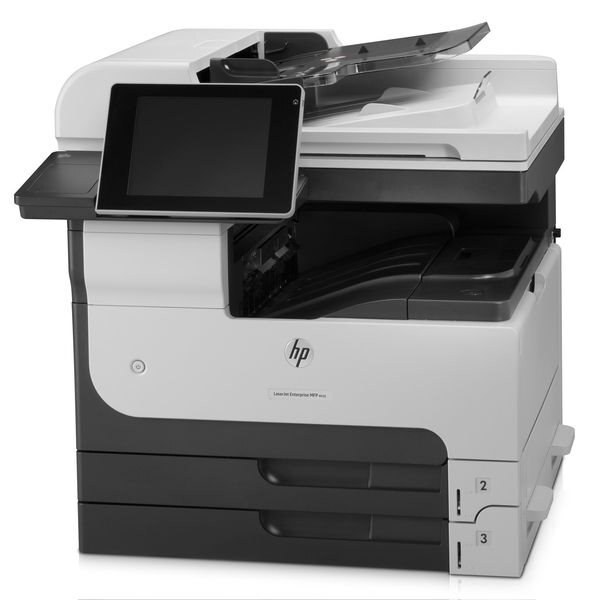
The LaserJet Enterprise 700 M725dn MFP gave departments a single A3 machine for printing, copying, and scanning — with duplexing and networking standard. HP's 2012 Enterprise 700 multifunction was built for the busiest shared spaces.
Cartridges: HP 14A (CF214A) standard or HP 14X (CF214X) high-yield. We carry compatible toner and genuine OEM HP cartridges for this MFP.
Toner Cartridges for LaserJet Enterprise 700 M725DN MFP
This printer works with the following toner cartridges:
- HP CF214A
- HP CF214X
More HP Printers
- LaserJet 700 M712DN
- LaserJet 700 M712N
- LaserJet 700 M712XH
- LaserJet 700 MFP M725
- LaserJet 700 MFP M725DN
- LaserJet 700 PRINTER M712
- LaserJet 700 PRINTER M712DN
- LaserJet 700 PRINTER M712N
- LaserJet 700 PRINTER M712XH
- LaserJet 700 PRINTER M715
- LaserJet Enterprise 700 M712
- LaserJet Enterprise 700 M712DN
- LaserJet Enterprise 700 M712N
- LaserJet Enterprise 700 M712xh
- LaserJet Enterprise 700 MFP M725
- LaserJet Enterprise 700 MFP M725DN
- LaserJet Enterprise 700 Printer M712
- LaserJet Enterprise 700 PRINTER M712DN
- LaserJet Enterprise 700 PRINTER M712N
- LaserJet Enterprise 700 Printer M712XH
- LaserJet Enterprise 700 PRINTER M715
- LaserJet Enterprise MFP M725DN
- LaserJet Enterprise MFP M725F
- LaserJet Enterprise MFP M725Z
- LaserJet Enterprise MFP M725Z PLUS
- LaserJet M712
- LaserJet M712DN
- LaserJet M712N
- LaserJet M712XH
- LaserJet M715
- LaserJet M715 LaserJet, M725 MFP
- LaserJet M725 MFP
- LaserJet M725DN MFP
- LaserJet M725X MFP
- LaserJet M725Z MFP
- LaserJet M725Z+ MFP
- LaserJet MFP M725F
- LaserJet MFP M725Z
- LaserJet MFP M725Z PLUS
Frequently Asked Questions
Does the HP LaserJet Enterprise 700 M725DN MFP print on both sides of the paper automatically?
Yes — the HP LaserJet Enterprise 700 M725DN MFP includes automatic duplexing, so it can print both sides without you flipping pages manually. Select two-sided printing in the driver when you send a job to the HP LaserJet Enterprise 700 M725DN MFP.
Why is my HP LaserJet Enterprise 700 M725DN MFP printing faded or streaky pages?
Faded output on the HP LaserJet Enterprise 700 M725DN MFP usually means the CF214A cartridge is running low — check the toner gauge on the printer's display or status page. If the cartridge is new, remove the HP 14A cartridge, rock it gently to redistribute toner, and reseat it in the HP LaserJet Enterprise 700 M725DN MFP.
Where can I find drivers for the HP LaserJet Enterprise 700 M725DN MFP?
Start at HP support and look up the HP LaserJet Enterprise 700 M725DN MFP by its full model name. If no current driver lists the HP LaserJet Enterprise 700 M725DN MFP, try HP's universal print driver, which covers a wide range of LaserJet models.