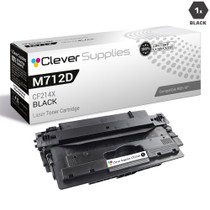
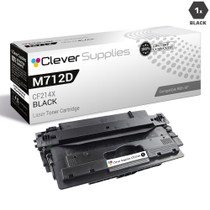
Clever Supplies brand products are made in the USA! Why pay more for cheaper product with a high defective rate? You will end up having to send it back to the manufacturer. Your time is valuable. Get a quality product that you KNOW will work. Purchase the Clever Supplies Compatible for HP M725DN MFP (CF2M725DN MFP), Black Toner Cartridge and experience the difference! All Clever Supplies brand products are backed by '100% Quality Satisfaction' 1 year warranty against defects in materials and workmanship for all toner products. Free tech support for any problems for all Clever Supplies brand products. The use of Clever Supplies brand replacement laser toner cartridges and supplies does not void printer warranty. Premium Quality Replacement Toner Cartridge is made by ISO9001 Certified Factory to Meet or Exceed OEM Standards. These units are manufactured 100% brand new with all new parts including OPC drums, wiper blades, a smart chip and other internal parts, they are an economical alternative to expensive OEM CF2M725DN MFP, Compatible Toner Cartridges. The Compatible Toner Cartridges will produce the same amount of page yield as an OEM cartridge would. This is a Compatible for HPM725DN MFP Toner Cartridges Black guaranteed to perform with HP Laser Printers. It replaces the original HP M725DN MFP toner cartridges Black. The compatible replacement for CF2M725DN MFP. The use of compatible replacement Cartridges and supplies does not void Printer Warranty. Our Compatible for CF2M725DN MFP. Cartridge is a replacement for OEM HP . We offer a 100% Quality Satisfaction Guarantee on our Compatible for CF2M725DN MFP Laser Toner Cartridges and supplies. For use in the following printers: LaserJet Enterprise 700 M725DN MFP, M725X MFP, M725Z MFP, M725Z+ MFP, M712DN, M712N, M712XH
Frequently Asked Questions
What toner does the M725dn MFP take?
The LaserJet Enterprise 700 MFP M725dn uses the CF214X — HP's 14X high-yield black cartridge. This listing is a single cartridge at $82.45, rated at 17,500 pages, and it is the only toner the machine consumes across all of its functions.
Does copying use the same cartridge as printing?
Yes. Every page the M725dn puts on paper — printed from a computer or copied at the glass — draws on the one CF214X. Scanning, by contrast, uses no toner at all; a department that scans heavily can move a great deal of paper digitally without touching the cartridge, which is worth remembering when levels drop faster or slower than expected.
How does faxing affect toner use?
Received faxes print in black only, so they draw on this same cartridge. On an MFP that serves as a department's fax endpoint, that background consumption adds up quietly between print jobs — one more reason the machine's usage pages, which separate print, copy and fax counts, are the honest way to see where the pages went.
How many pages should we plan around?
The cartridge is rated at 17,500 pages at standard coverage, counting every printed and copied page the machine produces. An MFP's combined workload — walk-up copies, printed reports, incoming faxes — usually consumes a cartridge faster than a print-only machine doing the same office's work, so plan reorder timing from the machine's own page counts.
What is the swap procedure when it runs out?
When output fades evenly, first rock the cartridge gently side to side and reinstall it to level the remaining toner. When that no longer restores density, replace it with this CF214X: open the front access, slide the spent unit out, slide the new one in until it seats, and the MFP returns to service for print, copy and fax alike.
What warranty and delivery terms come with the cartridge?
It is covered by a 1-year warranty and 1-year free returns; the details are on our shipping and returns page. We ship from warehouses in Illinois, Pennsylvania, Georgia and California, and support is on hand Monday through Friday, 9 AM to 5 PM CST.
Why does this machine justify a shelf spare more than most?
Because three jobs stall on the same empty cartridge. When the CF214X runs out on the M725dn, the print queue stops, walk-up copying stops, and incoming faxes have nowhere to land — all at once, and the fax side does not wait for office hours. One sealed spare beside the machine turns that triple stoppage into a two-minute swap.
How should the spare be stored next to the machine?
Sealed in its box, flat, in a cabinet or shelf out of direct sunlight and away from the heat the MFP itself vents. Write the arrival date on the box. A spare kept this way is ready months later with its fill evenly settled; a quick gentle rock before installation levels it again, and the CF214X goes in printing at full density from the first page.
Why do copies sometimes spend the cartridge faster than prints?
A print spends toner on the document as it was designed; a copy spends it on everything dark on the original page. Copying shaded forms, photographs or marked-up drafts lays down far more toner than the same sheet count of plain text printing. That hidden coverage is why a copy-heavy week can move the gauge further than the print log alone would predict.
What should be done with the spent cartridge?
Route the empty CF214X into a recycling or return stream rather than the office trash, and read the code off its label before it leaves — that label confirms the reorder, 14X and all. Keeping the empty until the replacement is installed also protects the department: if the new cartridge ever shows a problem early, the old unit's history is still on hand to compare against.
About This Cartridge for the M725dn
An MFP hides its toner consumption in three places at once — the print queue, the copy glass and the fax tray — and the M725dn is built to carry all three for a whole department. The CF214X's 17,500-page rating is sized for that combined duty, and keeping one sealed spare beside the machine means none of the three functions ever waits on a delivery.
One code covers it: CF214X, the 14X, at $82.45 for this M725dn listing. Match it against the machine's supply screen and the multifunction workhorse is stocked.







 See Compatible Printers
 Read more about our ink!