




LaserJet Enterprise 700 PRINTER M712DN
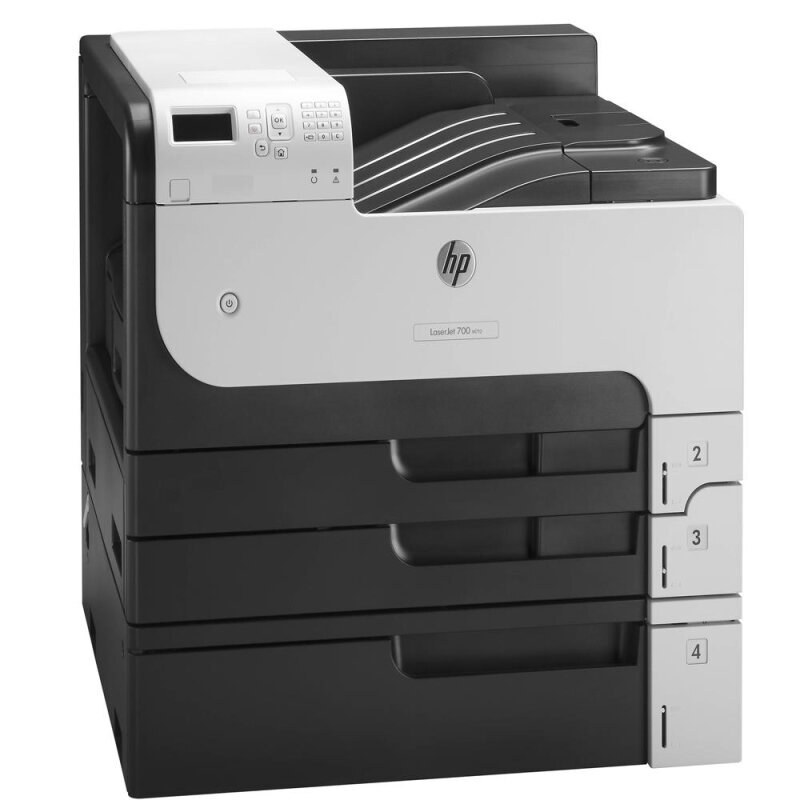
HP's LaserJet Enterprise 700 Printer M712dn is the full Enterprise listing of the duplexed, networked M712 — the 2012 A3 printer that corporate print rooms standardized on, with double-sided tabloid output built in. It is a monochrome machine with a three-tier toner menu: the CF214A for ordinary duty, the high-yield CF214X for longer intervals, and the extended-fill CF214XX for queues that never really empty. All the cartridges listed here are compatible builds.
Duplexing quietly changes the economics of a department printer. Two-sided output halves paper use on long reports, and a networked machine collects jobs from a whole floor rather than one desk — which means toner demand arrives in bursts, not a steady trickle. Print rooms that run this model tend to think in terms of uninterrupted weeks: how long can the machine go before anyone has to touch it? That question, more than any other, should drive which tier you stock.
Toner Cartridges for LaserJet Enterprise 700 PRINTER M712DN
- CF214A (HP 14A) — standard black — page yield: see product page
- CF214X (HP 14X) — high-yield black — page yield: see product page
- CF214A black, 3-pack — page yield: see product page
- CF214A MICR black — page yield: see product page
- CF214X high-yield black, 3-pack — page yield: see product page
- CF214X high-yield MICR black — page yield: see product page
- CF214XX high-yield black, 3-pack — page yield: see product page
- CF214XX (HP 14XX) — high-yield black — page yield: see product page
- CF214A Premium Quality black, 3-pack — page yield: see product page
Which cartridge should you buy?
The honest divider is change frequency. If the M712dn handles modest, mostly one-sided work, the standard cartridge keeps cost per cartridge low and changes are rare anyway. Once the machine is duplexing long documents for a department, the CF214X earns its place: more pages between swaps means the cost per page falls and staff stop finding the printer mid-change. The CF214XX exists for the same logic pushed further. Buying in 3-packs fits the print-room rhythm — stock arrives in batches, and a spare is always within reach. Check printers in the department should note the MICR listings, which carry magnetic toner instead of the standard fill.
Chip, toner and everyday use
A duplexing printer works its cartridge hard on long two-sided runs, so treat a fading final page as information, not failure: remove the cartridge and rock it gently from side to side to redistribute the toner, and you will usually finish the job cleanly. When a new cartridge goes in, remove the sealing tape fully and confirm the chip faces the printer's contacts; if recognition fails, reseat it once with the power on. Rated yields assume about 5% coverage per page, and dense duplexed reports use toner faster than that estimate implies. Keep one sealed spare beside the machine and store it flat, out of sunlight.
Frequently Asked Questions
Does duplex printing change which cartridge the M712dn needs?
No. Duplexing is a paper-path feature, not a toner feature — the M712dn takes the same CF214A, CF214X and CF214XX cartridges as the rest of the family. What duplexing changes is how fast you use paper, not which cartridge you buy.
Is there a longer-running option than the high-yield CF214X?
Yes. The CF214XX is an extended-fill compatible tier that sits above the regular high-yield cartridge. On a print-room M712dn that runs all week, it is the option that stretches the change interval furthest.
Why do long duplex jobs sometimes end with light pages?
Late in a cartridge's life the remaining toner can settle unevenly, and a long two-sided run shows it first on later pages. The quick remedy is to take the cartridge out, rock it gently side to side to level the toner, and reinstall it. If output stays light after that, the cartridge is genuinely near empty.
Should I buy the standard cartridge or a 3-pack for a print room?
Print rooms usually do better with the CF214X 3-pack: the tier matches departmental volume, and holding two spares means a change never waits on a delivery. A single standard cartridge suits an M712dn that only prints occasionally.
More printers that use the same cartridges
The duplexed M712dn shares its supplies with the full Enterprise 700 and M725 family — the same cartridges serve every model listed here:
LaserJet MFP M725Z PLUS, LaserJet MFP M725Z, LaserJet MFP M725F, LaserJet MFP M725DN, LaserJet M725Z+ MFP, LaserJet M725Z MFP, LaserJet M725X MFP, LaserJet M725DN MFP, LaserJet M725 MFP, LaserJet M715 LaserJet, M725 MFP, LaserJet M715, LaserJet M712XH, LaserJet M712N, LaserJet M712DN, LaserJet M712, LaserJet Enterprise MFP M725Z PLUS, LaserJet Enterprise MFP M725Z, LaserJet Enterprise MFP M725F, LaserJet Enterprise MFP M725DN, LaserJet Enterprise 700 Printer M712XH, LaserJet Enterprise 700 Printer M712, LaserJet Enterprise 700 PRINTER M715, LaserJet Enterprise 700 PRINTER M712N, LaserJet Enterprise 700 MFP M725DN, LaserJet Enterprise 700 MFP M725, LaserJet Enterprise 700 M725DN MFP, LaserJet Enterprise 700 M712xh, LaserJet Enterprise 700 M712N, LaserJet Enterprise 700 M712DN, LaserJet Enterprise 700 M712, LaserJet 700 PRINTER M715, LaserJet 700 PRINTER M712XH, LaserJet 700 PRINTER M712N, LaserJet 700 PRINTER M712DN, LaserJet 700 PRINTER M712, LaserJet 700 MFP M725DN, LaserJet 700 MFP M725, LaserJet 700 M712XH, LaserJet 700 M712N, LaserJet 700 M712DN, HP CF214A