




LaserJet 700 M712N
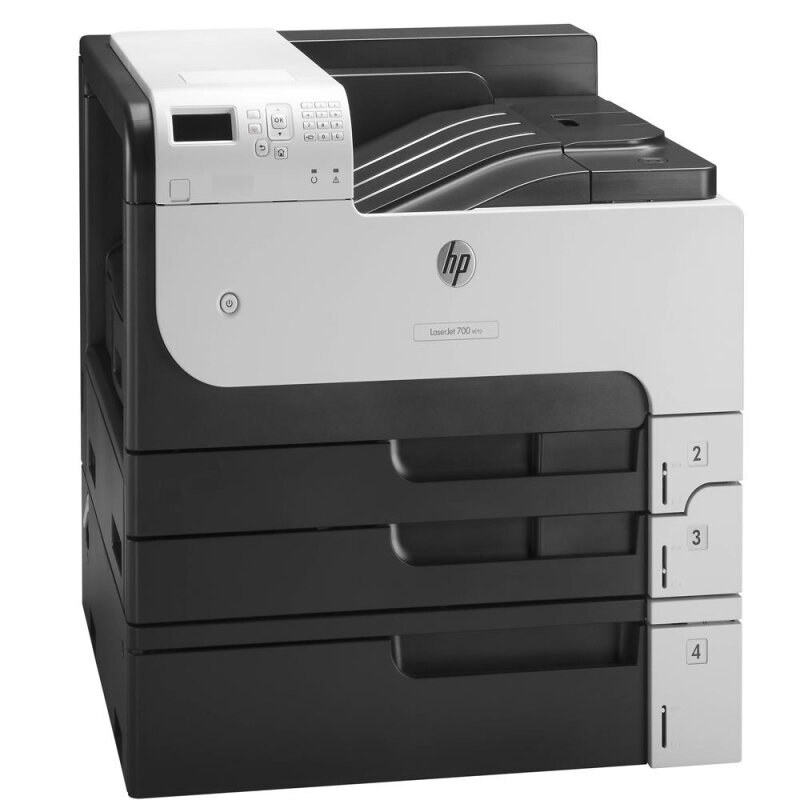
The LaserJet 700 M712n gave growing offices an affordable entry into HP's Enterprise 700 A3 family. This 2012-era networked monochrome printer handled tabloid-size documents that A4 machines simply couldn't — spreadsheets, CAD plots, and ledgers.
Toner is the HP 14A (CF214A); the high-yield HP 14X (CF214X) stretches further between changes. Compatible and genuine OEM cartridges available.
Toner Cartridges for LaserJet 700 M712N
This printer works with the following toner cartridges:
- HP CF214A
- HP CF214X
More HP Printers
- LaserJet 700 M712DN
- LaserJet 700 M712XH
- LaserJet 700 MFP M725
- LaserJet 700 MFP M725DN
- LaserJet 700 PRINTER M712
- LaserJet 700 PRINTER M712DN
- LaserJet 700 PRINTER M712N
- LaserJet 700 PRINTER M712XH
- LaserJet 700 PRINTER M715
- LaserJet Enterprise 700 M712
- LaserJet Enterprise 700 M712DN
- LaserJet Enterprise 700 M712N
- LaserJet Enterprise 700 M712xh
- LaserJet Enterprise 700 M725DN MFP
- LaserJet Enterprise 700 MFP M725
- LaserJet Enterprise 700 MFP M725DN
- LaserJet Enterprise 700 Printer M712
- LaserJet Enterprise 700 PRINTER M712DN
- LaserJet Enterprise 700 PRINTER M712N
- LaserJet Enterprise 700 Printer M712XH
- LaserJet Enterprise 700 PRINTER M715
- LaserJet Enterprise MFP M725DN
- LaserJet Enterprise MFP M725F
- LaserJet Enterprise MFP M725Z
- LaserJet Enterprise MFP M725Z PLUS
- LaserJet M712
- LaserJet M712DN
- LaserJet M712N
- LaserJet M712XH
- LaserJet M715
- LaserJet M715 LaserJet, M725 MFP
- LaserJet M725 MFP
- LaserJet M725DN MFP
- LaserJet M725X MFP
- LaserJet M725Z MFP
- LaserJet M725Z+ MFP
- LaserJet MFP M725F
- LaserJet MFP M725Z
- LaserJet MFP M725Z PLUS
Frequently Asked Questions
Can I share the HP LaserJet 700 M712N with other computers on the network?
You can. Connect the HP LaserJet 700 M712N to your router via Ethernet, then add a network printer on each computer using the HP LaserJet 700 M712N's IP address. No print server is needed — the HP LaserJet 700 M712N handles the queue itself.
How do I print a test page on the HP LaserJet 700 M712N after changing the toner?
After seating the new CF214A in the HP LaserJet 700 M712N, print any document — or use the printer's demo or configuration page from its control-panel menu. A clean, even page confirms the HP 14A cartridge is installed correctly in the HP LaserJet 700 M712N.
Can I use a compatible HP 14A cartridge in the HP LaserJet 700 M712N?
You can. A compatible HP 14A cartridge matches the OEM CF214A specification for the HP LaserJet 700 M712N, so the printer treats it like the original. Many HP LaserJet 700 M712N owners use compatibles for everyday documents and keep OEM for final drafts.