




LaserJet 3330MFP
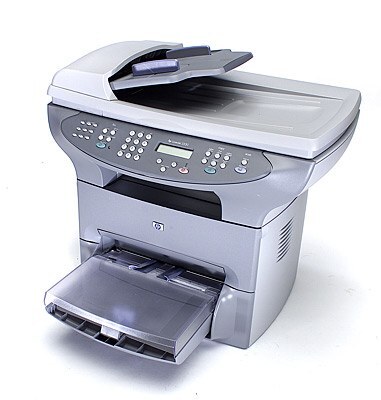
The LaserJet 3330MFP is the full-name listing of HP's 3330 — the 2003 all-in-one that gave small offices four functions in one box. Its combination of fax and flatbed scanning made it unusually complete for the price.
Toner options: HP 15A (C7115A) or high-yield HP 15X (C7115X). Our compatible and genuine OEM cartridges both fit.
Toner Cartridges for LaserJet 3330MFP
This printer works with the following toner cartridges:
- HP C7115A
- HP C7115X
More HP Printers
- LaserJet 1000
- LaserJet 1000W
- LaserJet 1005
- LaserJet 1005W
- LaserJet 1200
- LaserJet 1200N
- LaserJet 1200SE
- LaserJet 1220
- LaserJet 1220SE
- LaserJet 3080
- LaserJet 3300
- LaserJet 3300MFP
- LaserJet 3300N
- LaserJet 3310
- LaserJet 3310MFP
- LaserJet 3320
- LaserJet 3320MFP
- LaserJet 3320N
- LaserJet 3320NMFP
- LaserJet 3330
- LaserJet 3330F
- LaserJet 3380
- LaserJet LaserJet 3320
Frequently Asked Questions
Can the HP LaserJet 3330MFP scan and copy as well as print?
Yes — the HP LaserJet 3330MFP is a multifunction machine, so it prints, scans, and copies from the one unit. Place originals on the glass or in the feeder, and use the copy or scan buttons on the HP LaserJet 3330MFP's panel.
How do I fix light vertical bands on prints from my HP LaserJet 3330MFP?
Light vertical bands on the HP LaserJet 3330MFP typically trace back to the C7115A cartridge — toner distribution or a worn roller inside the cartridge. Remove the HP 15A cartridge, rock it gently, and reinstall it in the HP LaserJet 3330MFP; if the bands persist with a fresh C7115A, the cartridge was the fix.
Will the HP LaserJet 3330MFP work with a newer computer?
In most cases the HP LaserJet 3330MFP will print from a newer computer using HP's universal print driver or the OS's bundled LaserJet support. Connectivity is the main thing to check on the HP LaserJet 3330MFP — USB or network both work fine with modern ports and adapters.