




LaserJet 3330
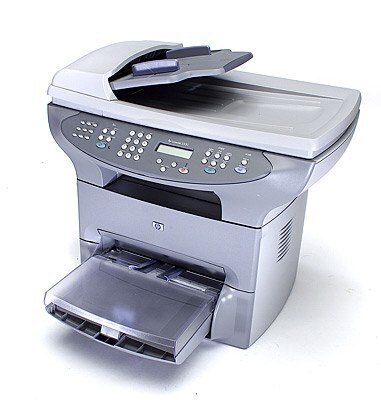
The LaserJet 3330, from 2003, added fax to HP's compact multifunction line — a true four-function machine for small offices. Print, scan, copy, and fax arrived in a single desktop-friendly box.
Cartridges are the HP 15A (C7115A) and high-yield HP 15X (C7115X). We carry compatible and genuine OEM toner for the 3330.
Toner Cartridges for LaserJet 3330
This printer works with the following toner cartridges:
- HP C7115A
- HP C7115X
More HP Printers
- LaserJet 1000
- LaserJet 1000W
- LaserJet 1005
- LaserJet 1005W
- LaserJet 1200
- LaserJet 1200N
- LaserJet 1200SE
- LaserJet 1220
- LaserJet 1220SE
- LaserJet 3080
- LaserJet 3300
- LaserJet 3300MFP
- LaserJet 3300N
- LaserJet 3310
- LaserJet 3310MFP
- LaserJet 3320
- LaserJet 3320MFP
- LaserJet 3320N
- LaserJet 3320NMFP
- LaserJet 3330F
- LaserJet 3330MFP
- LaserJet 3380
- LaserJet LaserJet 3320
Frequently Asked Questions
What is the difference between the C7115A and C7115X cartridges for the HP LaserJet 3330?
For the HP LaserJet 3330, C7115A and C7115X are the same cartridge family in two capacities: standard (HP 15A) and high-yield (HP 15X). Either one installs the same way; the choice is purely about how much you print.
How do I replace the toner in the HP LaserJet 3330?
Power on the HP LaserJet 3330, open the cartridge door, and remove the spent C7115A. Unwrap the replacement HP 15A cartridge, rock it gently side to side to distribute the toner, insert it into the HP LaserJet 3330, and close the door.
How can I lower toner costs on the HP LaserJet 3330?
For the HP LaserJet 3330, match the cartridge to the job — compatible HP 15A for drafts, OEM C7115A for finals — and turn on toner-save mode in the print driver. Small settings changes on the HP LaserJet 3330 add up to real savings over a year.